

Acethinker Wind Cut If you want to create stunning movies with your own video clips, audio tracks and image collections then this could be the ideal program for you.
With its simple interface, you can quickly import media files, make artistic adjustments, and then save and publish your finished video.
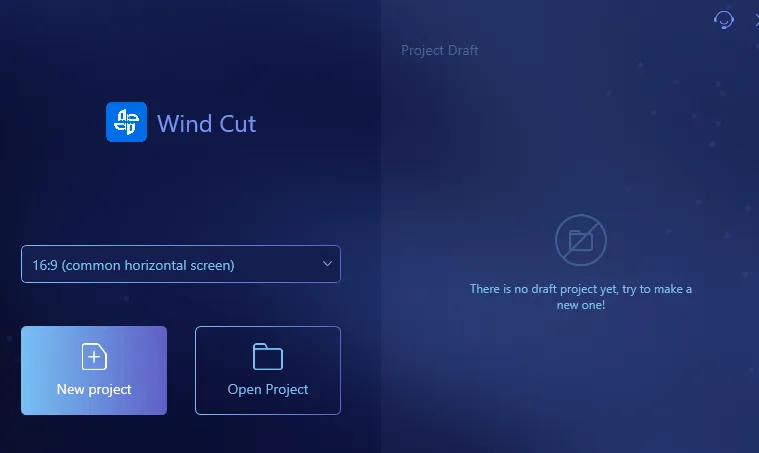
What is Acethinker Wind Cut?
It is a professional video editing software that allows users to edit and improve their videos with ease. It is a user-friendly tool that offers a number of features to create and edit high-quality videos. The software is compatible with both Windows and Mac OS And it's suitable for both personal and commercial use.
Key features of Acethinker Wind Cut:
1. video editing
Allows users to easily edit their videos. This software comes with a variety of editing tools that allow users to trim, crop, merge, split, and adjust the brightness, contrast, and saturation of the video.
2. Audio editing
This software also allows users to edit the audio of their videos. Users can add background music or sound effects to their videos, adjust the volume, and remove unwanted noise.
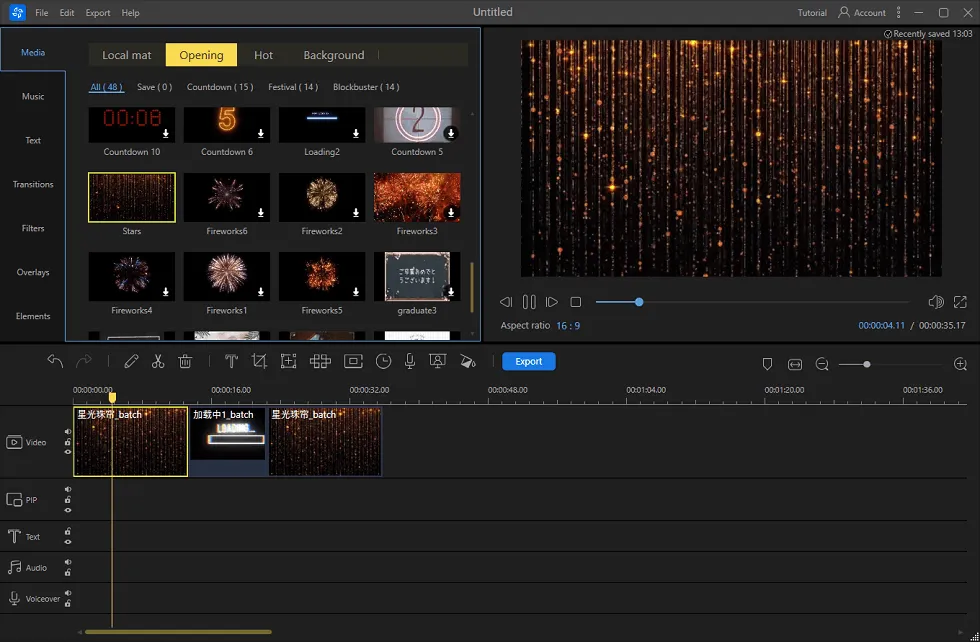
3. Text and Image Overlay
Allows users to add text and image overlays to their videos. Users can add captions, watermarks, and logos to their videos to give them a professional look.
4. Transitions and Filters
This software comes with a variety of transitions and filters that users can use to enhance their videos. Users can add animations, transitions, and filters to their videos to make them more attractive.
Get AceThinker Wind Cut Free 1-Year License ?
Download Wind Cut software from the developer page: Windows, Mac,
The software can be easily installed by launching the downloaded file. Once installed, launch the app and you will see the primary interface.
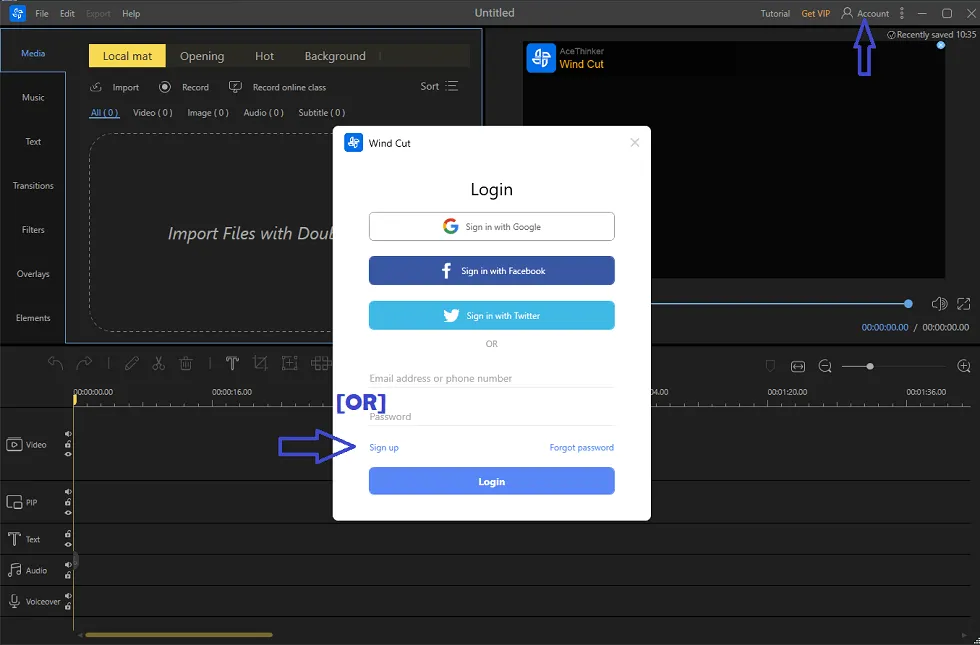
To log in to Wind Cut, click on “User icon or account” in the upper right corner of the app's primary interface. You can log in using your Google, Facebook, or Twitter account.
Alternatively, you can create a new account by clicking on “Sign up” button.
If you want to create a new account, enter your email address and click the “Get Verification Code” button.
Check your email inbox for the verification code and then copy and paste the code.
Enter the password and press “Sign Up” button to complete the registration process.
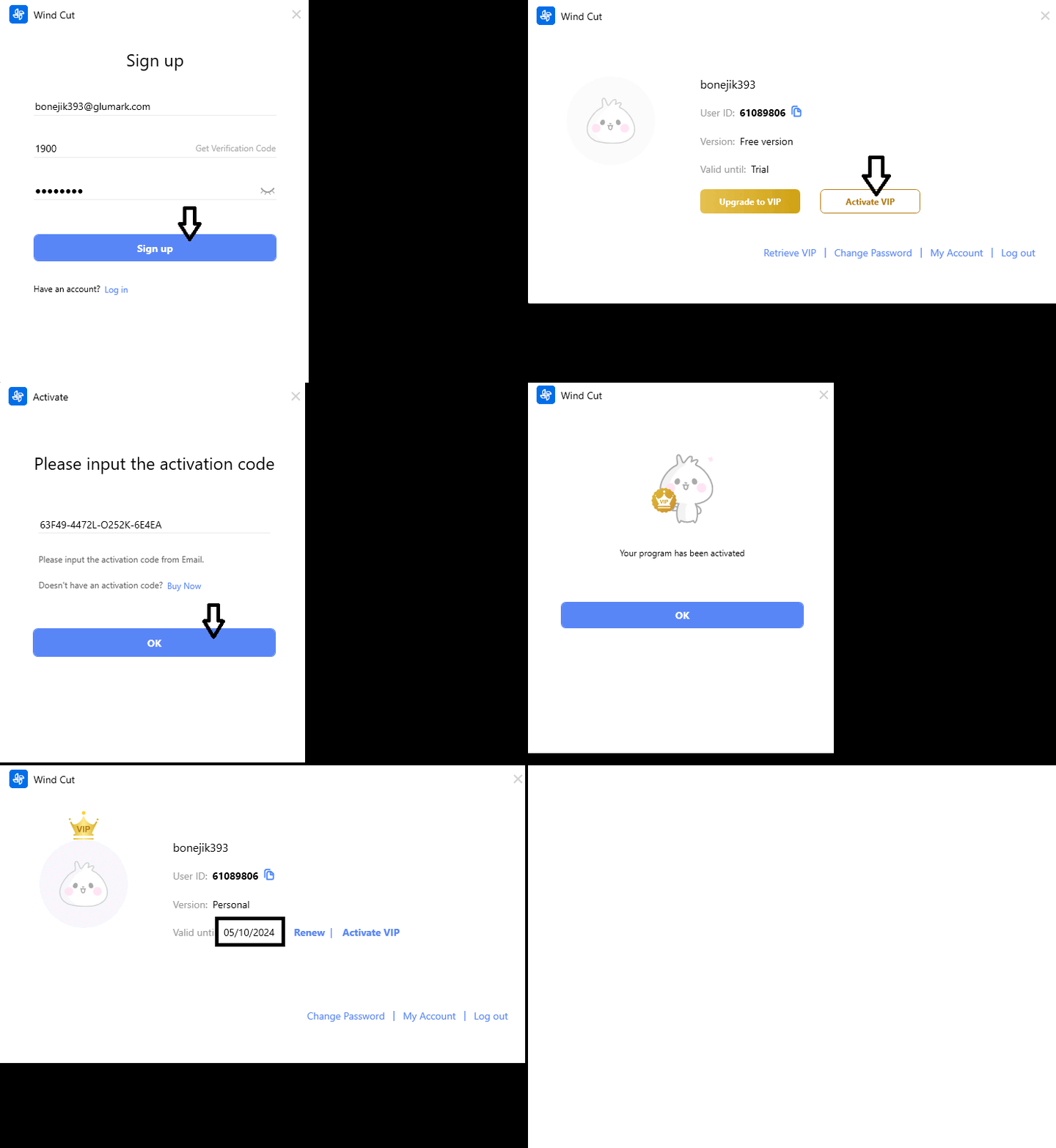
In the new window that appears, click the “Activate VIP” button and enter the VIP activation code below in the text box provided.
New VIP activation code for Windows:
L8LLU-KBT3W-BW55R-L7I4H
[OR]
7HVD9-CJNR7-1K153-JWHS2
Mac:
SDQ9O-TP029-SRNDR-TFXBG
[OR]
HMLNR-9WT58-ZOWNX-6FF50
[OR]
Y4K4J-C7QKZ-1LKTA-QTX04
Finally, click on the “Activate” button to complete the process.


![Wise Registry Cleaner Pro v11 Free for 1 Year [Worth $29.95] | Free Download](https://diystorehouse.com/wp-content/uploads/2024/06/Wise-Registry-Cleaner-Pro-Box.png?v=1719554291)
