
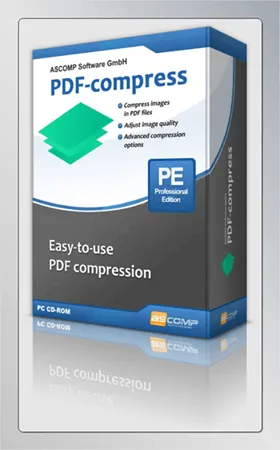
Ascomp PDF-Compress Pro is a great tool for reducing the size of PDF files. With this easy-to-use tool, you can reduce the size of PDF files to make them easier to share.
PDFs are a great way to display and share complex text, diagrams, graphics, and forms. However, PDF files are often very large, making them difficult to share.
We use PDF files because their quality isn’t bad, but sharing a huge document can be a pain sometimes. Ascomp PDF-Compress is a Windows application developed to help you resize and optimize large PDF files.
PDF-Compress enables you to shrink your PDF files so that they do not consume more storage space than necessary. Depending on the structure and content of the PDF document, compression rates of up to 95 percent are possible. In more than a thousand tests PDF Files Randomly selected from a variety of sources, they achieved an average compression rate of about 50 percent.
PDF-Compression uses multiple compression methods.
For example, document images can be losslessly compressed, special optimization techniques (MRC) can be applied, and I can remove blank pages and annotations from the PDF structure. Optionally, the image quality can also be reduced in several stages, and it can perform web display optimization.

How to use Ascomp PDF-Compress Pro?
This program comes with a user-friendly interface. Just launch the app and select the PDF file you want to compress.
find out PDF Go to your drive and select the file, then click the “Next” button.
In the next window, you can specify the settings for compressing the selected PDF files.
You can change the image quality of the images present in the PDF document. In addition, you can adjust the image resolution (DPI) and, if desired, use additional options to optimize the file size.
Additional options include using MRC compression, removing annotations, and removing blank pages.
Click the “Next” button and specify where to save the compressed PDF files.
That’s it and press the “Compress” button.
Get Ascomp PDF-Compress Pro for free:
Visit this new Gifts Page or this Gifts Page or this Gifts page.
Enter your first and last name, email address and country, then click “Send”.
You will receive a confirmation email from ASCOMP Software in a few seconds. Check your inbox for the email.
Click on the verification link. This link will be sent to your ASCOMP Account Page, Where you can download the full version installer.



![Wise Registry Cleaner Pro v11 Free for 1 Year [Worth $29.95] | Free Download](https://diystorehouse.com/wp-content/uploads/2024/06/Wise-Registry-Cleaner-Pro-Box.png?v=1719554291)
