
Are you tired of using complicated and time-consuming photo editing software? Do you want to improve your photos without compromising their original quality?
Meet Ashampoo Photo Optimizer 9 – the perfect solution for anyone who wants to easily improve their images.
With its easy-to-use interface and powerful image optimization engine, Windows users can easily create stunning images.
About Ashampoo Photo Optimizer 9
Ashampoo Photo Optimizer 9 is a powerful and user-friendly tool designed to enhance the original quality of your photos.
This software is not just an editing tool; it is a gateway to transforming your pictures into stunning visuals.
This powerful software can automatically improve your photos, or you can manually adjust their color, brightness, contrast, and other settings. You can also remove red eyes, fix crooked horizons, and add creative effects.
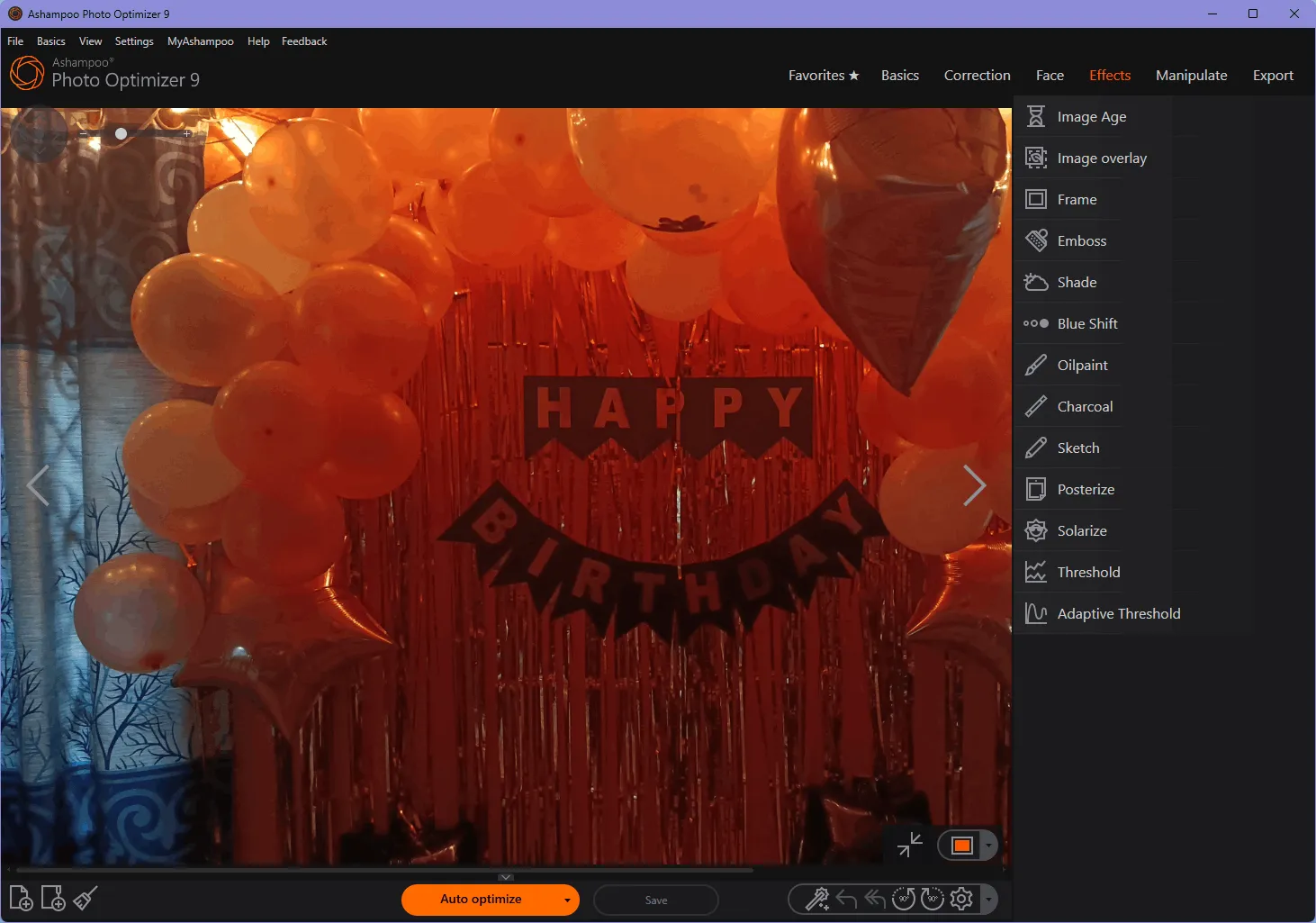
One-click optimization
Photo Optimizer 9 has an optimization engine that checks images and automatically makes adjustments to enhance quality such as brightness, contrast, and color.
It doesn’t matter if you have just one photo or several from your camera’s memory card; the optimizer can handle them all at once. You’ll be able to improve the look of your photos easily.
user-friendly interface
The software’s interface is user-friendly, with clearly labeled sliders.
You can see the results of your adjustments in real time, giving you full control over the editing process. This lets you see how each change affects your photo.
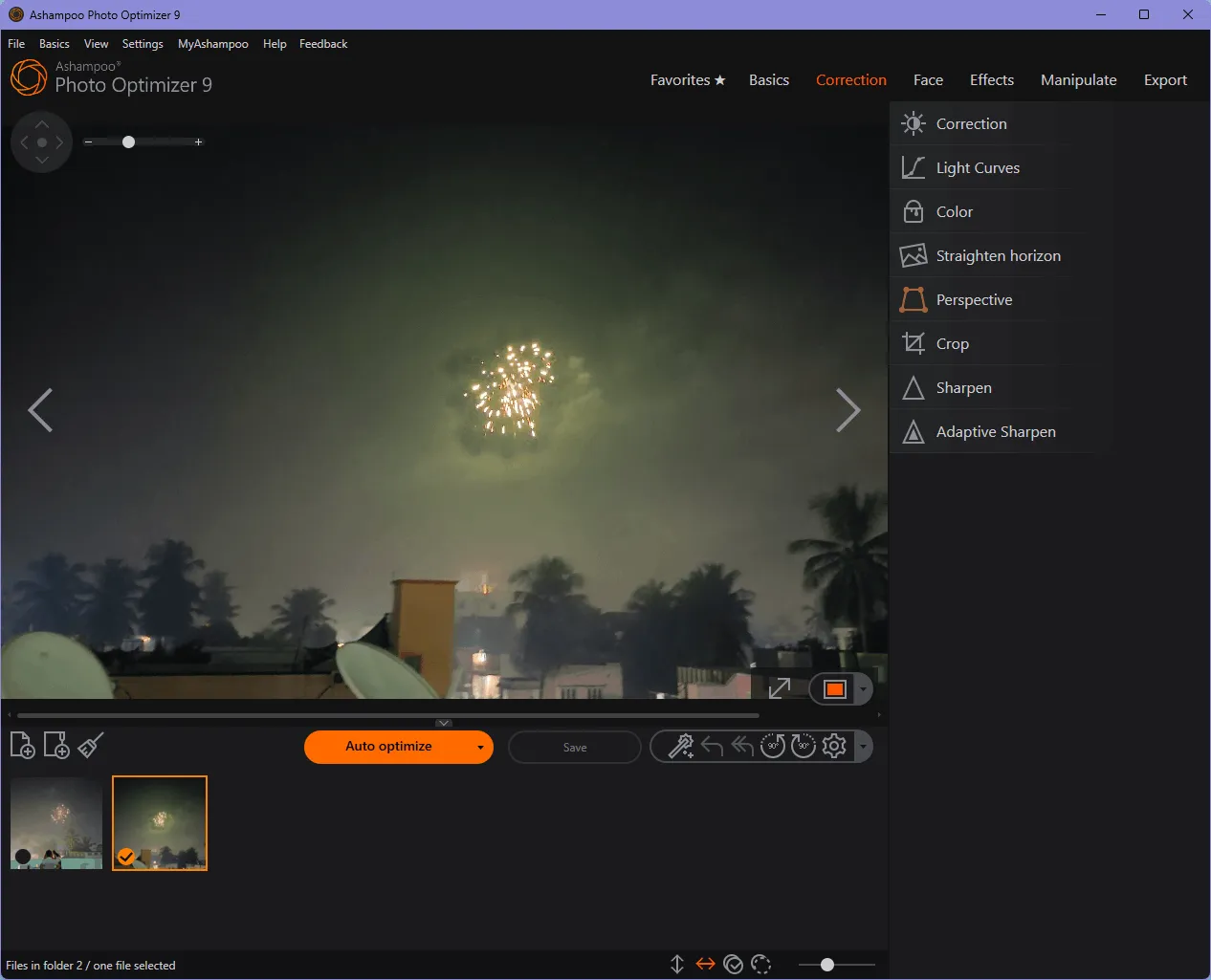
Easy sliders for customization and advanced editing options
If automatic optimization doesn’t give you the desired results, you can easily customize the settings using the intuitive sliders.
Visually adjust lighting, color, and other properties by dragging sliders, and watch the changes happen in real time.
Even if you’re new to photo editing, you can experiment and learn without having to deal with complicated menus.
Pro users also have access to advanced controls for precise portrait adjustments and perspective correction.
Batch Processing and Backup Systems
The most prominent feature of Photo Optimizer 9 is its ability to process multiple images simultaneously.
This means you can apply the same edits to multiple photos, saving you valuable time.
Moreover, the software has a robust backup system that allows you to undo the changes and restore the original files.
Beyond basic editing
Ashampoo Photo Optimizer goes far beyond basic editing. It offers a variety of pre-defined effects and image manipulation techniques that can give your photos a unique touch. From motion and adaptive blur to photo frame insertion, the possibilities are endless.
Main features of Ashampoo Photo Optimizer 9:
- One-click image optimization with automatic analysis and correction of common problems, such as faded colors, poor lighting, or perspective distortions.
- Customizable and intuitive user interface with easy access to favorite functions and live preview of changes.
- Advanced editing options for portraits, colors, effects, and more.
- Batch processing of multiple images and robust backup system to undo changes and restore original images.
Get Ashampoo Photo Optimizer 9 full version for free:
The latest version of Photo Optimizer is available at a price of around $40. However, there is a way to get it without spending a penny. It just takes a few simple steps.
Updates [New giveaway version],
go here New Gifts Page,
Download the latest version installer from here Ashampoo_Photo_Optimizer_9_42678.exe.zip
[Previous Giveaway-Still Working],
go here Gifts page.
Download the installer from here https://www.ashampoo.com/photo_optimizer_9.4.exe
[Previous Giveaway-Still Working],
go here Gifts Page To get the license code.
Download the Giveaway Edition installer from here https://specials.pcwelt.de/Vollversionen_2024/
Alternate download link: [Link 1 / Link 2 ]
Run the installer, enter your license, click “Activate Now!” and complete the installation process.
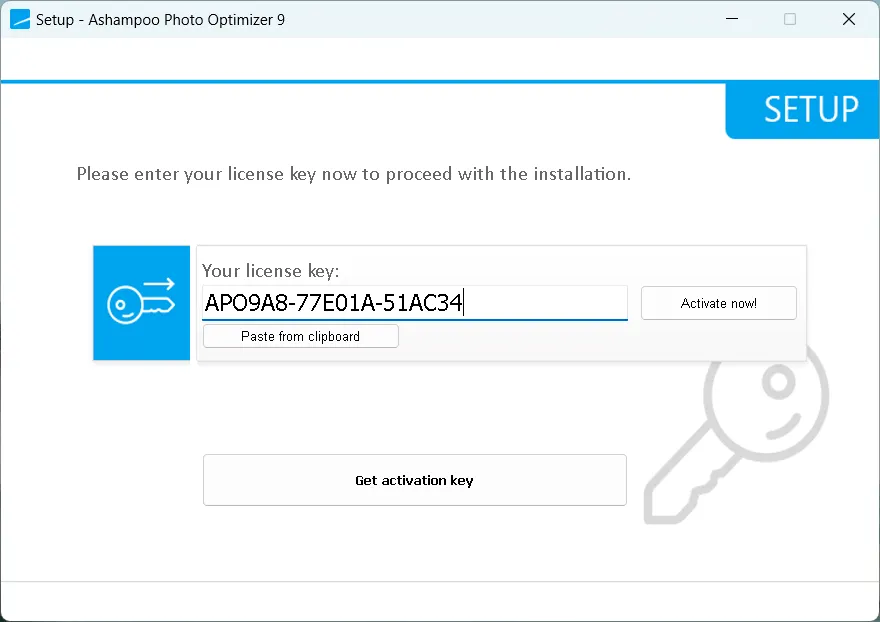
[Previous giveaway- Still Working (Jan 26, 2024)],
Go here to get the license code Gifts Page or this Gifts Page,
Download the latest version installer from here https://cdn1.ashampoo.net/ashampoo/
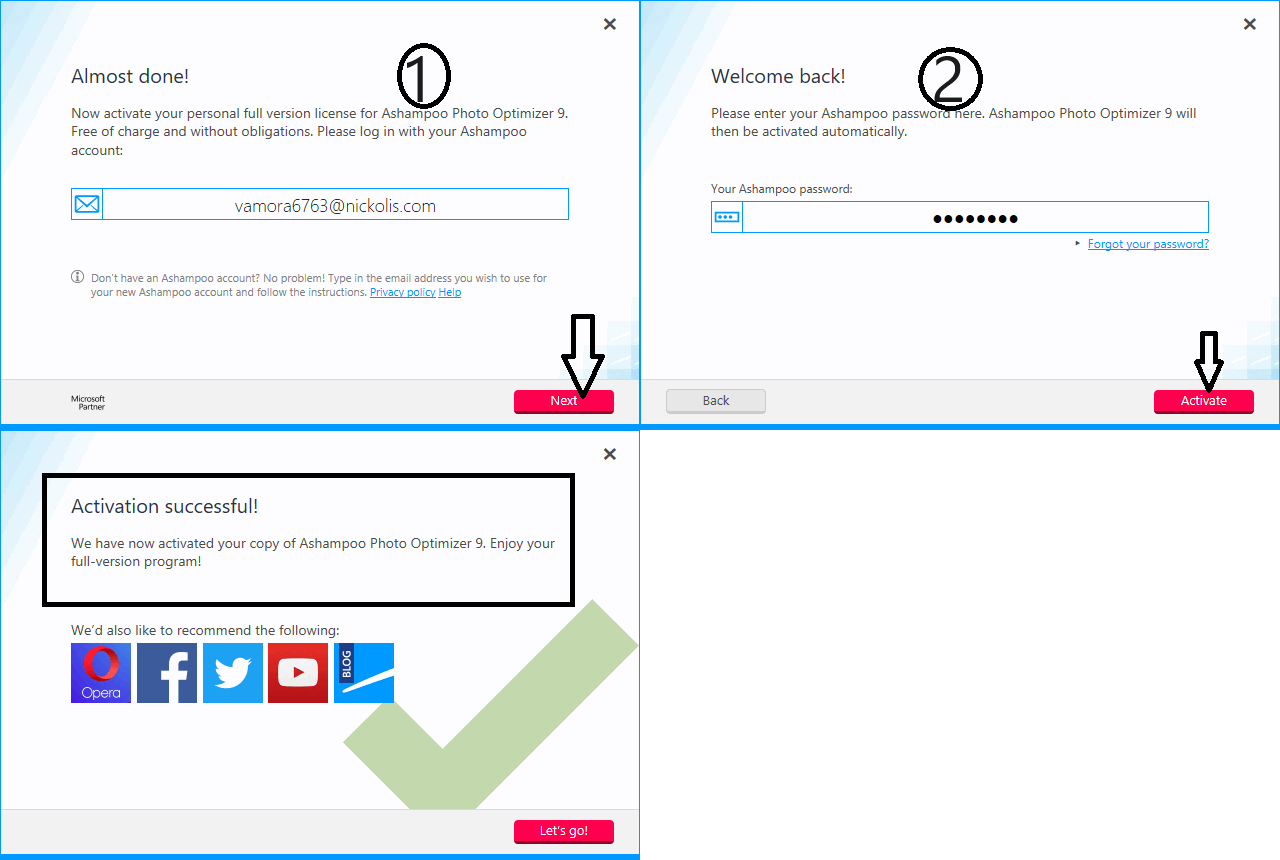
Run the installer, complete the installation process and you will see an activation screen or window when you launch the software.
Enter your Ashampoo account email address, click “Next,” and then enter your Ashampoo account password, and click “Activate.”
Comment: If you’re new to the Ashampoo software, enter your email address on the activation screen, click “Next” and create an account.
conclusion:
Photo Optimizer 9 is a user-friendly and powerful software designed to enhance your photos.
It offers a variety of features to improve your pictures, such as automatic enhancements, manual editing, red-eye removal, straightening the horizon, and adding creative effects.
If you’re looking for a simple way to improve your photos, Ashampoo Photo Optimizer 9 is a great choice.


![Wise Registry Cleaner Pro v11 Free for 1 Year [Worth $29.95] | Free Download](https://diystorehouse.com/wp-content/uploads/2024/06/Wise-Registry-Cleaner-Pro-Box.png?v=1719554291)
