

Ashampoo Uninstaller 12 It makes it incredibly easy to remove programs without leaving any residue. It's not just a simple program remover, but a set of tools that can ensure your computer is in tip-top condition.
Ashampoo UnInstaller 12 Giveaway:
New gift:
go here Promo page.
Type your email and press the 'REQUEST FULL VERSION KEY' button. If you already have an Ashampoo account, enter your password to login.
Those who do not have an account can activate it via email. After logging in, you will see the license key and it will also be sent to your email.
Download the new cheaper version (build 43046) from one of these two links: [Link 1/ Link 2]
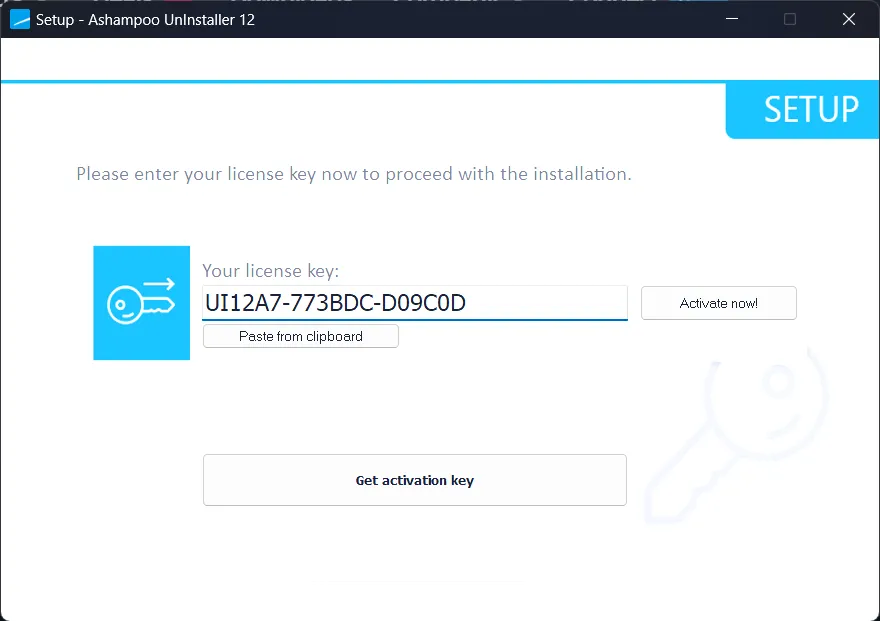
Run the installer, and enter your license code. Click the “Activate Now” button.
Go ahead and click “Next” and complete the installation process.
That's it. You can use the full version of Uninstaller 12 for free.
[Previous Giveaway 1- Still Working],
go here Gifts Page To receive your license code
Download the Giveaway Edition installer (build 41763): ashampoo_uninstaller_12_41763.exe
[Previous Giveaway 2- Still Working],
go here Gifts Page To receive your license code
Download the Giveaway Edition installer from here https://cdn1.ashampoo.net/public/desk/2503/uninstaller_12_40317.exe
About Ashampoo UnInstaller 12:
With Uninstaller 11, unwanted programs, browser extensions and toolbars disappear from your system at the click of a button.
Windows The OS only deletes files that are not locked by other programs – and that's usually not enough. Temporary files, registry entries and incorrect file associations often remain even after the system uninstalls programs in the default way.
These remnants can cause errors, clutter the hard disk, and slow down the system.
Ashampoo UnInstaller 12 goes beyond traditional uninstalls and takes care of these problems thanks to smart search and delete algorithms. It removes unwanted software down to the last byte.
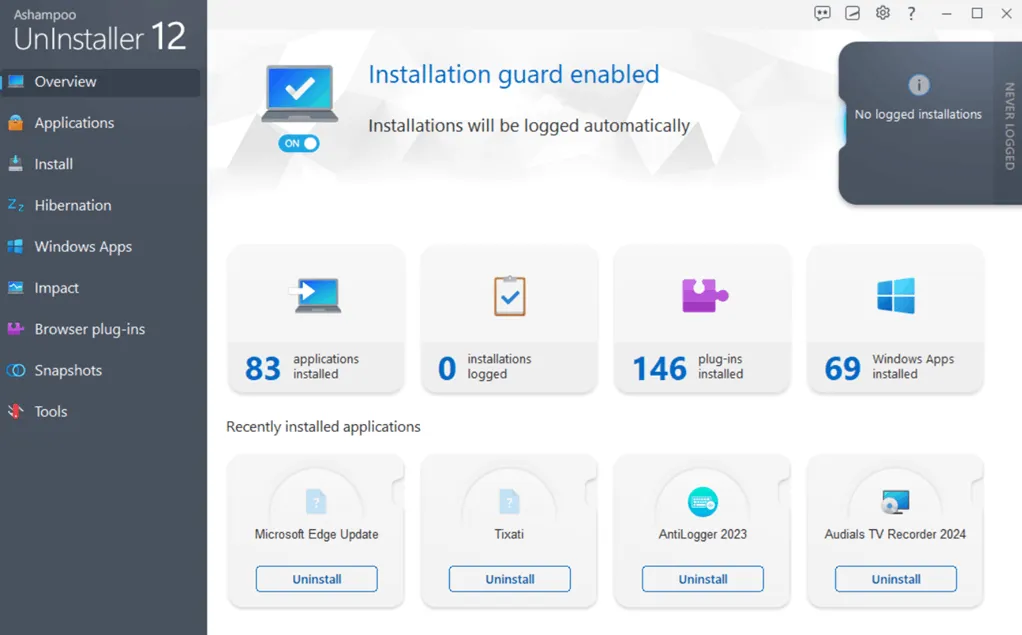
Ashampoo UnInstaller 12 comes with many new features and many great optimizations.
Now, you can easily drag the program shortcut to Uninstaller You can delete them by clicking on the icon, and the new Snapshot Wizard creates restore points before and after each installation for maximum security.
Background installation monitoring has been improved for more accurate and reliable tracking, even after system reboots.
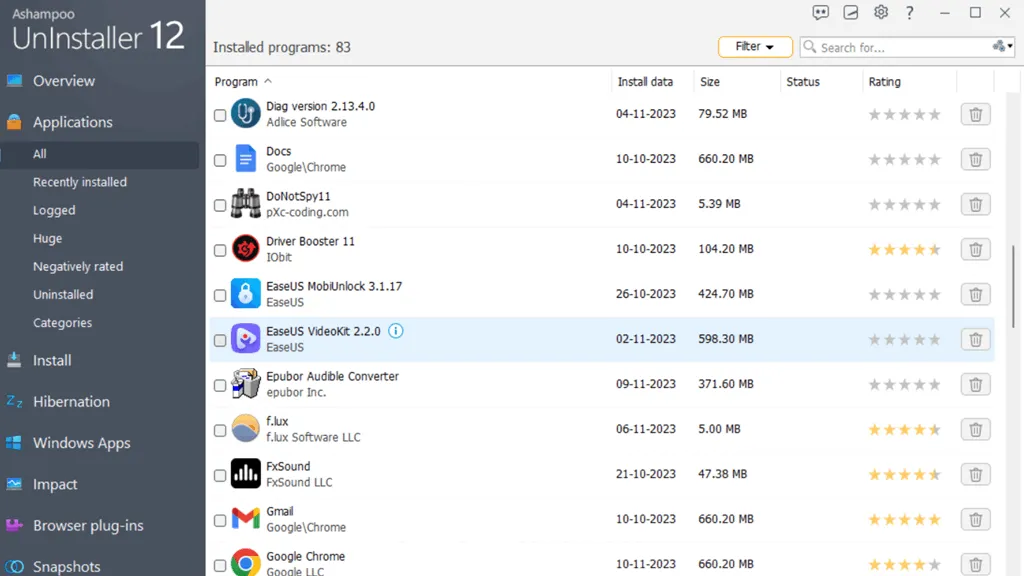
Its functionality goes far beyond that of a regular uninstaller. Ashampoo UnInstaller can create system snapshots and comes with dedicated tools for system cleaning and registry optimization, junk removal, managing startup items, and handling running services.
key features:
- Completely remove unmonitored installations with profiles.
- Destroy sensitive files with military-level security standards.
- deep cleaning technology
- Four-way deletion technology finds residual files even after system restart.
Comment: It is common to come across unwanted deals or promos with Ashampoo promo or giveaway software.


![Wise Registry Cleaner Pro v11 Free for 1 Year [Worth $29.95] | Free Download](https://diystorehouse.com/wp-content/uploads/2024/06/Wise-Registry-Cleaner-Pro-Box.png?v=1719554291)
