
Ashampoo Webcam Guard is a Windows program that protects your confidentiality And security by preventing unauthorized access to your webcam and microphone.
with this Ashampoo Software, you can easily turn your webcam and microphone on and off with one click. You can also set up alerts to be notified if someone tries to access your webcam or microphone without your permission.
In today’s digital age, it is more important than ever to protect your privacy. One way to do this is to keep your webcam and microphone turned off when you’re not using them. However, this can be inconvenient and time consuming.
That’s where Ashampoo Webcam Guard comes in. This software allows you to easily turn your webcam and microphone on and off with just the click of a button.
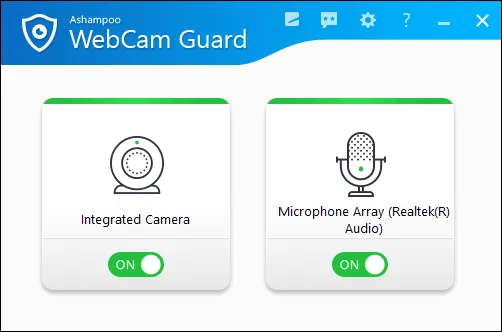
Main features of AShampoo Webcam Guard:
- Real-time webcam and microphone monitoring: constantly monitoring you webcam And microphone for unauthorized access. If it detects any suspicious activity, it will notify you immediately.
- Lockdown Mode: Prevents anyone from accessing your webcam or microphone, even if they have physical access to your computer.
- Whitelist: You can create a list of allowed applications that can access your webcam and microphone. This ensures that only trusted applications can use your webcam and microphone.
- Real time visual feedback: Provides instant visual feedback about the status of your camera and microphone. At a glance, you can easily determine whether your webcam and microphone are active or disabled.
Ashampoo Webcam Guard Giveaway:
To get started, simply visit Gift Page.
On the page, enter your email address and click the “Request full version key” button.
NOTE: If you are new to ASHAMPU software, you will need to confirm your email address and create an account.
Once you’ve done that, log in to your Ashampoo account, and the giveaway page will show you the license code you need.
Download the installer here https://cdn1.ashampoo.net/public/
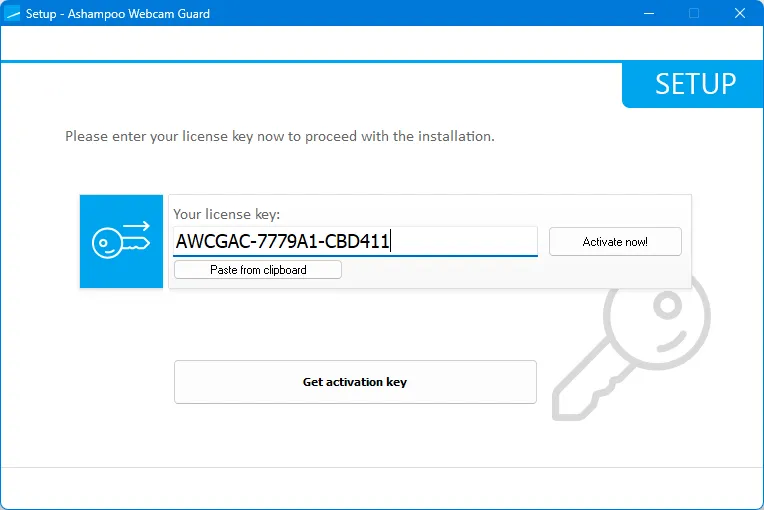
Once the installer is downloaded, run it on your computer. Enter the license code provided and click “Activate Now!” Click on. button.
Follow the prompts to complete the installation process, and you will be all set to use Ashampoo Webcam Guard.


![Wise Registry Cleaner Pro v11 Free for 1 Year [Worth $29.95] | Free Download](https://diystorehouse.com/wp-content/uploads/2024/06/Wise-Registry-Cleaner-Pro-Box.png?v=1719554291)
