
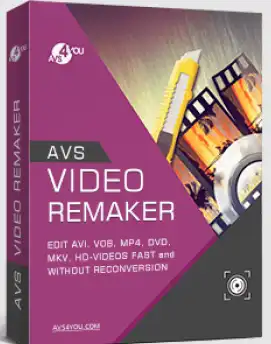
AVS Video Remaker is a sophisticated and robust video application that lets you easily create customized videos from a variety of file formats. When it comes to creating personalized videos, this type of tool makes it easy and fun.
It is a powerful software for creating DVD and Blu-ray, capturing and editing Video,
With Video Remaker, you can import multiple movies from your computer, arrange them in a timeline, apply transition effects, create chapters and even export the created movie.
It's all quite simple, thanks to a well-designed user interface. All the visual parts are set up in such a way that they take you step by step through the process. Once you load a clip into the app, you can view it and jump to specific frames and keyframes. This lets you use the app's split and trim functions with complete control and precision.
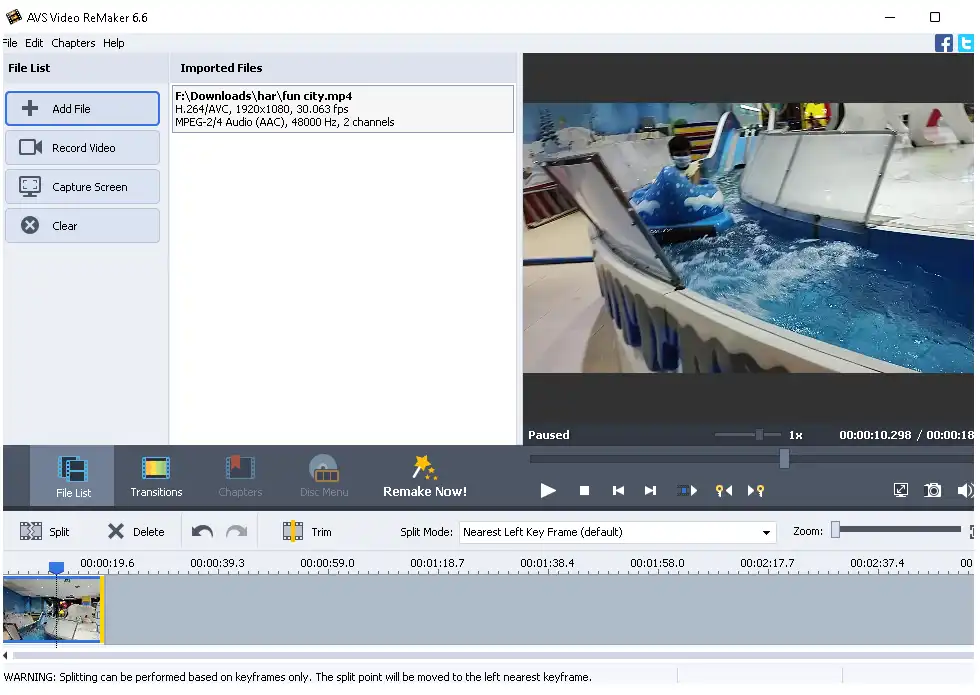
AVS Video Remaker Features:
- You can edit video files without reconverting them.
- In all popular video formats, you can cut, delete unwanted parts and change the order of scenes.
- Merge multiple video files with similar settings.
- Quickly save videos while maintaining the original quality.
- Capture video from webcams and DV cameras
- Create how-to videos or tutorials screen capture Celebration.
- Create menus for DVD and Blu-ray.
- You can split the video into chapters and choose from different menu templates.
- Choose Auto Set, and the program will split the file by itself.
- Burn video files to DVD or Blu-ray disc.
Get AVS Video Remaker for free:
Update: [New Giveaway]
Visit this AVS4you Store Cart page: https://store.avs4you.com/order/checkout.php
On that cart page, you can see that a coupon code has been applied and the price of the product (AVS Video Remaker 1-Year Subscription) has been reduced to zero.
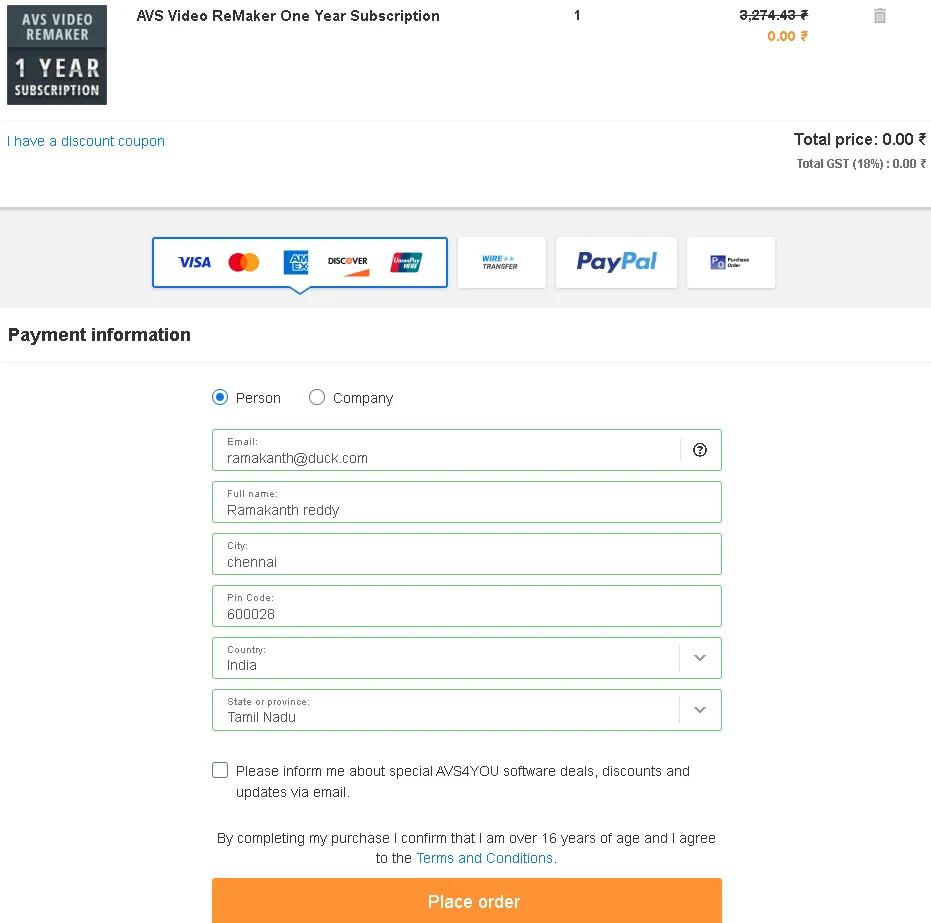
Next, fill out a small form with your email address and other details, then click the “Place Order” button.
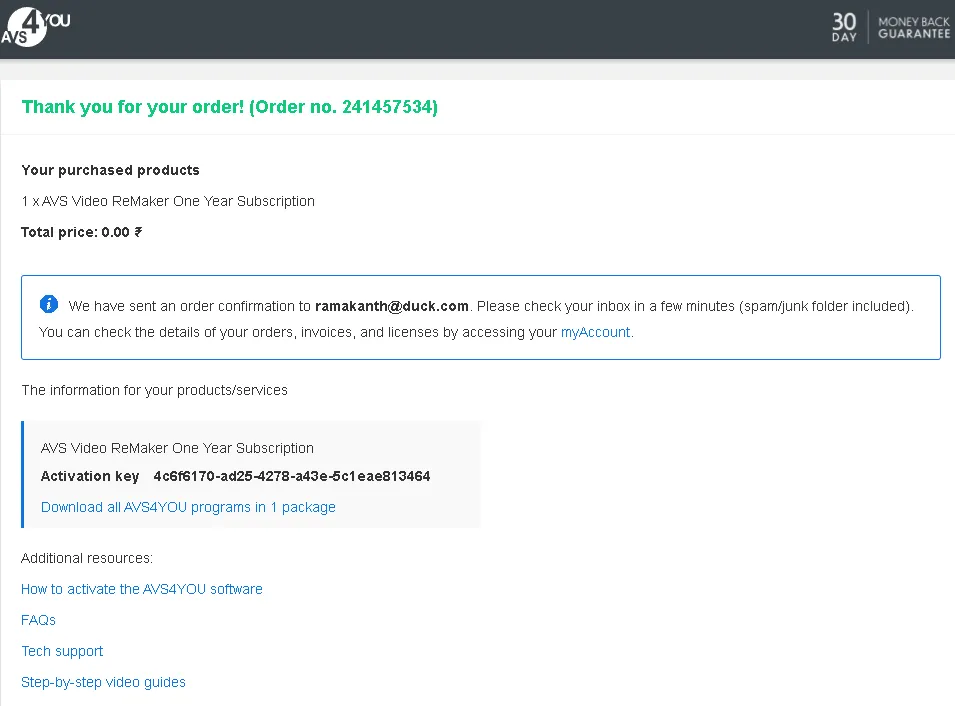
Please wait a few seconds; your order will be processed and the license code (copy it) and the link to download the software will be displayed on the page.
Click on the download link, download the software and activate it with the license code.
[Previous Giveaway- June 5,2024]
Download the latest version installer(v7) https://downloads.avs4you.com/distributives/AVSVideoReMaker.exe.
After downloading, please install the program, and then launch it!
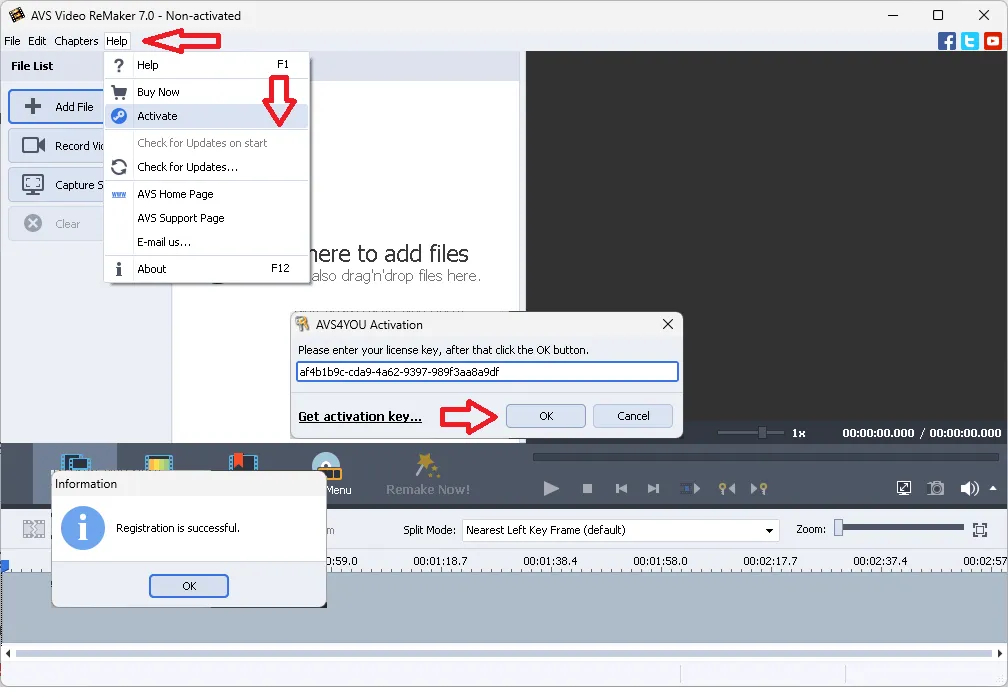
Click “Help” and then “Activate” on the main window of the app.
Next, enter the following license key in the License Code field, and click the “OK” button.
af4b1b9c-cda9-4a62-9397-989f3aa8a9df
The job is done. Enjoy all the features!
Update: [December 21, 2023]
Download Video Remaker software installer from here https://www.avs4you.com/downloads/6.8.3.272.zip
Alternate Link: [Link 1] , [Link 2]
Extract the zip file, run the installer, and complete the installation process.
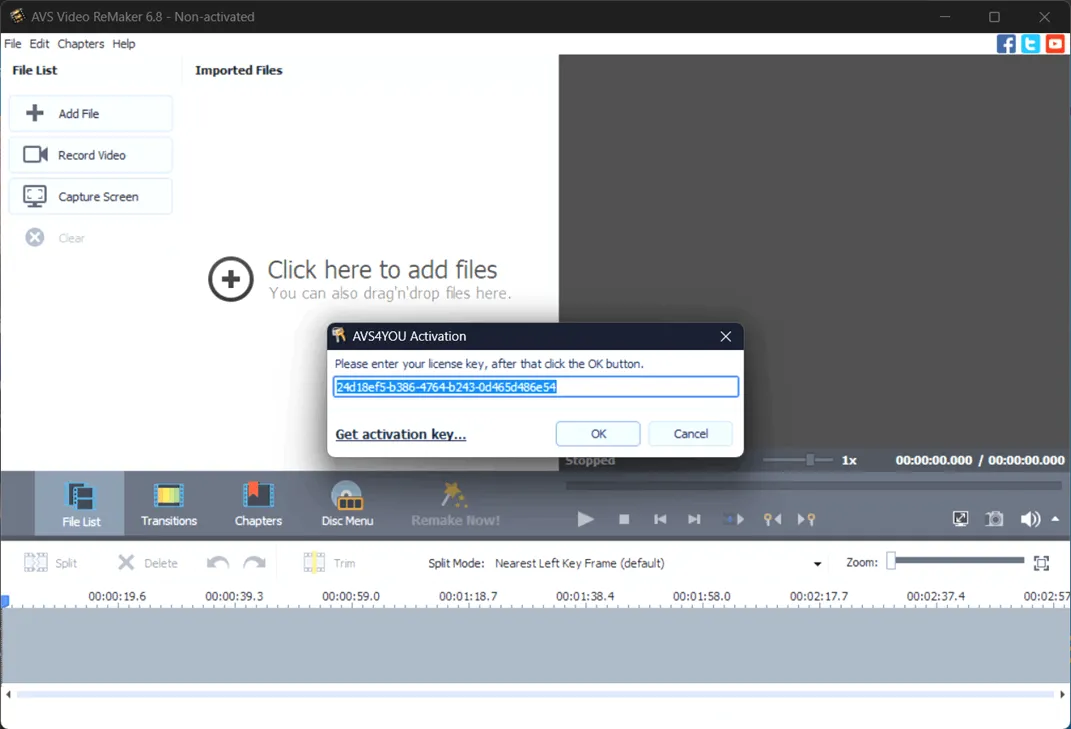
When you open the software for the first time, you will see an activation window with a pre-filled license code (similar to the screenshot below). Click 'OK' to unlock the full version.
Download Video Remaker software from this link: https://downloads.avs4you.com
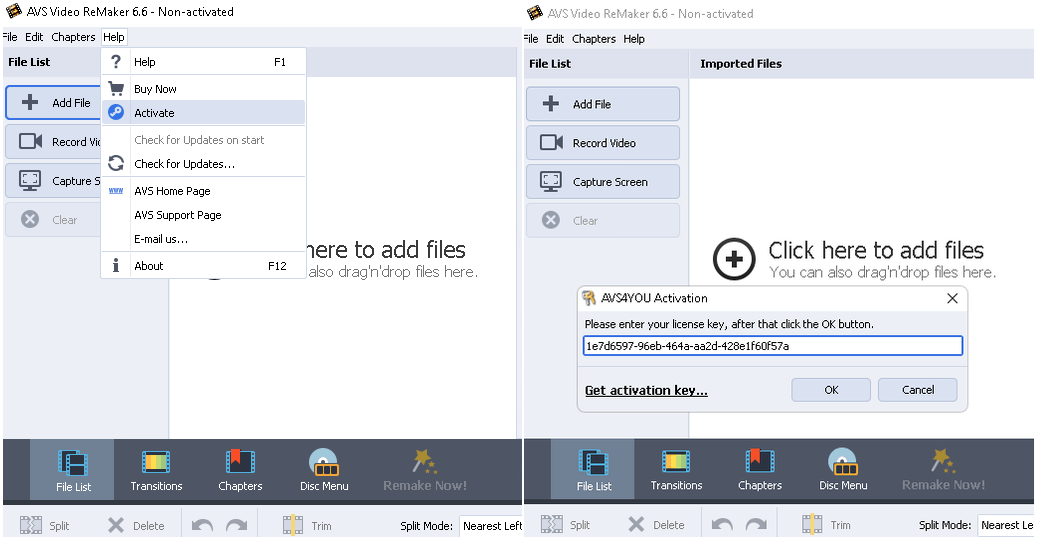
Install and launch the software. On the main window of the app, click on “Help” and select the “Activate” option.
Enter the license code given below and click on “OK” button.
1ced9c2c-f910-482b-9513-aa61cb0581e0
Previous Gift:
go here Gifts Page To get the license code.


![Wise Registry Cleaner Pro v11 Free for 1 Year [Worth $29.95] | Free Download](https://diystorehouse.com/wp-content/uploads/2024/06/Wise-Registry-Cleaner-Pro-Box.png?v=1719554291)
