
desktop secret lock is a lightweight and comprehensive solution that provides strong protection against remote desktop hacking or unauthorized access.
there is no such thing as too much Security When protecting sensitive information, whether that information is stored online or offline. You should take every precaution to keep your data secure.
Desktop Secret Lock is a utility that can lock your computer and is adaptable if you're concerned about local security.
It strengthens the security of your computer or remote desktop server.
For home or office PC:
It will alert you to any keystrokes or mouse clicks on your computer, whether at home or at work.
For remote server:
The security of the remote server is compromised by using windows Remote Desktop, TeamViewer, or AnyDesk for remote administration. There are vulnerabilities in remote desktop software that hackers can exploit, and they can brute-force crack passwords.
This program uses a unique locking system for added security, and its password is different from the password you used to access your computer.
A locked computer gives the impression that it is unlocked, but in reality, it is in a safe mode that limits access to the actual desktop. It will alert you if someone uses your computer without your permission.
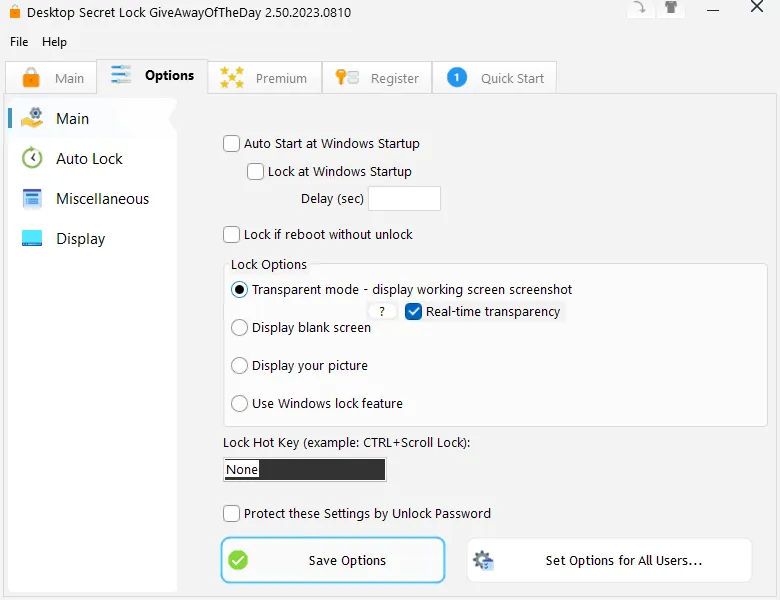
Once the setup is complete, the application will open its quick start menu. From there, you can see three required steps before using the app. First, you'll choose a password to use if you ever need to access your computer again. The second step confirms that you've memorized your password, and the third locks your computer screen.
You only have to do these steps once, but you can do them again if you want to change the password.
Desktop Secret Lock Features:
- Log Journal: Everything you do with your mouse and keyboard is recorded.
- Auto Lock: Lock the desktop using a shortcut key or inactivity time.
- Lock and unlock USB drives with security.
- Advanced Security.
- Transparent desktop lock.
Get a free Desktop Secret Lock license:
Download the free version installer here https://greatissoftware.com/giveaway.zip
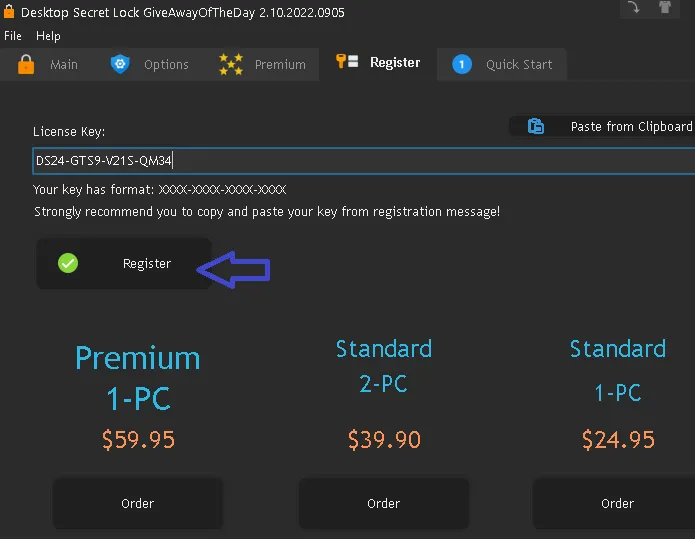
Install the software, launch the app and click “Register” on the main interface.
Enter the license code below
Press the “Register” button.


![Wise Registry Cleaner Pro v11 Free for 1 Year [Worth $29.95] | Free Download](https://diystorehouse.com/wp-content/uploads/2024/06/Wise-Registry-Cleaner-Pro-Box.png?v=1719554291)
