
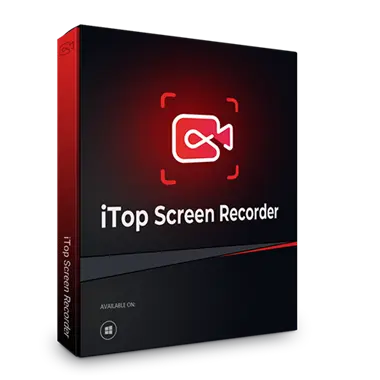
In today's digital content-driven environment, having the proper equipment is essential to shooting and editing top-notch videos. iTop Screen Recorder, a one-stop shop for screen recording, video editing and screenshots, is here to help.
with iTop Screen Recorder ProYou can easily record any screen activity, including games, webinars, and presentations, and then edit the footage into a professional-looking Video,
Why choose iTop Screen Recorder 5 Pro?
What makes iTop Screen Recorder stand out from the competition is its user-friendly interface and flexible capabilities. It is more than just a tool; It's an immersive experience that elevates your art of content creation.
here's why:
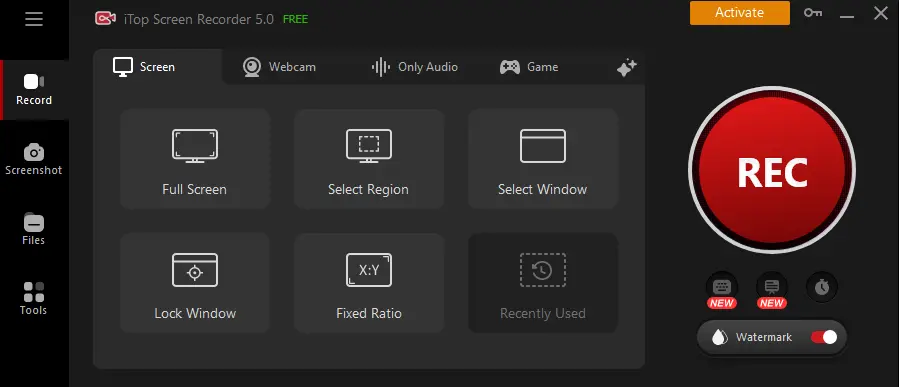
- flexible screen recording:The screen recording feature is very versatile, allowing you to record the entire screen, individual windows or even just a selected area in high quality.
- simultaneous recording: Video, audio and webcam can all be recorded simultaneously, making it ideal for live streaming and tutorials.
- Lag-free game recording: Recording high-intensity games without any lag Thanks to modern GPU rendering, even the most demanding games can be recorded with ease.
Features and Highlights:
Thanks to its extensive set of capabilities, itop screen recorder Makes screen recording and video editing easy.
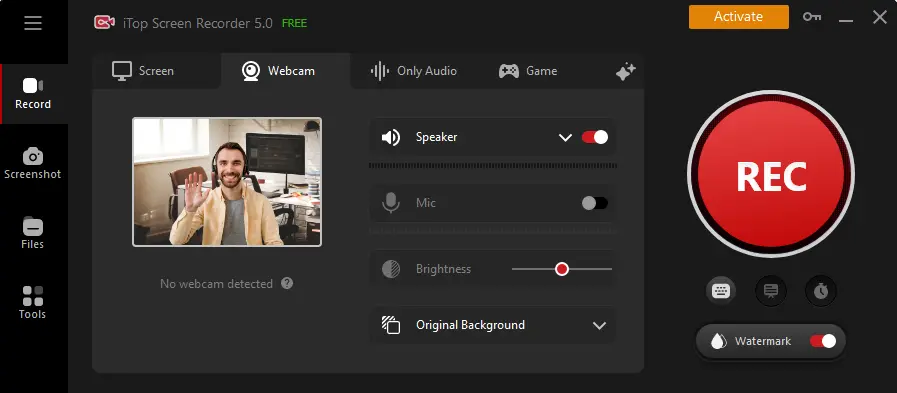
- High quality video capture: You can record in 4K with this capability, so your videos will be crystal clear.
- Professional Game Recording: Recording games professionally has never been easier with this function, which boosts system performance to ensure smooth recording at 60 frames per second.
- personalized webcam recording: Customize your webcam's frame and background to add a personal touch to your recordings.
- Detailed screenshot tool: Quickly and easily capture screenshots of the entire screen, selected windows, or a specific area.
Advanced editing capabilities
Screen Recorder is capable of doing much more than just recording. Using its editing capabilities, you can create videos of professional standard.
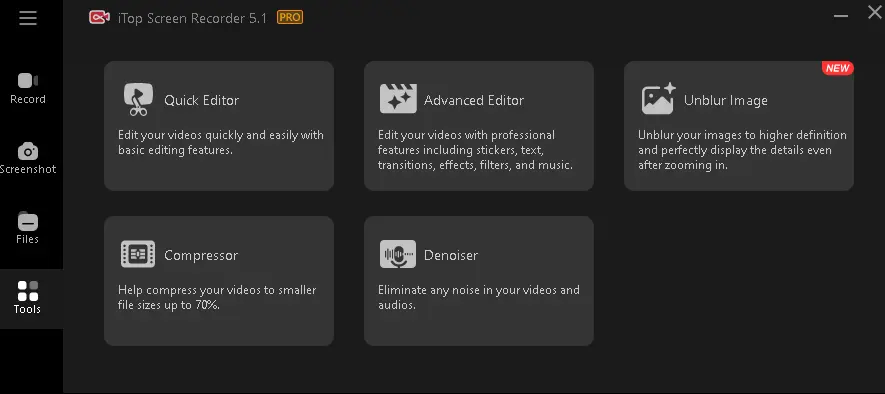
- quick editor: A user-friendly interface allows you to add filters, background music, subtitles and more.
- advanced editor: Using transitions, effects and multi-track editing, you can achieve a polished final product.
- video compression: You can compress videos without compromising quality, making them ideal for sharing over the Internet.
- denoiser tool: Enhance audio quality by removing unwanted background noise, resulting in cleaner sound.
additional features
There are many other features available in Screen Recorder that can improve your video editing experience.
- Custom Watermark: Personalize your content with a custom watermark.
- teleprompter: Enhance your recordings by using the built-in teleprompter.
- recording schedule: Enhance your recordings by using the built-in teleprompter.
- real-time doodle: Annotate your videos with images and text.
- mouse click effect: Make tutorials more attractive by highlighting mouse clicks.
- AI voice changer: Using ten or more filters – including “robotic,” “minions,” “young woman,” and more – AI Voice Changer transforms your speech in real time.
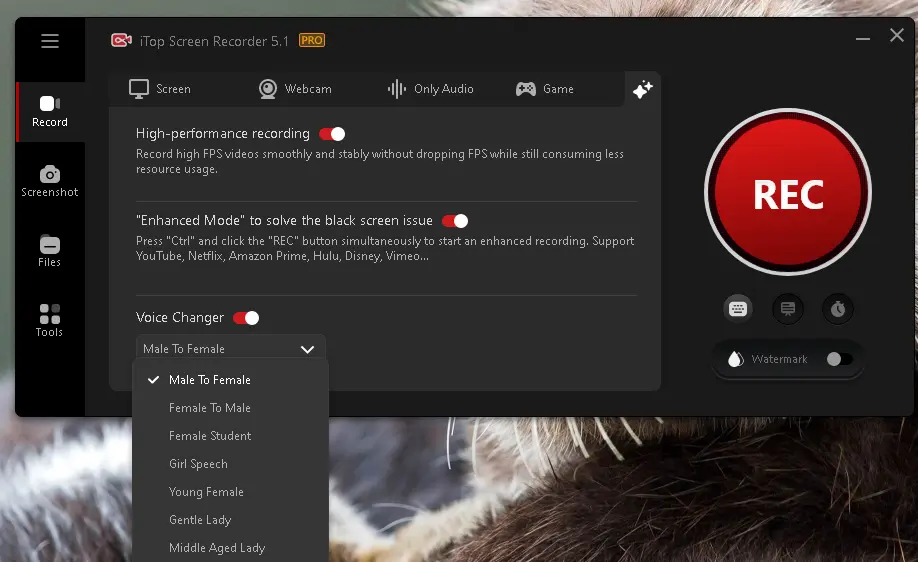
iTop Screen Recorder 5 Pro Giveaway:
For Techno360 readers, Ali: iTop provides 6 months free license code for the Pro version of Screen Recorder.
To take advantage of this offer, download the free version of iTop Screen Recorder official website,
Install the software and activate it using the following license code: 4424E-45713-7C5AE-4AD45,
Note: The above license code is valid for 100 activations.
Code: 4424E-45713-7C5AE-4AD45
conclusion:
If you want to create professional-quality videos quickly and easily, iTop Screen Recorder is what you need. Everyone from content creators and gamers to professionals need it because of its robust capabilities and user-friendly UI.
Creating professional quality videos has never been easier with this screen recorder. Try it now and see the change in your video editing game.


![Wise Registry Cleaner Pro v11 Free for 1 Year [Worth $29.95] | Free Download](https://diystorehouse.com/wp-content/uploads/2024/06/Wise-Registry-Cleaner-Pro-Box.png?v=1719554291)
