
Leawo Screen Recorder is a multifunctional screen recorder with audio that lets you easily record any part of your screen and any sound from your system sounds or microphone.
You can add voice narration, cursor movement, and even doodling to your recording so you can give instructions, discuss difficulties, and share knowledge without any hindrances. Making yourself more creative and productive is easier than ever with Leawo's screen recorder.
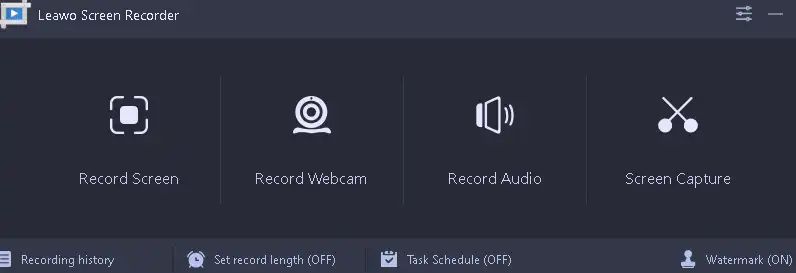
This Leawo software is more than just a screen recorder; it's an all-in-one solution for all your recording needs. It has four modules: Screen Recorder, Webcam Recorder, Audio Recorder, and Screen Capture, all of which can be used independently or in conjunction with another program already running.
Screen Recorder You can create high-quality screencasts of whatever you do on your computer screen. You can capture video from your webcam with Webcam Recorder. Audio Recorder can record sound from system sound or microphone. Screen Capture can take a picture of anything on the screen.
This Leawo software is simple and easy to use, and it can easily boost productivity and creativity in the following ways:
- Create interactive tutorial videos using various doodle and annotation tools so people can freely share their knowledge and ideas.
- Use a webcam and microphone to record dynamic PowerPoint presentations with voiceover.
- Record gameplay directly from the graphics card at a frame rate of 60FPS, even for large 3D games.
- Record high definition streaming video with sound.
- Record the screen by placing it over the webcam. This makes online meetings run more smoothly.
- Add background music or a voiceover to a video to make the audio and visual parts of the video work better together.
- Record high-quality online music in a variety of formats and sample rates from your computer's internal audio.
Leawo Screen Recorder is only available for Windows Right now it is available on all operating systems including Windows 7, 8, 10 and 11. It will soon be available for macOS as well.
Leawo Screen Recorder Giveaway:
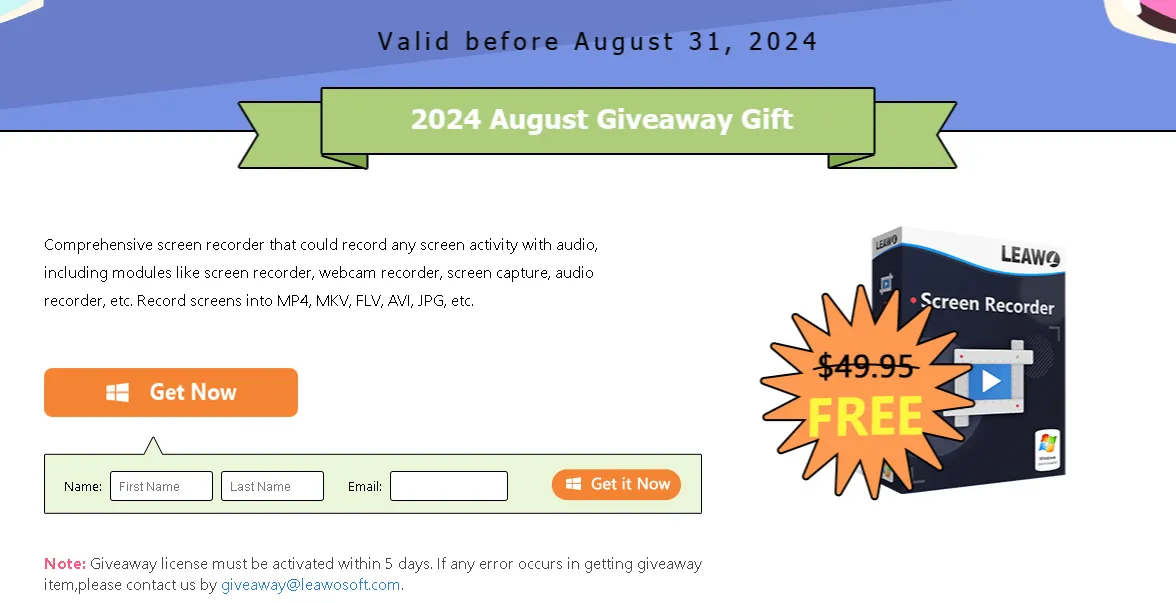
Visit this Leawo Gifts Page,
Enter your first and last name, and email address, and click the “Get It Now” button.
Find the license code on the gift page and copy it.
download software From here.
Install the software: When you run it for the first time, you will see an activation window as shown below.
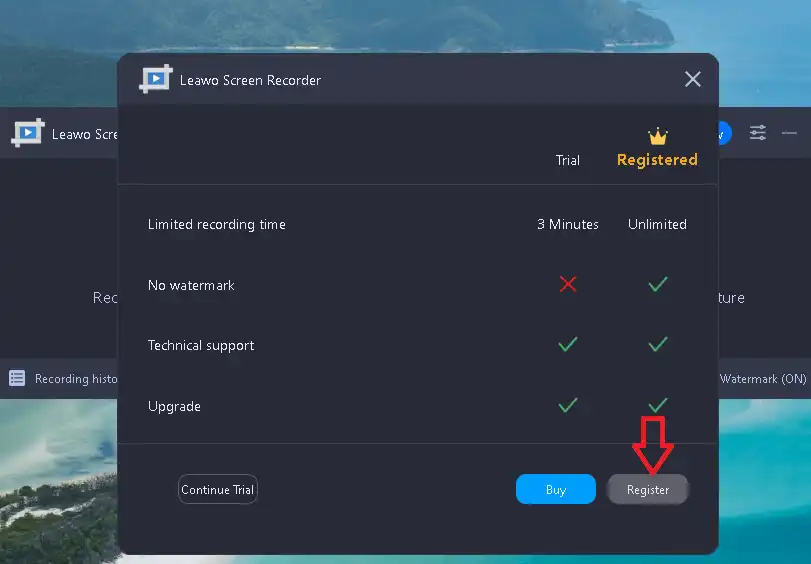
Click on “Register”.
Enter the license code and press the “arrow” button.
.


![Wise Registry Cleaner Pro v11 Free for 1 Year [Worth $29.95] | Free Download](https://diystorehouse.com/wp-content/uploads/2024/06/Wise-Registry-Cleaner-Pro-Box.png?v=1719554291)
