

okmusic mp3 downloader is a user-friendly software that makes it easy for people to play their favorite songs and download music videos. To download the video, just click on the download button, choose the quality and you are done.
Whether you use a streaming service or download directly from YouTube, most of us download music from time to time. In the past, many of us have used online YouTube-to-MP3 converters.
However, OKmusi aims to demonstrate that dedicated software is always better than web-based solutions. With OKmusi, you can search and play your favorite music, download songs and videos, and even access video download options.
This music downloader not only provides free mp3 Downloads music, but it also helps you find trending music quickly.
The program has a user-friendly design and is easy to install. On the home page, you can search for songs, and there’s also a section with popular websites like Facebook, SoundCloud, and Vimeo.
When it comes to downloading MP4 music videos, this MP3 downloader stands out from the crowd by supporting over 900 different music and video sites. It offers options for high-resolution audio (320kbps and 192kbps) and video quality (1080p and 4K). Plus, you can download entire playlists or multiple songs at once, making it a popular option. PC User.
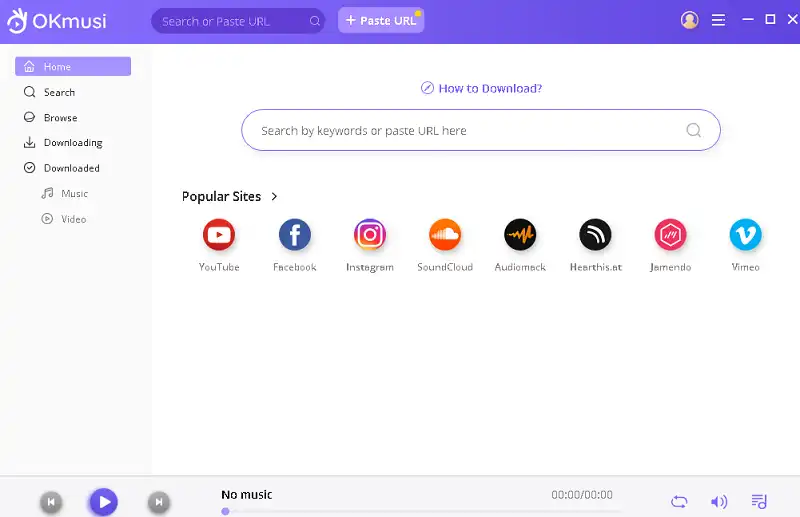
OKmusi MP3 Downloader Features:
- We can download MP3 in both standard and high-quality formats. Supports 128kbps, 192kbps and 320kbps.
- 1000+ popular sites supported.
- Downloading songs from SoundCloud, Jamendo, MixCloud, Bandcamp, Facebook and TikTok.
- Music batch download.
- You can save your favorite music video as MP3 or MP4 file with just a few clicks.
- When you find a curated playlist online or want to create the perfect playlist to listen to, save the playlist at 5X speed.
OKmusi MP3 Downloader Giveaway:
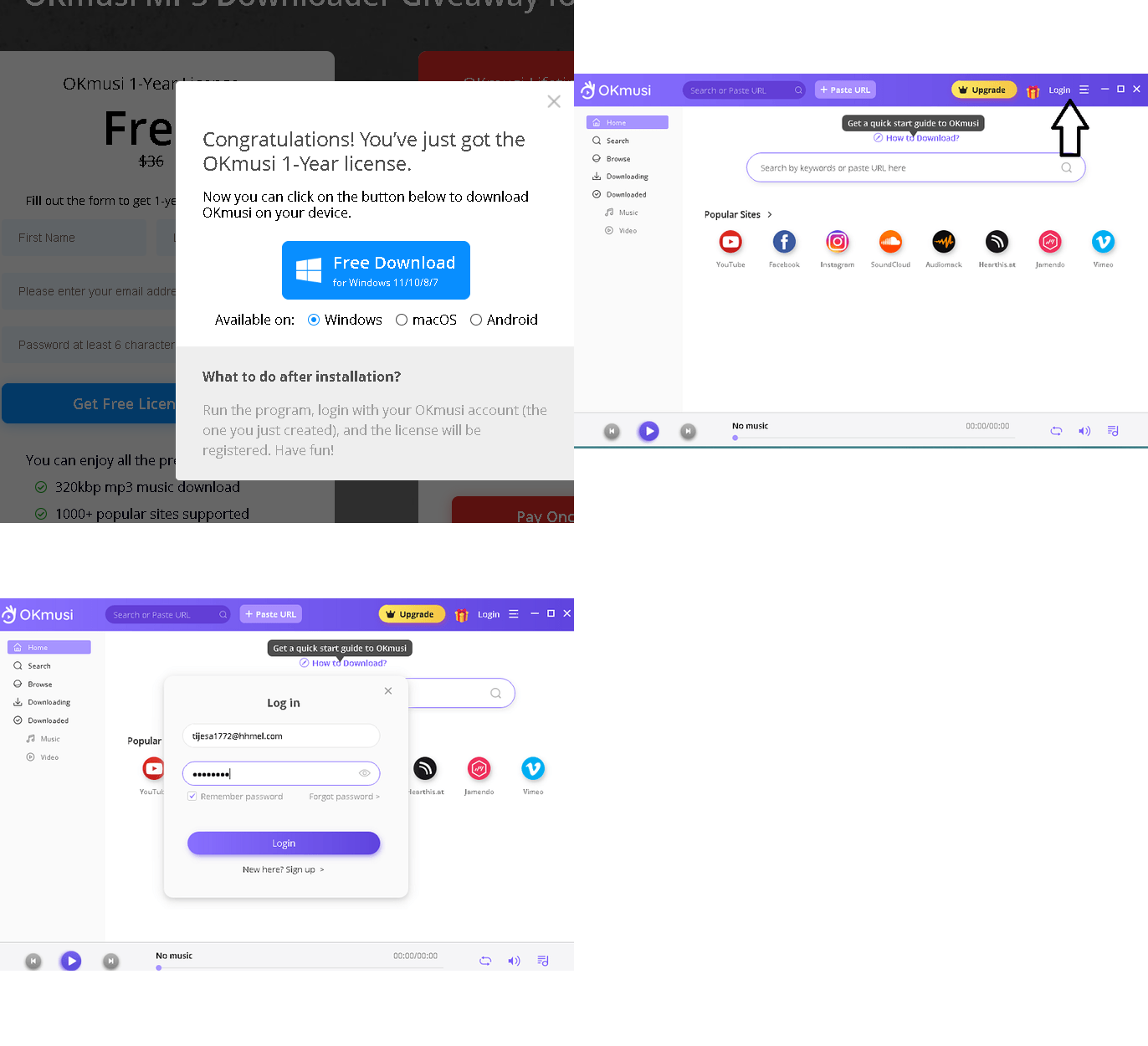
Visit this gift page: https://okmusi.com/promotion/
Provide your first and last name, email address and password (minimum 6 characters). Afterwards, click on the “Get Free License” button.
The giveaway page will assign a license to your account, and you can download the installer from the giveaway page.
Alternatively, you can also download the installer from this link [108 MB],
Once downloaded, run the installer, complete the installation process and launch the application.
To begin, select “Continue testing” and on the main window, select “Login.”
Enter your email address, password and click the “Login” button.
That’s it.


![Wise Registry Cleaner Pro v11 Free for 1 Year [Worth $29.95] | Free Download](https://diystorehouse.com/wp-content/uploads/2024/06/Wise-Registry-Cleaner-Pro-Box.png?v=1719554291)
