
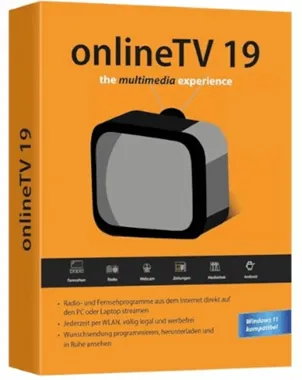
OnlineTV 19 Plus It gives you access to hundreds of TV channels, thousands of radio stations, and hundreds of newspapers from around the world.
Get access to international TV channels on your Windows PC with this handy app. Turn your desktop computer or laptop into a high-quality radio or TV.
There are over a hundred channels to choose from, broadcasting in 13 countries and seven languages. There are also over a thousand radio stations from over 80 countries to choose from.
About this OnlineTV 19 Plus:
As its name suggests, Online TV is a time-saving application that lets you easily listen to Internet radio stations and watch live TV with just a few mouse clicks.
The app's interface is clean and modern, so you'll have no problems using it even if you don't have any prior experience with this type of software.

The graphical user interface is well designed and structured, making it easy to find and use the desired function. This means you can listen to radio stations from all over the world and the same applies for television.
There's also the option to watch live video from webcams around the world, as well as some music videos that are neatly organized by genre. The app has a built-in video recorder that can save shows from your TV, radioand online streaming services to watch later.
The app lets you watch TV and radio stations from around the world and gives you instant access to hundreds of live sports, movies, and TV shows. However, you should know that you won't be able to watch channels that require a subscription, such as Netflix or HBO.

OnlineTV 19 Plus Features:
- Watch live TV channels with the “Television” or “Live Streaming” module.
- Listen to radio and internet radio stations (FM) from around the world.
- Newspapers: Stay updated with national and international news.
- Video Recorder: Record television broadcasts for viewing later.
- Works with high-resolution monitors.
- It is compatible with windows 11Windows 10 and Windows 8.
- Mediathek: You have access to the Mediathek of the German broadcasters.
Get OnlineTV 19 Plus for free:
Visit this Promotional PageEnter your email address and click “Request Serial Number.”
Next, check your email inbox. There will be a confirmation email from Engelmann Software GmbH.
You should click on the link provided in the email. This link will take you to a page that displays the license code.
Copy the code.
Download the installer from the developer page:
https://download.engelmann.com/otv19engelmannsetup.exe
Start the installer, select “I already have a registered version”, and click “Next”.
Type in your license code and click “Next”.
When you're finished installing, click “Activate” to register your version.



![Wise Registry Cleaner Pro v11 Free for 1 Year [Worth $29.95] | Free Download](https://diystorehouse.com/wp-content/uploads/2024/06/Wise-Registry-Cleaner-Pro-Box.png?v=1719554291)
