
Data loss is a nightmare that we all want to avoid. Be it a sudden hardware failure, a ransomware attack, or accidental deletion, losing your precious photos and documents is devastating. That’s why a reliable backup Solutions are the most important software on your PC.
you can get today Genuine Lifetime License for O&O DiskImage 21 Premium Absolutely free, courtesy of Computerbuild’s 2025 Advent Calendar Promotion. Retail sales for general vicinity $49.95This German-engineered software is one of the most trusted names in system recovery.

🌟 What is O&O DiskImage 21 Premium?
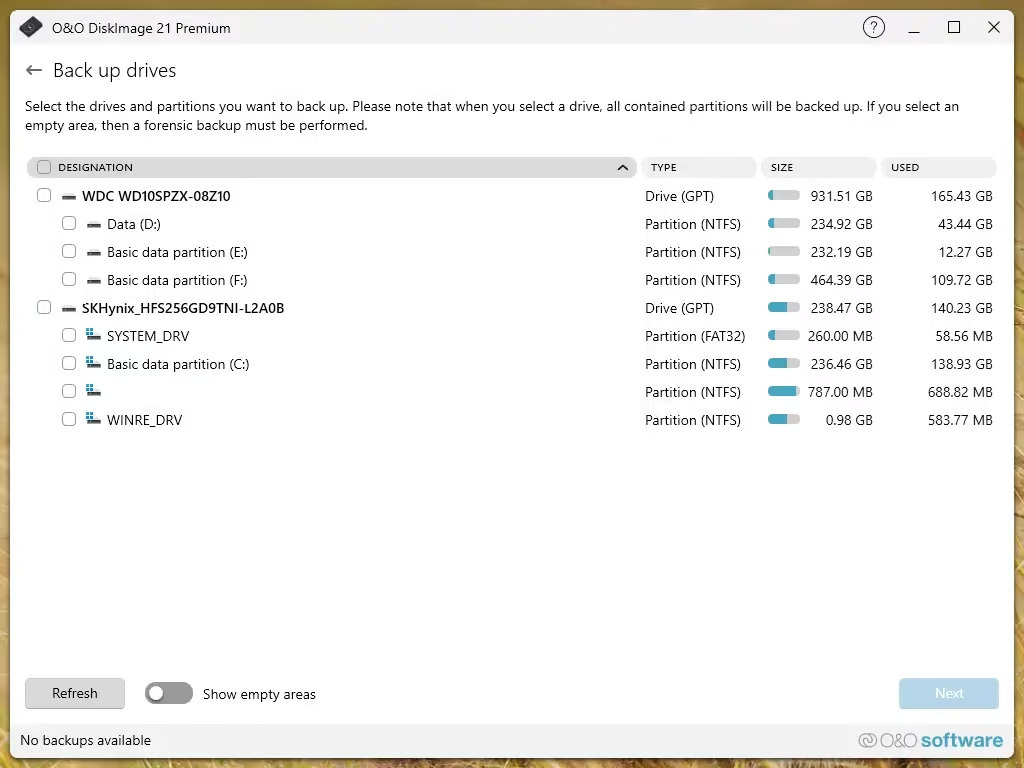
O&O DiscImage 21 Premium is a comprehensive backup suite designed specifically for home users who want professional-grade protection without the complexity. It allows you to backup your entire computer, individual hard drives, or specific files with just a few clicks.
Unlike ordinary file copiers, this software creates complete “images” of your system. if your windows If you crash or your hard drive fails, you can restore everything—the OS, settings, and files—exactly as it was.

🔥 Main Features
This is why O&O DiskImage 21 is an essential tool for your Windows 10 or 11 PC:
- Fort Mode: A unique feature that runs backups in a completely isolated environment, protecting the process from external tampering or malware.
- Full System Backup: Create an image of your entire PC. If Windows doesn’t start, you can restore the image and have it back up and running in minutes.
- Machine Independent Restore (MIR): Restoring a Backup in a New Computer with different hardware? No problem. MIR handles driver disputes for you.
- VHD/VHDX Support: Convert your backup to a virtual hard drive. You can then mount them to access the files or even run your old PC inside a virtual machine!
- Plug-and-Play Automation: Set it up once, and the software can autostart the backup whenever you plug in your specified external USB drive.
- SSD and UEFI support: Fully optimized for modern hardware, including powerful NVMe SSDs and the latest UEFI BIOS systems.

🎁How to get your free license
This gift is based on a special promotion from O&O Software. The registration page is in German, but the process is incredibly simple. follow these steps:
- Go to promo page: Visit the official O&O giveaway page here: https://www.oo-software.com/de/special/pdi912.
- Enter your email: View Labeled Text Box “Your email address”. Enter your valid email address there.
- Request Key: Click on the button labeled “Request a free license” (Request a free license).
- Confirm your email: You will receive an email O&O Software. Click the confirmation link inside that email (usually labeled ). “Click HERE to complete your registration”).
- Get your code: After confirmation, a second email will arrive containing your serial number (Your free license). Keep it safe!
📝 Comment: If you don’t see the email, please check your spam or junk folders. The email usually arrives within a few minutes; However, due to high demand, it may take up to 10 minutes to receive a confirmation email.
📥 Installation and Activation
- Download installer for O&O DiscImage 21 Premium. You can find the English version on the official website or use these direct links:
- Download the 64-bit installer
- Note: Gift usually works with the standard installer, often labeled as Professional/Premium.
- Run the installer and follow the on-screen instructions. Complete the installation process.
- On first launch, a registration window will appear (as shown in the screenshot below).
- please input serial number You received, click “OK” and enter your email address
- Click on “Register” Activate full version!

🏁Conclusion
Don’t wait for a disaster to think about backups. O&O DiscImage 21 Premium “Set it and forget it” provides peace of mind that is invaluable. Get this free license while the promotion goes live and make sure your digital life is protected!
Connected
Learn more from Techno360
Subscribe to get the latest posts delivered to your email.


![Wise Registry Cleaner Pro v11 Free for 1 Year [Worth $29.95] | Free Download](https://diystorehouse.com/wp-content/uploads/2024/06/Wise-Registry-Cleaner-Pro-Box.png?v=1719554291)
