
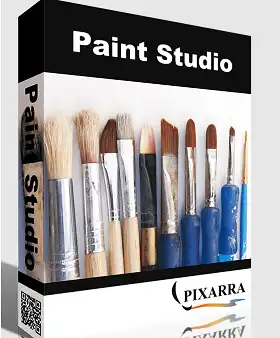
Pixara Paint StudioAlso known as TwistedBrush Paint Studio, it is a simple and easy-to-use app that lets you draw with different brushes to create beautiful designs. Art.
Many artists rely on specialized software to unleash their creative abilities and create stunning artworks. When it comes to creating stunning masterpieces, TwistedBrush Paint Studio is a great tool.
That’s what you’ll find in Paint Studio. It has a variety of natural media brushes, like airbrushes and blenders. They also have charcoal and crayons and erasers and markers and masking brushes and new media.
You can get more brushes from the Pixara online community or save your own custom brushes without any problem. You can also change the shape, size, rotation, and more of your brushes in Paint Studio.
This application has a user-friendly interface that makes it accessible even to individuals with limited computer skills. All you have to do is choose the brush you like, change its size, and choose the color, then get started drawing.
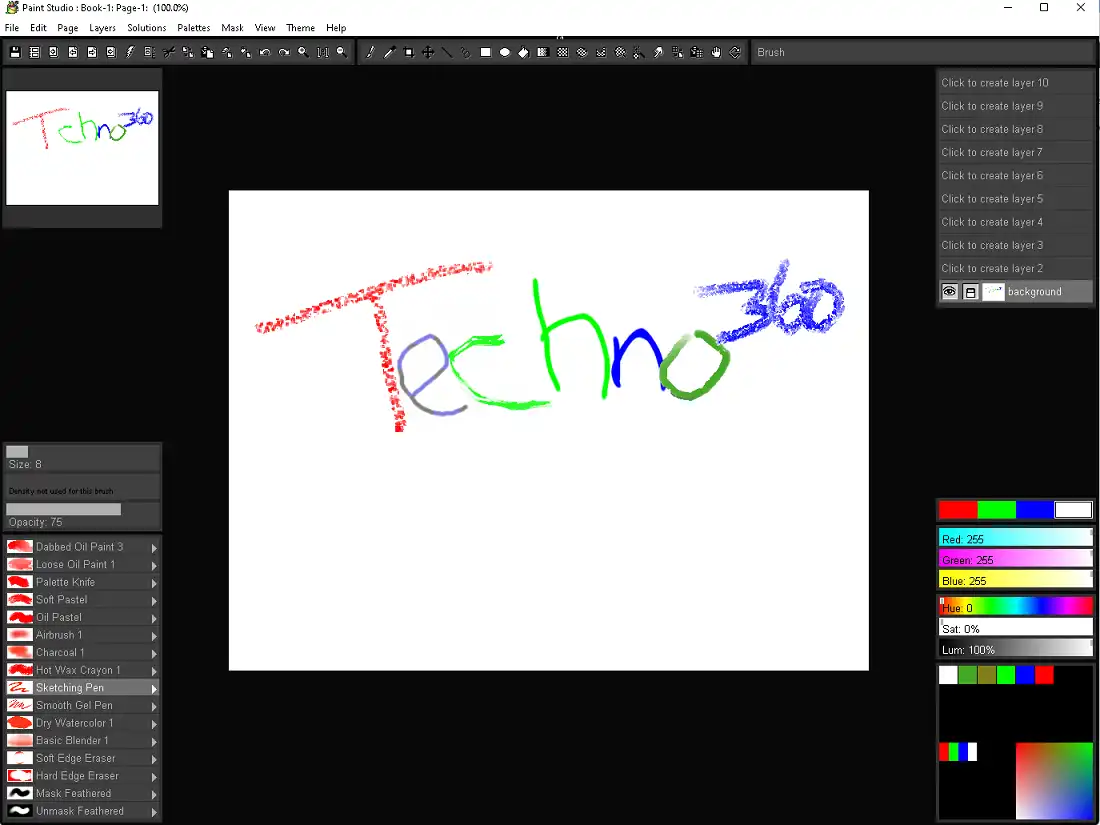
On the left side of the main window, you can see all the available brushes. On the right side, you can choose the color you like.
The changes you make to your drawing are shown in real time, so you can undo them instantly when you make a mistake. With one mouse click, you can work with multiple layers and merge them at the same time.
To be useful for artists, TwistedBrush Paint Studio offers different sizes and types of brushes. It allows you to create watercolor, pastel and charcoal drawings using special brushes for each type of art. Many other things like hot wax crayons, sketching pens or smooth gel pens can be used.
No matter what kind of brush you use, you can change its size, opacity, and density to your liking. Keep in mind that there are also plenty of different erasers to choose from.
Paint Studio v4 Free:
Get the Giveaway Edition installer here https://www.pixarra.com/install_4_17.exe
Install the software and use the provided license code to activate it.
PA04-U5A9-W6F3-O8J4-A1U2
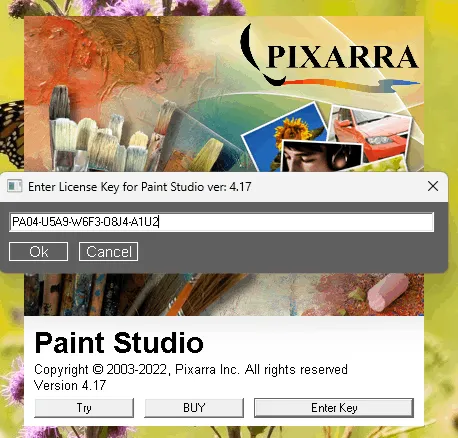
[Previous Giveaway- Still Working]
Get Pixara Paint Studio v3 for free:
go here Gifts page.
Fill out the short form (email address and name) and click the “Signup” button.
Check your email-inbox for an email from Pixarra (sales@pixarra.com). This email provides the license code and a link to download the installer.
Also you can download Paint Studio v3 Installer From this link.
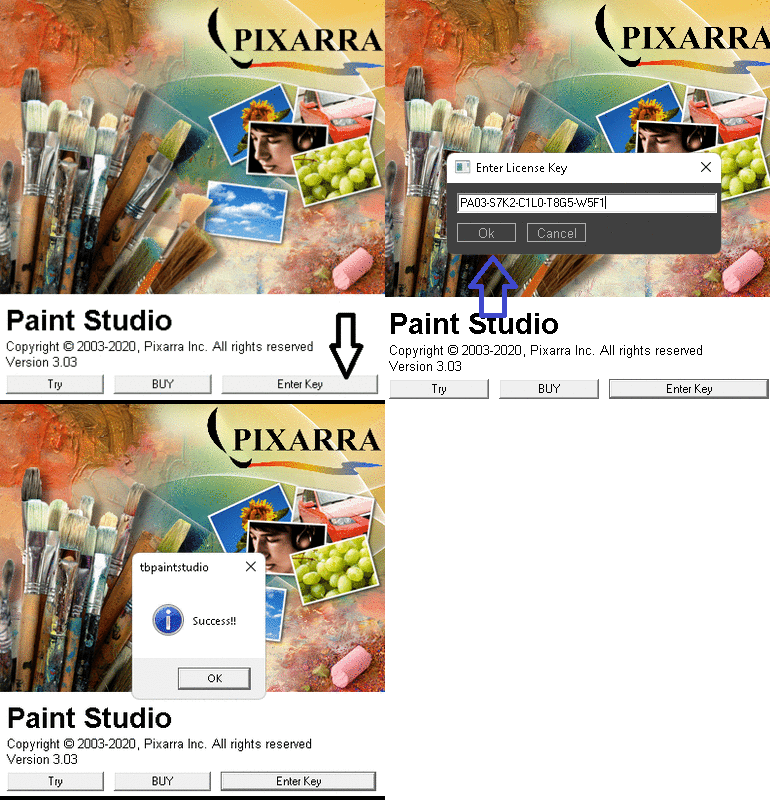
Run the installer, complete the installation process and launch the app.
You will see a window similar to the screenshot below.
Click on the “Enter Key” button and enter the license code you received.
Press the “OK” button, that’s it.


![Wise Registry Cleaner Pro v11 Free for 1 Year [Worth $29.95] | Free Download](https://diystorehouse.com/wp-content/uploads/2024/06/Wise-Registry-Cleaner-Pro-Box.png?v=1719554291)
