
Serif Affinity Photo is an all-inclusive photo editor that works with iPad, Windows, and Mac OS. A great alternative to Adobe Photoshop, this program allows you to edit and enhance your photos with ease.
Thanks to the developer, you can now get the commercial version of this program for free for 6 months.
Serif Affinity Photo free for 6 months:
Even if you’ve used this award-winning software photo editingAlready into page layout, graphic design, or illustration, you can still get a six-month free trial
There is no purchase obligation; payment details are not required to sign up. After the trial, subscription is not automatic.
To avail this offer visit this webpage: https://affinity.serif.com/
CommentThe free trial gives you access to Affinity Designer 2, Photo 2, and Publisher 2 on Mac, Windows, and iPad.

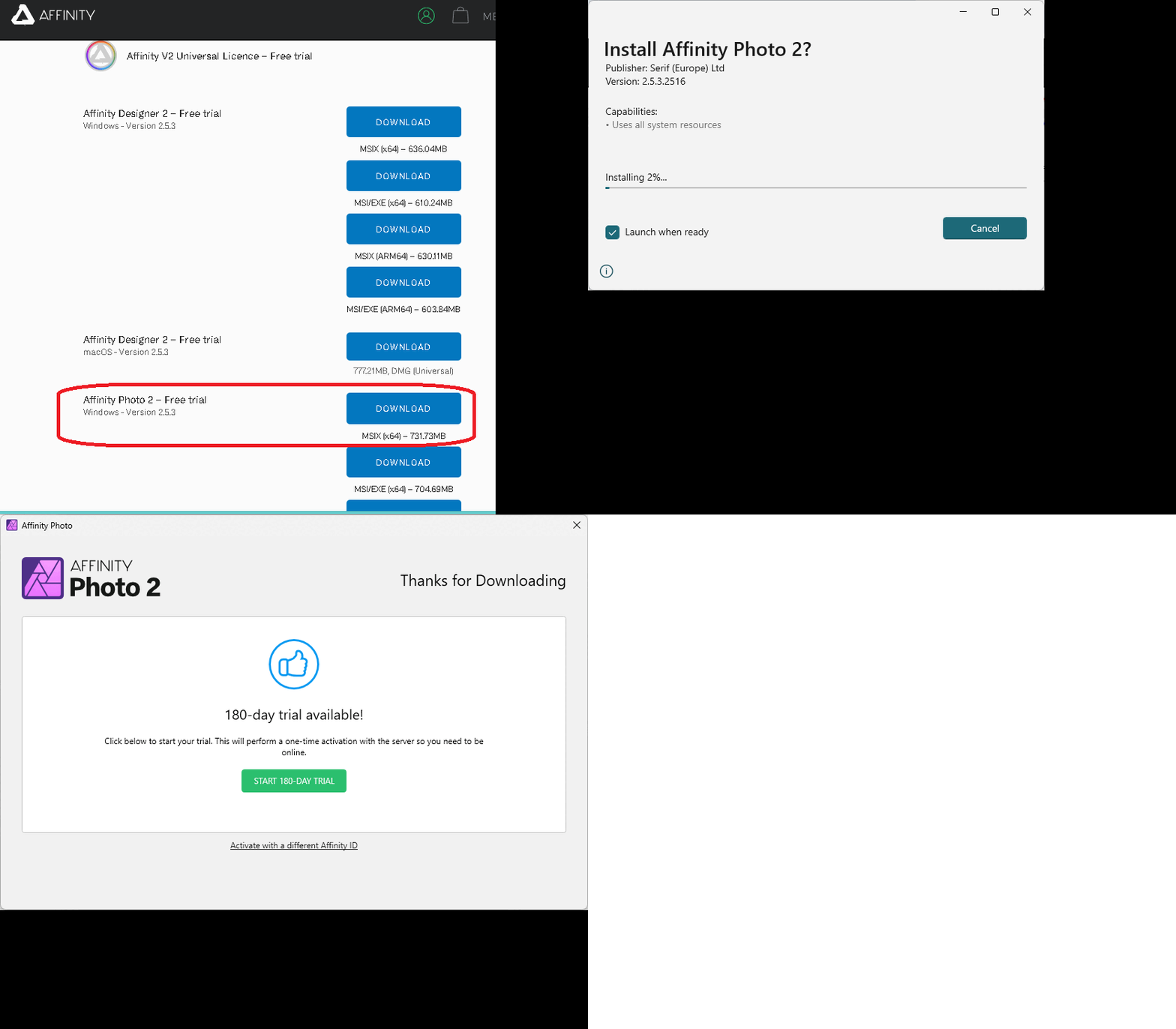
Click the “Try Free” or “Start Trial” button and create an account by entering your email address.
Verify or confirm your email address and log in to your Serif account, where you can find the download link for the installer.
Windows users can download the MSIX (x64) installer. Run the installer, then follow the on-screen instructions to install and activate the trial. There are no restrictions on keeping any of your photos after the trial ends.
About Affinity Photo 2:
Affinity Photo 2 is a useful software for millions of creative people and photographers around the world.
This multi-award winning photo editor It includes everything you need to modify and edit photos, create multi-layered compositions, create stunning raster paintings, and much more – all with lightning speed, tremendous power, and pinpoint accuracy.
A new user interface and hundreds of time-saving tools make your image editing experience even better.
Photography can be a tedious profession, especially if you have to edit your footage frequently and you don’t have the right tools to make it easier.
Thanks to tons of specialized third-party software solutions these days, you can quickly and easily get what you need in practically any situation. Affinity Photo is one of them.
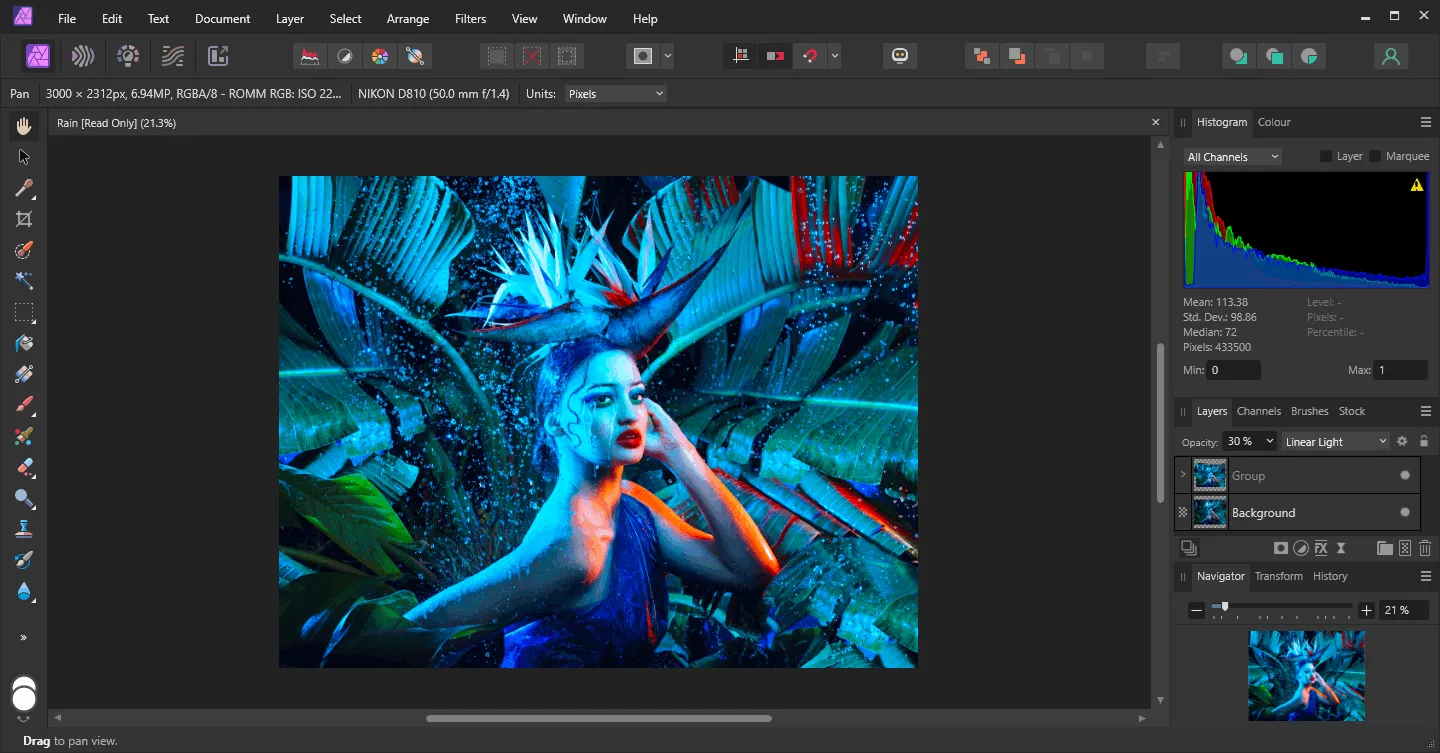
With its exceptional features, Affinity Photo can assist you with a wide range of photo editing and retouching tasks.
There are both simple and advanced tools available for photo editing, including standard tools such as brush, eraser, blur, clone, healing pen, text box, magnifying glass, and paint bucket.
Within the “Filter” option, you will find a wide variety of filters at your disposal for use with the program. These filters are conveniently organized into different groups, ensuring seamless access.
It has groups like “Blur”, “Sharpen”, “Distort”, “Noise”, “Detect”, and “Color”, but it also has individual entries like “Frequency Separation”, “Image Apply”, “Lighting”, “Shadows/Highlights”, “Haze Removal” and “Plugins”.
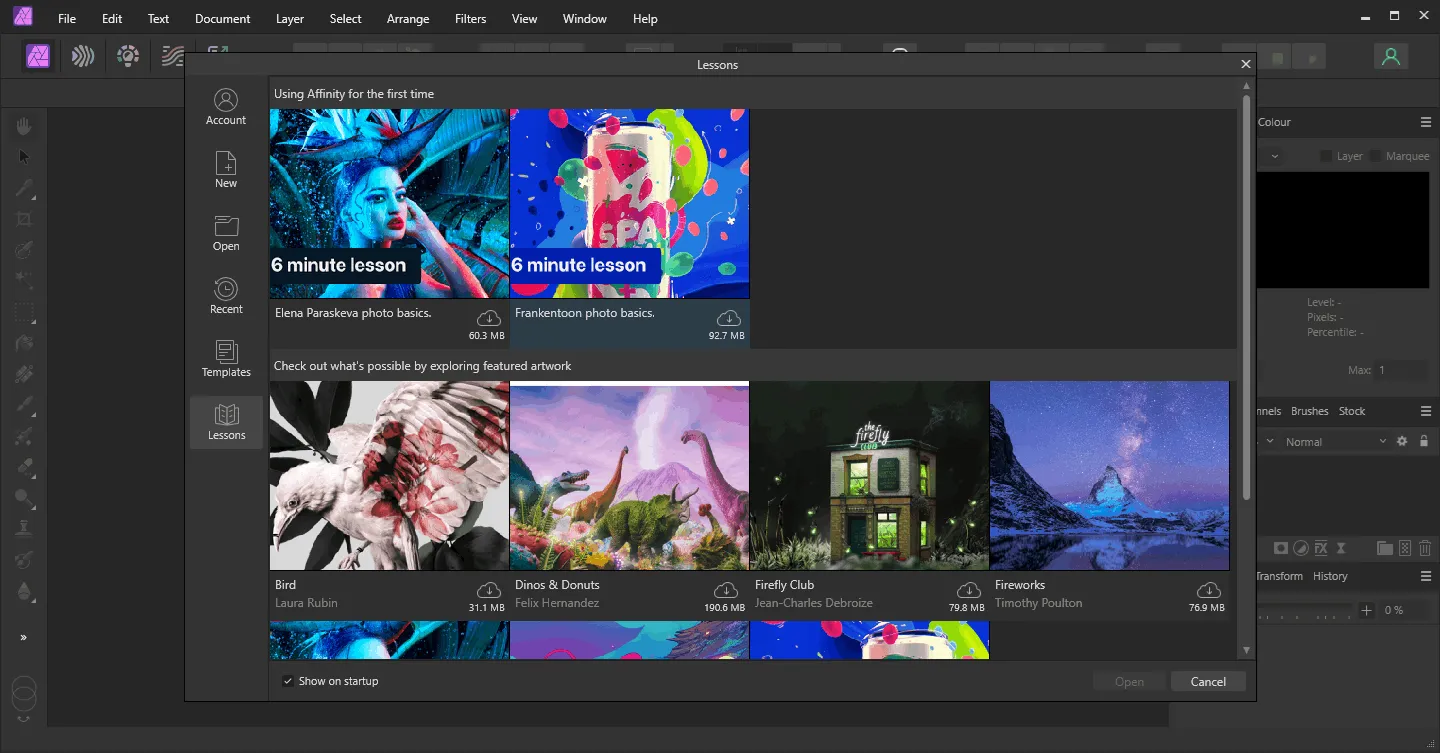
Immediately after starting Affinity Photo, you’ll get a splash screen giving you basic information about new projects.
Focusing on the details, you have the option of starting a new document, accessing an existing project from your computer, or pressing a dedicated button to download sample files to evaluate the program’s capabilities. Some of the samples are very large, exceeding 300 MB in size, but most are of medium size.
If you are looking for a convenient method for editing, correcting or editing Photos Affinity Photo is an incredibly valuable tool to have on your computer. It has a wide range of features, a user-friendly interface, and various sample files available for you to experiment with.
key features:
- Edit and enhance images.
- Create multi-layer photo compositions and beautiful raster paintings.
- Live filters and unlimited layers allow you to work non-destructively.
- Take advantage of hundreds of time-saving tools.
- Make the most precise selection, even of hair strands.
- Shoot in RAW and enjoy the full 32-bit experience.
- Choose from a huge library of brushes and import .ABR files, or create your own.


![Wise Registry Cleaner Pro v11 Free for 1 Year [Worth $29.95] | Free Download](https://diystorehouse.com/wp-content/uploads/2024/06/Wise-Registry-Cleaner-Pro-Box.png?v=1719554291)
