
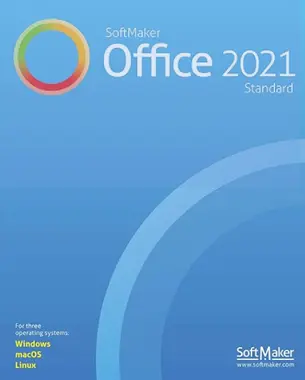
SoftMaker Office Standard 2021 is a great alternative to Microsoft Office It's quick, easy to use, and budget-friendly.
To avoid the troublesome process of importing and exporting, it employs Microsoft formats as its default file formats, such as docx, xlsx, and pptx.
This bundle includes TextMaker 2021, PlanMaker 2021, Presentation 2021, and BasicMaker 2021. This software is compatible with Windows, macOS and Linux.
Get a free SoftMaker Office Standard 2021 license:
Visit this gift page: https://shop.softmaker.com/
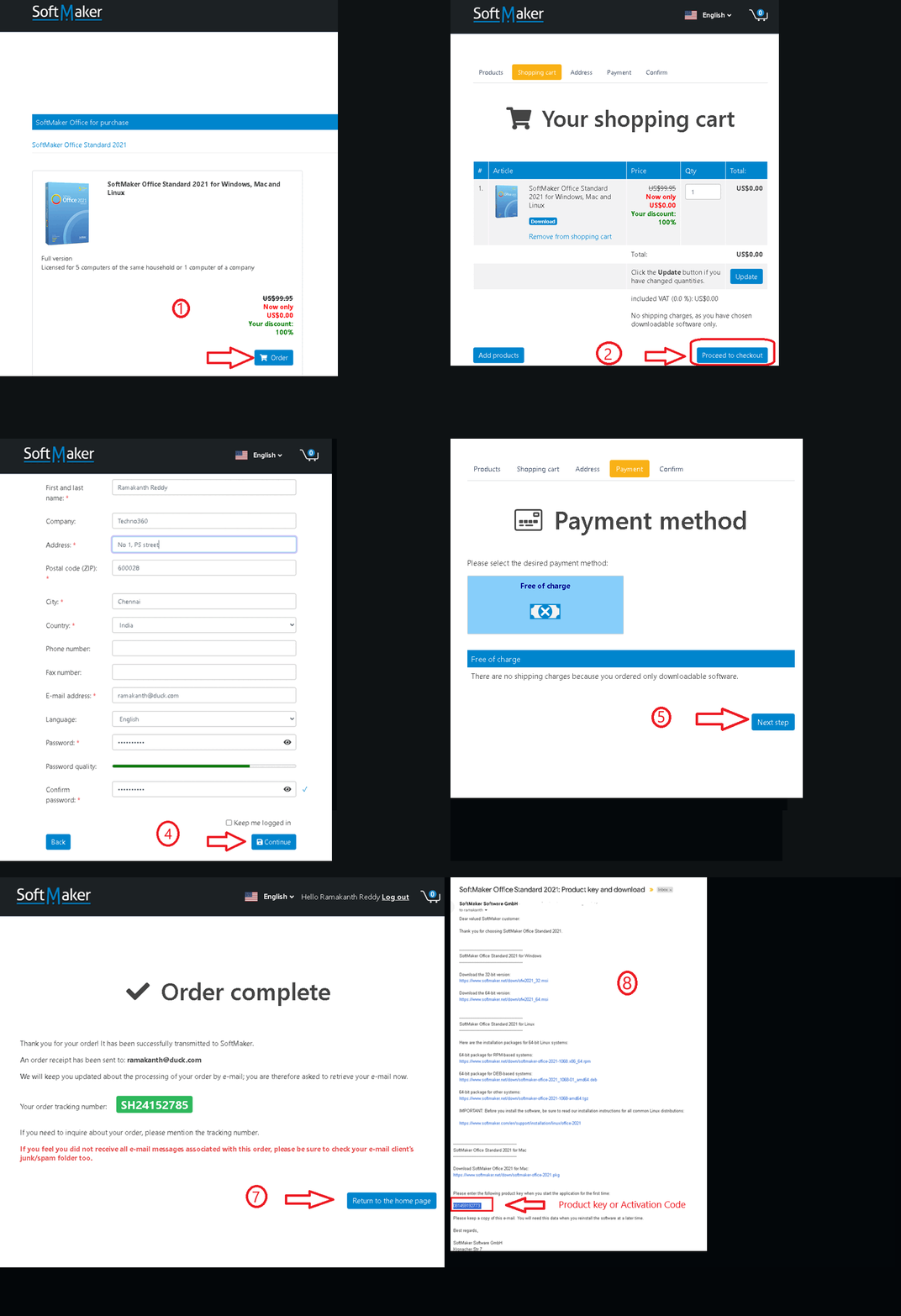
- You can see that a coupon code has been applied to the gift page, and the cart value is $0. If it has not been applied, please enter coupon code “OFFICEFREE”.
- Click the “Order” or “Checkout” button, then select “Proceed to Checkout” on the next page.
- Next, log in to your SoftMaker account or create a new account.
- To finish, click the “Next Step” button to proceed to the payment step (which does not incur any costs).
- Finally complete the order.
- Please check your inbox for emails from SoftMaker Software GmbH (sales@softmaker.de).
- This email contains download links for all operating systems (Windows, Mac, and Linux) along with the product key or activation code located at the bottom of the email.
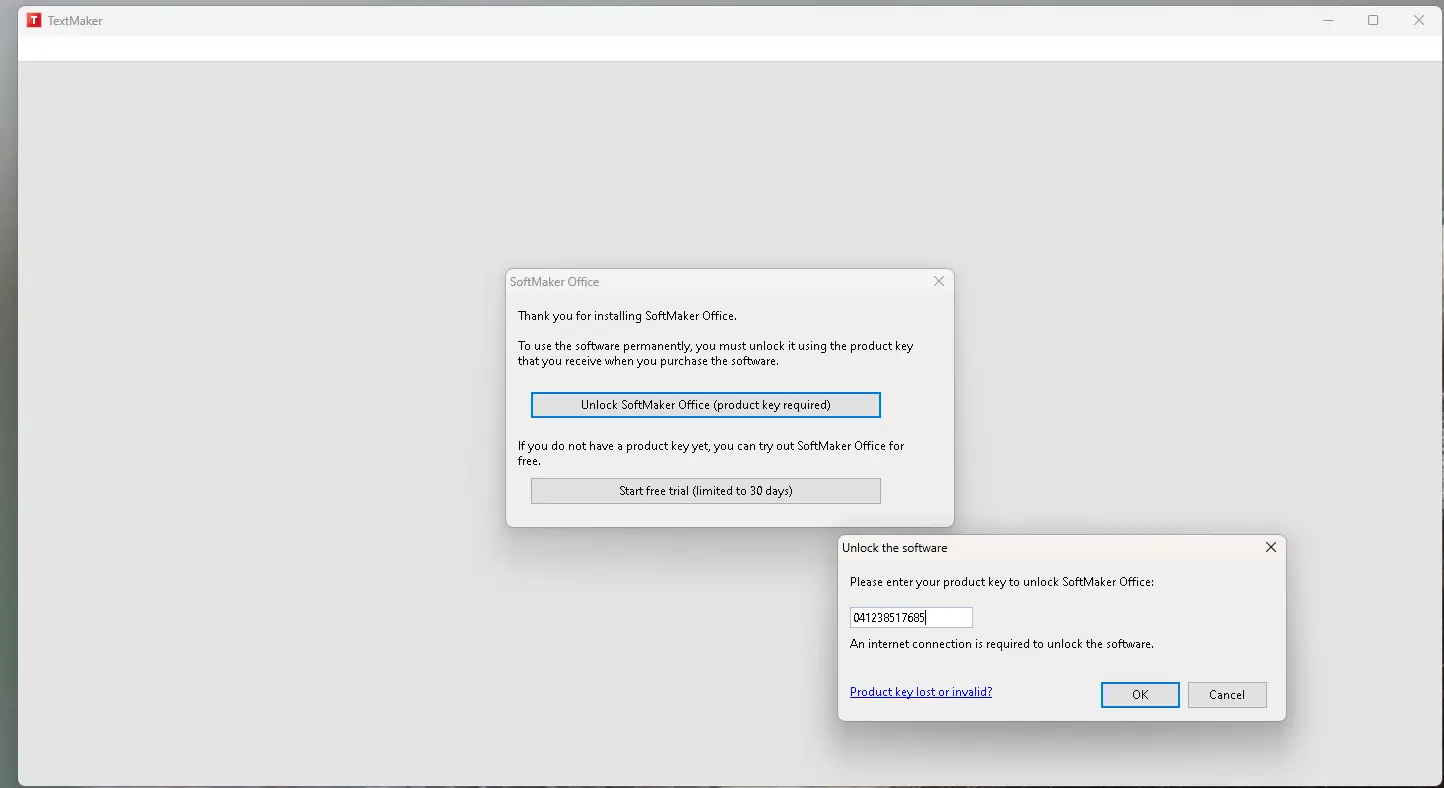
- Install the software and launch any module or application; For example, launch Text Maker and click 'Unlock SoftMaker Office', then enter the product key you received.
About SoftMaker Office Standard 2021:
By natively supporting DOCX, XLSX and PPTX file formats, SoftMaker Office 2021 Standard offers a full suite of features often seen in professional office suites, and it works seamlessly with Microsoft Office.
TextMaker, PlanMaker, Presentation, and BasicMaker are all in the standard edition of SoftMaker Office 2021.

TextMaker- Word Processing Software
TextMaker is an efficient text processor that works well with Microsoft Text and uses DOCX Default file format. Whether for school, work or home, users can easily create excellent quality documents.
Features like an integrated address book for quick letter writing, mail merge, and labels simplify routine correspondence. Plus, whether you need help creating invitations, posters, or flyers, TextMaker has you covered with its sophisticated desktop publishing features. Users can also easily add a table of contents, index, bibliography, and footnotes.
great design possibilities
Unique object mode gives you a lot of freedom to place graphics, images, text frames, etc. inside the page. On top of that, TextMaker 2021 lets you crop photos right from the app, as well as add tons of effects including mirror, 3D rotation, soft shadow, and beautiful picture frames.
spell checker and dictionary
The integrated spell checker detects spelling errors in over 75 languages. Automatic hyphenation successfully segments words in 35 languages, and a ten-language thesaurus helps you find the right word.
team ready
Do you collaborate with colleagues on a document? In TextMaker 2021, every edit you make to a document is tracked. Whether you're using TextMaker or Word, you'll be able to review changes and provide comments later.

PlanMaker- Spreadsheet Application
The transition to PlanMaker 2021 will be easy for anyone with experience with Excel. Fully compatible with opening, editing, and saving files in .XLS, .XLSX, and .XLSM formats, as well as .XLT, .XLTX, and .XLTM formats.
You can manage huge datasets with PlanMaker's tools like auto-filters, data consolidation, scenarios, and pivot tables. Each worksheet in PlanMaker can contain up to one million rows. It allows fast table formatting for effective data analysis, simple filtering and dynamic data addition.
Creating visually appealing worksheets
Using conditional formatting similar to excelPlanMaker 2021 will automatically use colors or icons to highlight the highest and lowest data values. To further clarify shapes, it can use data bars and gradient colors to color each value in an area.
Personalize every aspect of the chart. Essential documents including budgets, invoices, receipts and expense reports can be exported to PDF for easy sharing.
Convert simple numbers into instructive charts
Choose from eighty different 2D and 3D charts to quickly present your data. Play with light, shadow and transparency to make them look exactly how you want. Calculations including date and time, mathematics, statistics, technology, finance, data analysis and logic are all within the scope of the 360+ built-in functions.
Presentations- Presentation Tools
Use this option of Microsoft PowerPoint to create interactive presentations and slide shows using multimedia. It supports the following presentation formats: pptPPS, PPTX, PPSX, and PPSM. Plus, you can easily open, view, and edit templates in POT, POTX, and POTM forms.

You can have different layouts and placeholders using the master page idea. Add music, videos, images, animations and slide transitions to your presentations to make them more engaging. Create memorable slogans with Word Art and draw attention to important elements using AutoShapes.
BasicMaker- automation tools
BasicMaker is a simple and user-friendly programming environment that lets you create, debug, and run scripts to automate the processing of your documents and spreadsheets.
You can run BasicMaker scripts directly in TextMaker, PlanMaker, and any other VBA-compatible program. The included graphical dialog editor allows users to interact with their scripts and create additional dialog boxes.


![Wise Registry Cleaner Pro v11 Free for 1 Year [Worth $29.95] | Free Download](https://diystorehouse.com/wp-content/uploads/2024/06/Wise-Registry-Cleaner-Pro-Box.png?v=1719554291)
