

SoftOrbits Photo Editor Pro is a simple photo editor This will make your photos look better. It is easy to use. It helps you select and remove unwanted objects, enhance photos automatically or with your help, sharpen details, flatten the horizon, and put the photo in the right frame.
With one simple program, you can edit and modify the appearance of photos, remove blemishes, add text watermarks, and crop images.
You can use SoftOrbits Photo Editor to change the look of your photos. It's simple and easy to use, and has lots of useful tools that make it easy to get excellent results in a short time.
The application features an intuitive and accessible user interface that should not cause any difficulties.
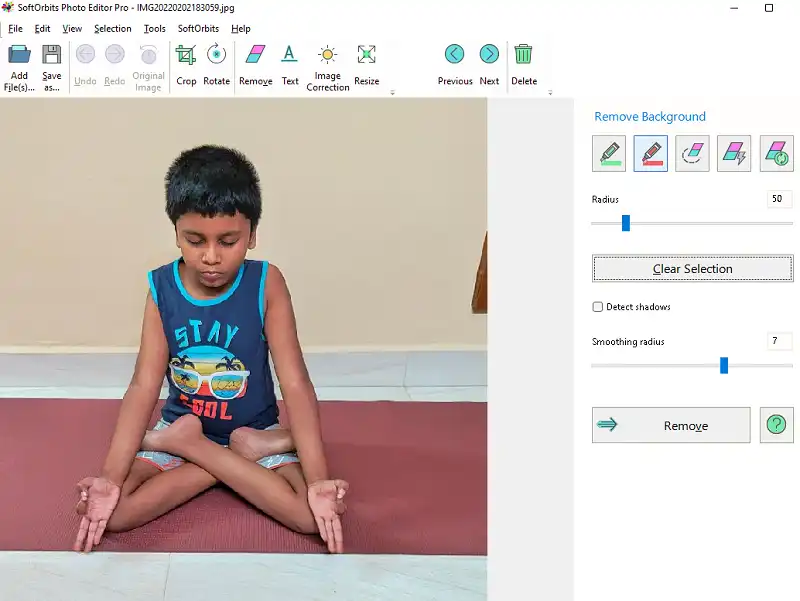
The main window of SoftOrbits Photo Editor allows you to open the file you want to process, while the ribbon allows you to open other components in the “toolbox” and use them on your images.
jpg, bmp, png, GIF, TIFF, TGA, PSD, PCX, and WMF are all formats that can be used. This means that you will not have compatibility issues in this area.
SoftOrbits Photo Editor's ribbon has plenty of tools to choose from: “Crop,” “Rotate,” “Remove,” “Text,” “Image Correction,” and “Resize,”
SoftOrbits Photo Editor Pro Features:
- Simple photo editor equipped with a fully featured toolbox of photo editing tools.
- Provides a file manager that allows you to quickly browse your entire photo collection and remove duplicates.
- Makes your photos web-ready by carefully choosing all the right resolutions, sharpening or blurring the image, and changing compression settings.
- Automatically fix small imperfections in your photos.
- Remove unwanted objects and enhance photos.
- Fix the red-eye effect, and control brightness and contrast.
- Adjust white balance as well as frame, rotate, flip and frame pictures.
- Delete date stamp, logo, or watermark,
- Make your photos look professional and free of unnecessary distractions.
- Fully compatible with Windows 7, Windows 10 and Windows 11.
Get SoftOrbits Photo Editor Pro v9 for free:
Download the free version installer here https://www.softorbits.com/partner/download
Run the installer, download the required files and when the activation window appears (as shown below), enter your email address and click the “Get Free Activation Key” button.

This will launch the SoftOrbits giveaway page in your default browser.
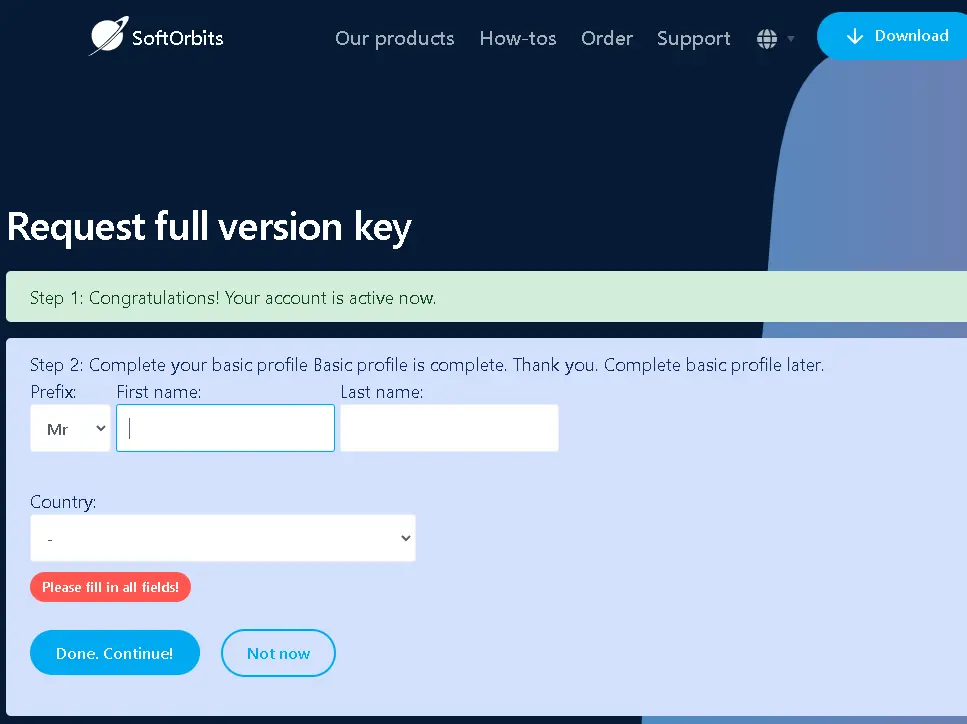
Fill out a short form with your first and last name, select your country and click the “Done/Continue” button. The page will then display the license code—copy it.
Paste the code in the activation window, click “Activate Now!” Click on. button, and then click “Next” to finish the installation process.
.


![Wise Registry Cleaner Pro v11 Free for 1 Year [Worth $29.95] | Free Download](https://diystorehouse.com/wp-content/uploads/2024/06/Wise-Registry-Cleaner-Pro-Box.png?v=1719554291)
