

SoftOrbits Video Watermark Maker This is an easy solution to add watermark to videos. It ensures the protection of multiple videos at once.
You can apply transparent color watermark Your digital video can include copyright information, brand names, website addresses, or image logos.
When you create a notable video, you want people to recognize your effort. Avoid letting others pass it off as your own, which could be for financial gain, prestige, or fame.
To establish yourself as the creative force behind your videos, use free video watermark maker software available today. It allows watermarking for all your work.
With this video watermark maker, watermarking Video This protects the legal rights of your videos and reduces the risk of theft or misuse.
This Windows software enables you to add images and text to your videos, showing your ownership. For a completely immersive feeling, the program lets you place watermarks anywhere in the video, adjust their visibility duration and clarity. The software also offers a “batch mode” feature to add watermarks to multiple videos at once.
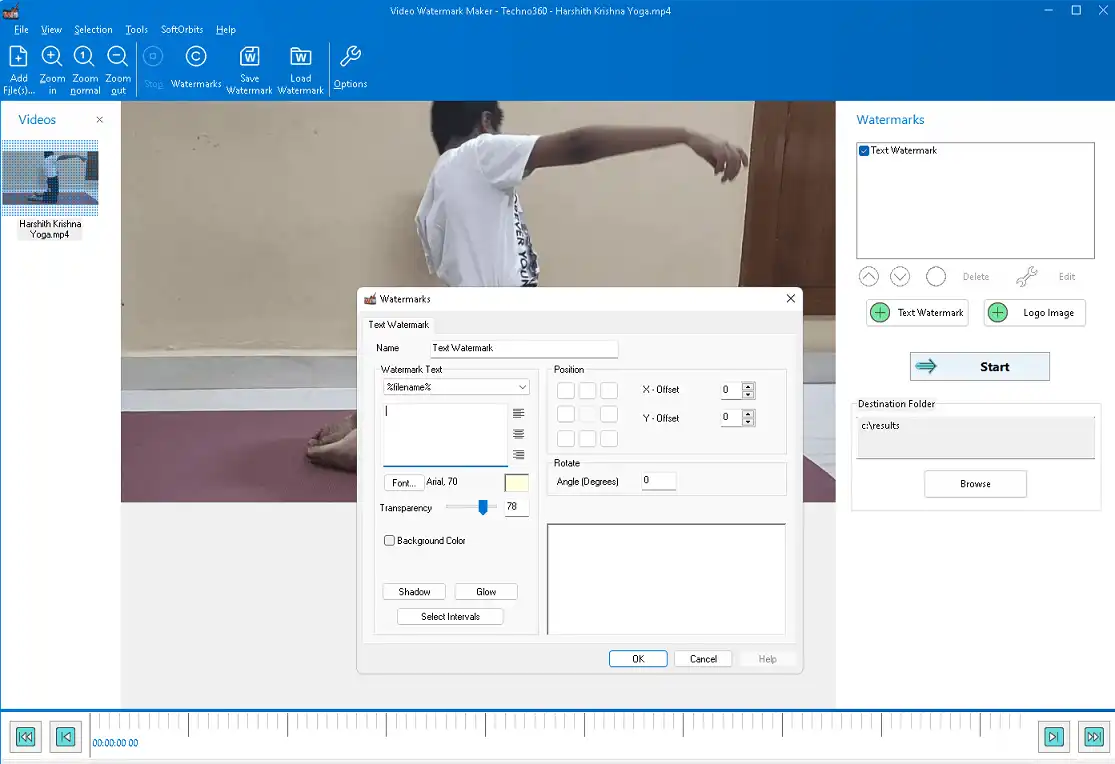
SoftOrbits Video Watermark Maker Features:
- Add custom watermarks to protect your videos and ensure credit.
- You can use text, a logo, or an image as a visible watermark.
- Automatic watermark position and size.
- You can adjust the size, transparency, and position of the watermark.
- You can change the size of the watermark as a percentage of the size of the source video that you have selected.
- Apply watermark to multiple videos at once in batch mode.
- Save a watermark template for later use.
- You can also protect your videos with automatic watermark removal.
SoftOrbits Video Watermark Maker Giveaway:
Download the Giveaway Edition installer from: https://www.softorbits.com/partner/
Run the installer, you will see an activation window similar to the screenshot below.
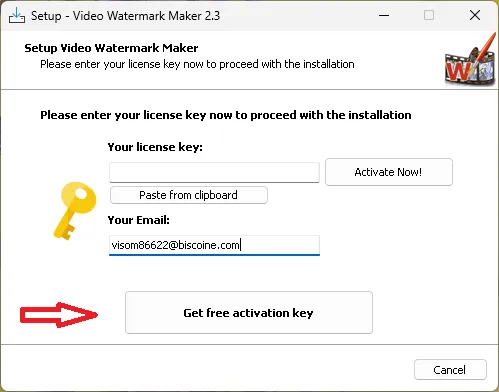
Enter your email address and click the “Get a Free Activation Key” button.
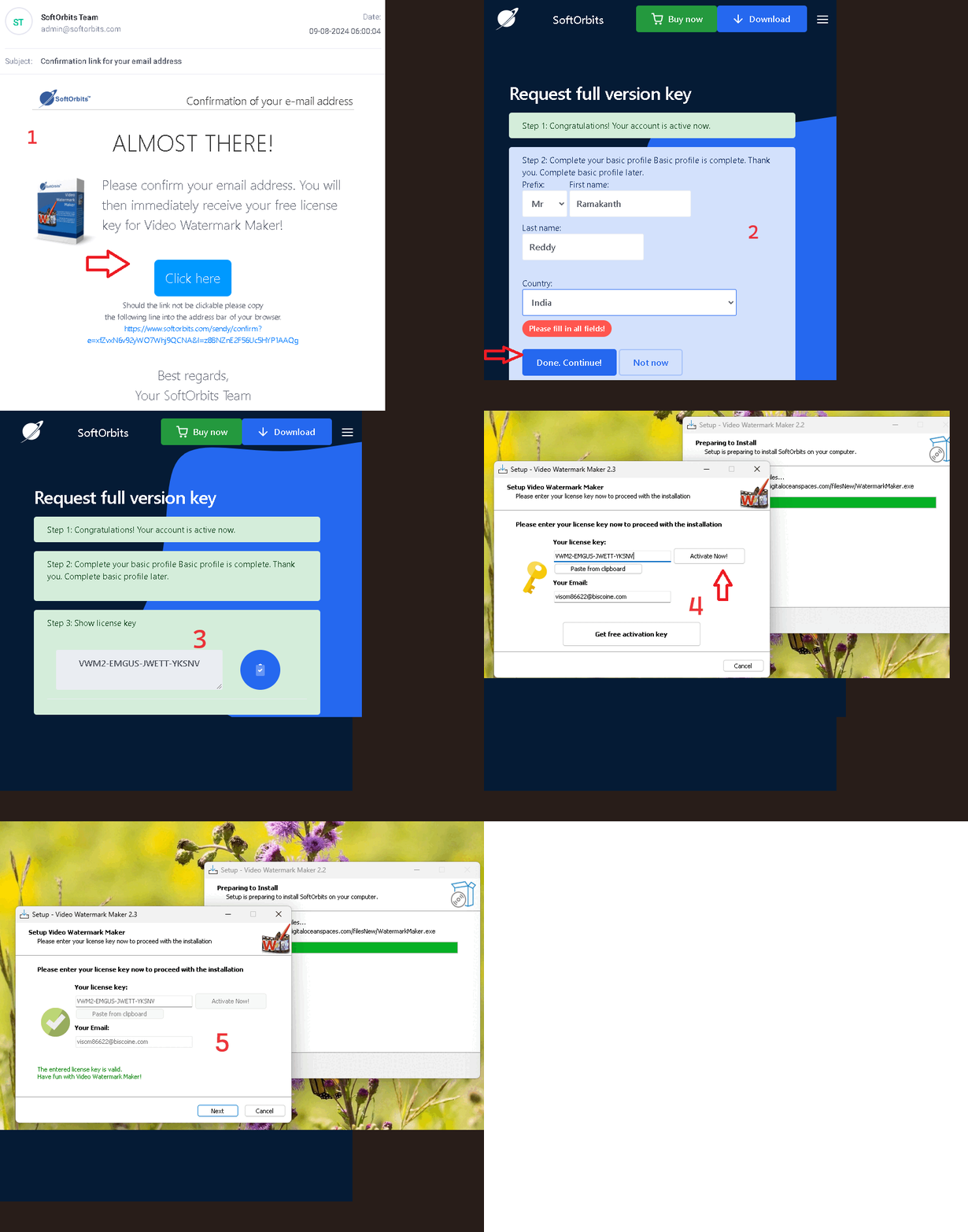
A confirmation email from SoftOrbits (admin@softorbits.com) will arrive in your inbox shortly.
Click on “Click Here” or “Confirmation Link” in the email you just received. A new SoftOrbits webpage will open in a new window.
On that page, enter your first and last name, and country, then click “Done” to complete a short form.
A license key will be displayed on the giveaway page. Make a copy of this code.
Now on your desktop, in the activation window, paste the license code and press the “Activate” button.
Complete the installation process and enjoy the full version software.


![Wise Registry Cleaner Pro v11 Free for 1 Year [Worth $29.95] | Free Download](https://diystorehouse.com/wp-content/uploads/2024/06/Wise-Registry-Cleaner-Pro-Box.png?v=1719554291)
