

softskin photo makeup There’s a small, easy-to-use one by SoftOrbits photo editor Which can help you in enhancing the quality of your pictures. Use this easy to use windows Software to fix and enhance your photos. It has tools to get rid of red eyes and spots.
This professional makeup software makes your pictures look their best by correcting minor imperfections, improving skin tone and texture, and applying all the basics of virtual makeup. you can fix yours photosHide minor blemishes, and do much more with this software. It’s easy to use and photos recover instantly.
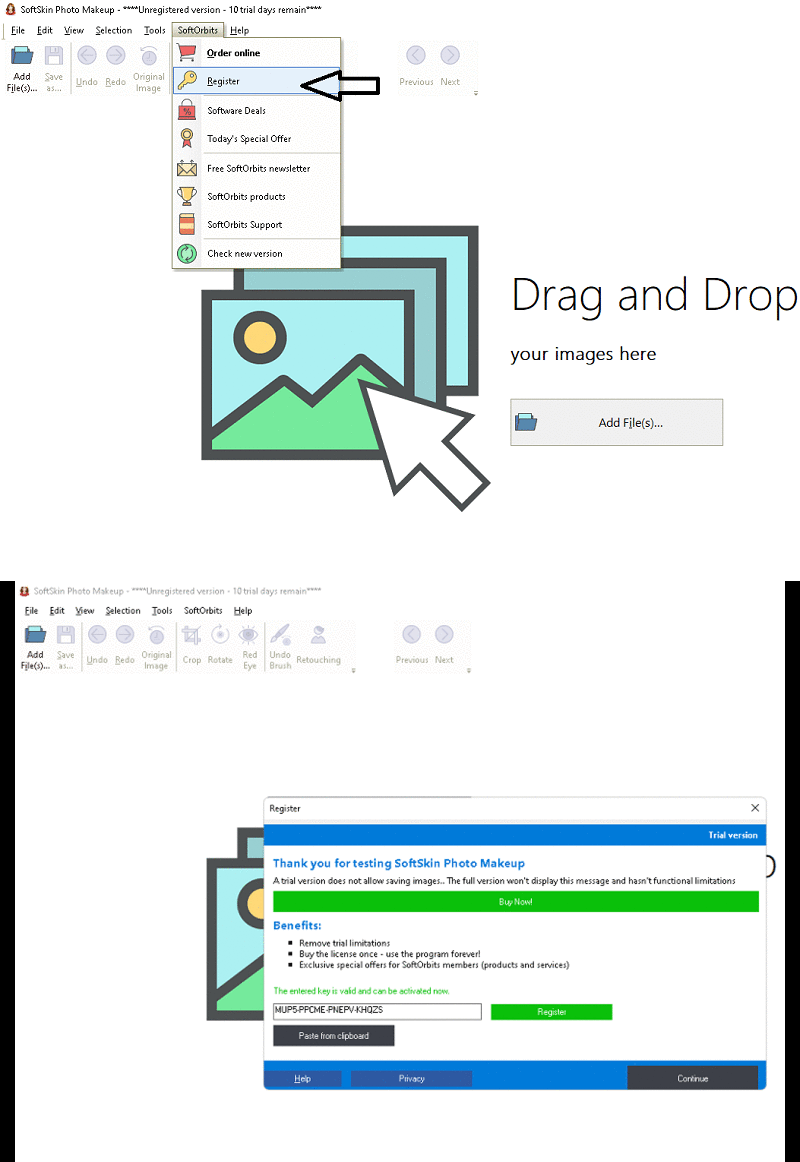
In a few easy steps, you can whiten a person’s teeth, get rid of the red eye effect, and apply makeup. Although it has a lot of dedicated parameters, the layout is clean and easy to use.
You can produce subjects with flawless skin without artificially altering their appearance. This SoftOrbits software has built-in algorithms that make the skin smooth. These algorithms use artificial intelligence to ensure that your subject looks good in any lighting. They can lighten highlights and soften harsh shadows. It can also change skin color and make eyes and teeth whiter.
JPG, BMP, GIF, PNG, ICO, TIF, TGA, PSD, PCX and WMF file types are supported by this application. To get started, click “Add File” and select your image.
You can zoom in or out, undo or redo what you’ve done, use markers to select the area to be changed, crop or rotate pictures to different angles , and can do much more.
Get SoftSkin photo makeup software for free:
Download the free version installer here https://download.softorbits.com
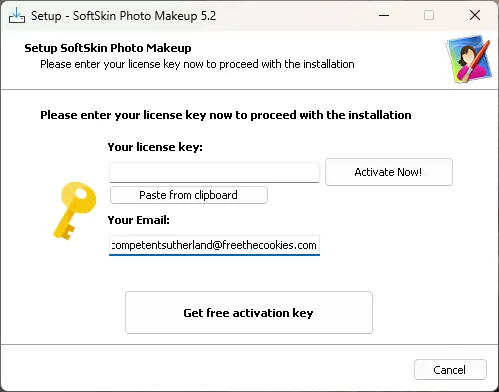
Run the installer, you will see an activation window similar to the screenshot below.
Enter your email address and click the “Get Free Activation Key” button.
A confirmation email from SoftOrbits (admin@softorbits.com) will arrive in your inbox shortly.
Click “Click Here” or “Confirmation Link” in the email you just received. New one SoftOrbits webpage Will open in a new window.
On that page, enter your first and last name and country, then click “Done” to complete a short form.
A license key will be displayed on the free page. Make a copy of this code.
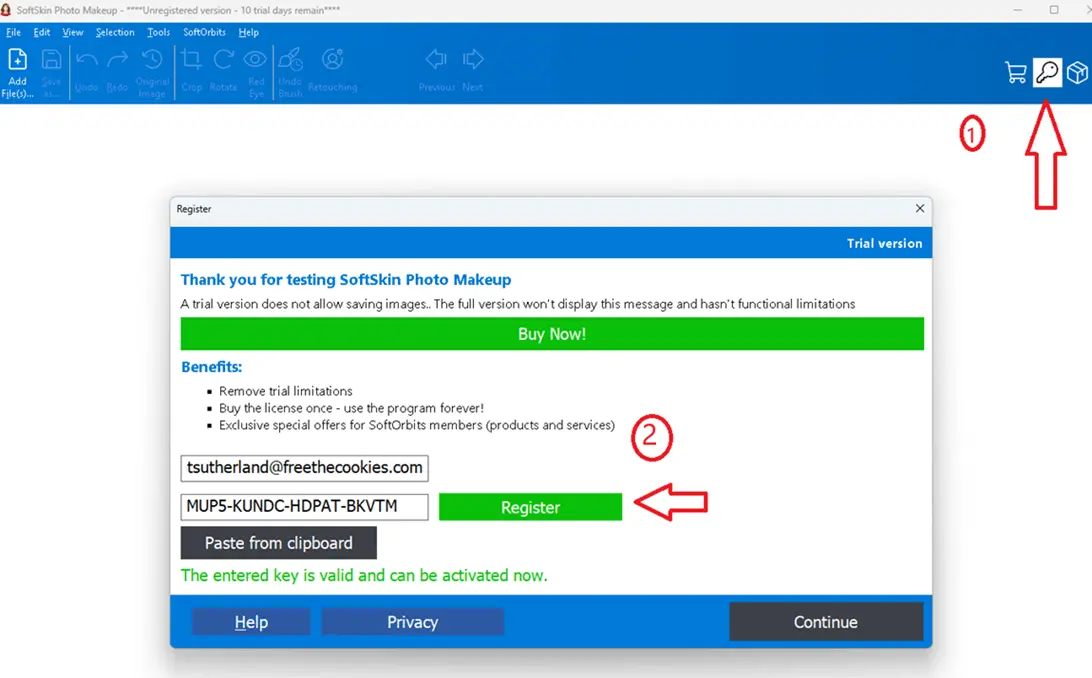
Now on your desktop, in the activation window, paste the license code and press the “Activate” button.
Complete the installation process and enjoy the full version software.
.


![Wise Registry Cleaner Pro v11 Free for 1 Year [Worth $29.95] | Free Download](https://diystorehouse.com/wp-content/uploads/2024/06/Wise-Registry-Cleaner-Pro-Box.png?v=1719554291)
