
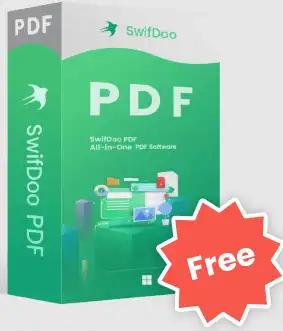
Swiftoo PDF Pro Provides comprehensive solutions for your PDF documents. It lets you quickly create, convert, merge, compress and sign PDF documents. It provides all the PDf tools you need.
They designed this comprehensive PDF solution for users who are looking for a multifunctional tool to manage their PDF files.
Powerful PDF editor
As simple as editing a Word document. It's powerful PDF text editor Enables you to correct typos, add, delete and edit text, links and images contained in a PDF. Now it is not difficult to copy text and paste it to the Word clipboard or vice versa. You can change the font color and size if necessary.
Fastest PDF Converter
Convert PDF files to Word (doc/docx), Excel (xls/xlsx) and PowerPoint (ppt) formats quickly and easily.
Additionally, it enables you to convert PDF files to various image formats (PNG/BMP/TIF) without compromising on the image quality or resolution.
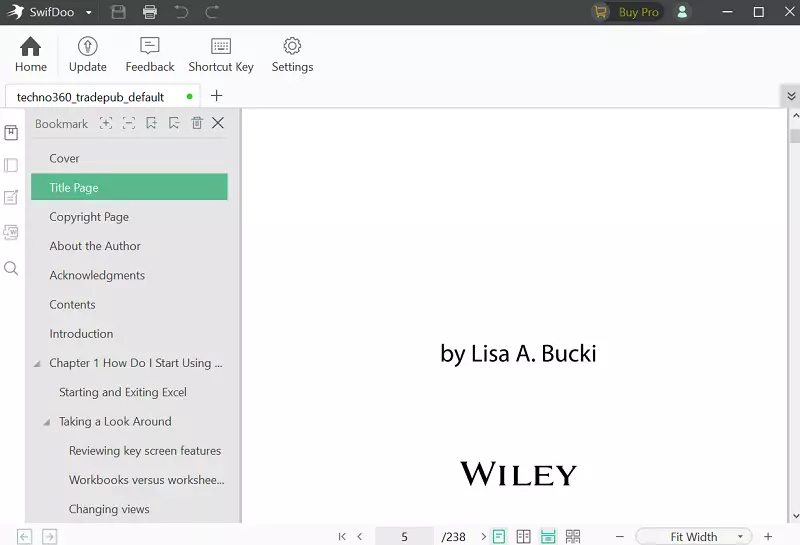
Secure PDF Compressor
Reduces PDF file size without compromising file quality and simplifies archiving and file transmission.
Lossless compression is used in the software.
PDF Merger & Splitter
Split PDF files into individual pages or documents to reduce PDF size.
Combine multiple PDF documents into a single PDF to save space and make it easier to store digital files.
Easy e-signature maker and annotator
Write comments on PDF documents to communicate effectively with the sender or recipient.
By adding annotations to your PDF documents, you can make them more interactive. SwifDoo includes annotation tools, such as highlights, stamps, notes, pencils, and shapes.
Swifdu PDF's three signature options (picture, typing and handwriting) make adding your signature to a PDF document quick and easy.
Protect PDF
By using both user password and permission password, the software enables you to double protect your sensitive and confidential information and data.
SwifDoo PDF PRO Giveaway: Free 1 Year Subscription
First, register an account by visiting swifdoo.com/register,
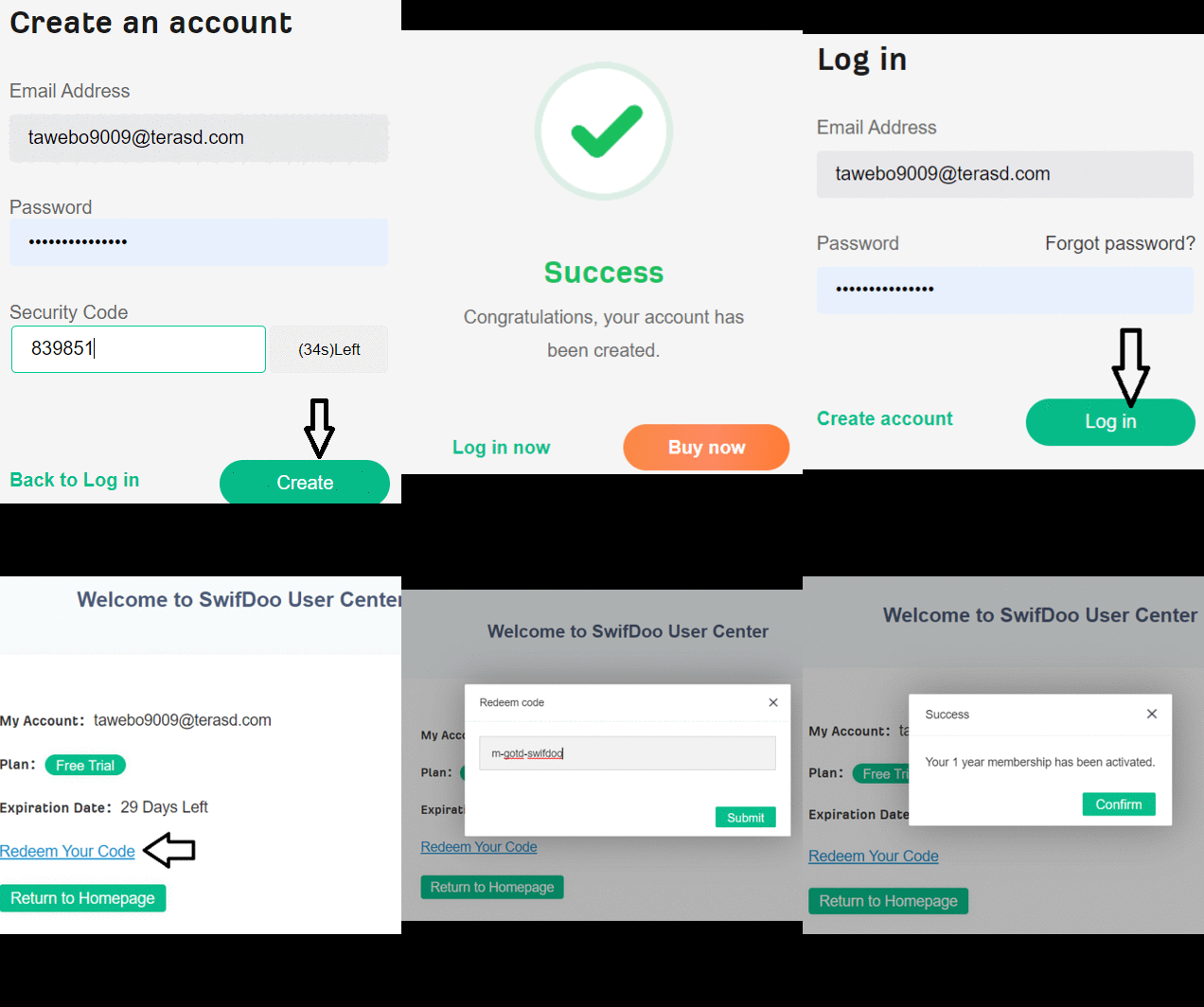
Enter your email address and password, and click the “Send” button to receive the security code (see email-inbox).
Enter the security code and click on “Create” button.
Next, sign in to your account, click the “Redeem Code” button and then enter the activation code below.
m-swifdoo-sftpda
[OR]
m-swifdu-frpfast
That's it. Press the “Submit” button.
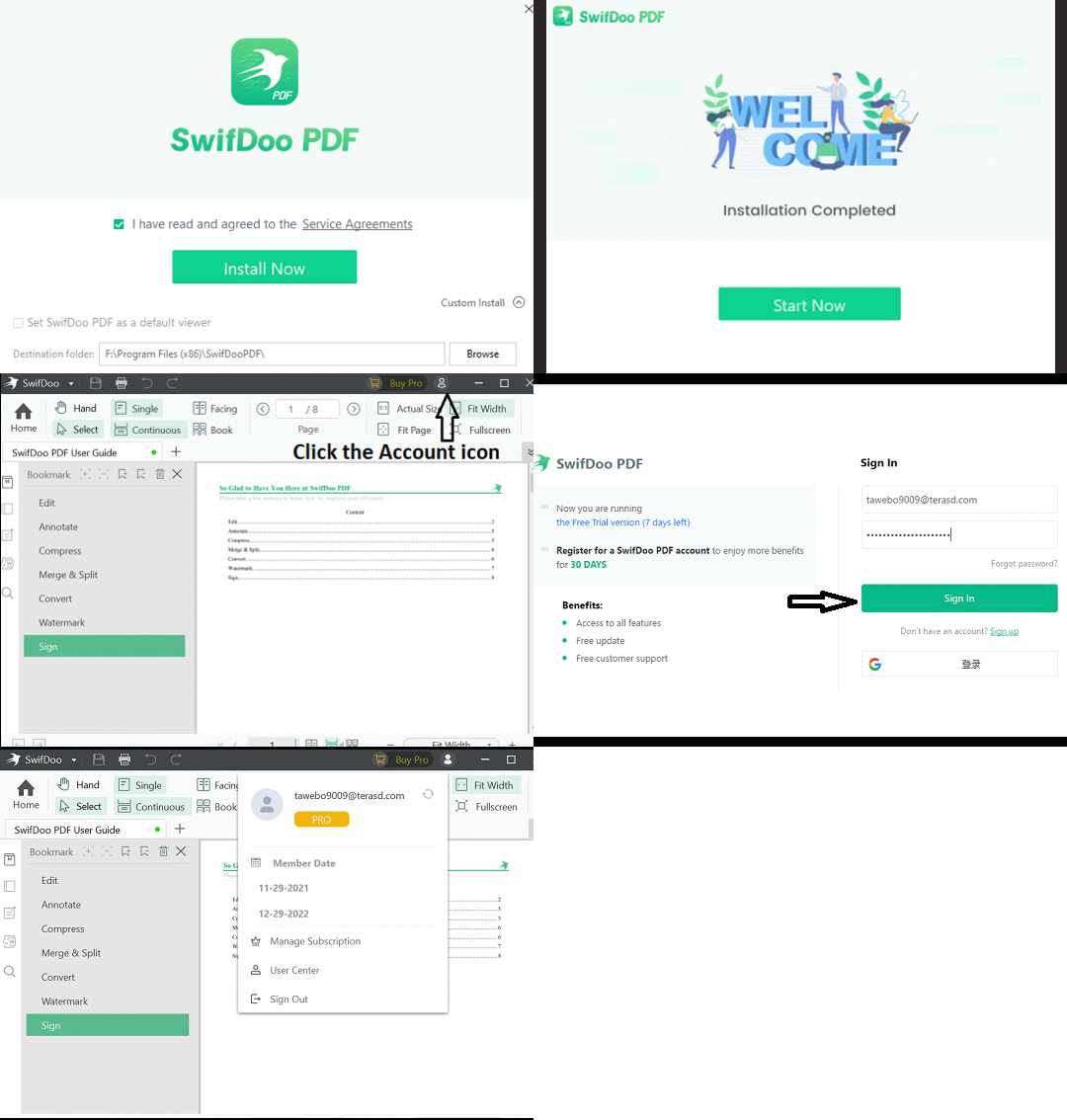
Download SwifDoo PDF Installer From the developer page[10.4 MB],
Install and launch the app. On the main window, click on the “Account” icon.
Enter your SwifDoo account credentials (email ID and password) and press the “Sign In” button.
Previous Gift – 6 Month Subscription:
Swifdu is currently doing a summer giveaway and offering free licenses for their highly regarded PDF Pro software.
All you have to do is visit this giveaway page: https://www.swifdoo.com/promotion/
Enter your email address and press the “Receive” button.


![Wise Registry Cleaner Pro v11 Free for 1 Year [Worth $29.95] | Free Download](https://diystorehouse.com/wp-content/uploads/2024/06/Wise-Registry-Cleaner-Pro-Box.png?v=1719554291)
