

ThunderSoft Watermark Remover is a Windows program that allows you to add or remove watermarks (such as text or logos), etc.
If you want to get rid of watermarks from your images and pictures, this program is for you. Photos saved in multiple formats, such as JPEG, PNG, BMP, gif, and TIFF, all are favorable to it.
to get ThunderSoft Watermark Remover Free:
Download the free version software here https://www.thundershare.net/download/
Run the program after installation.
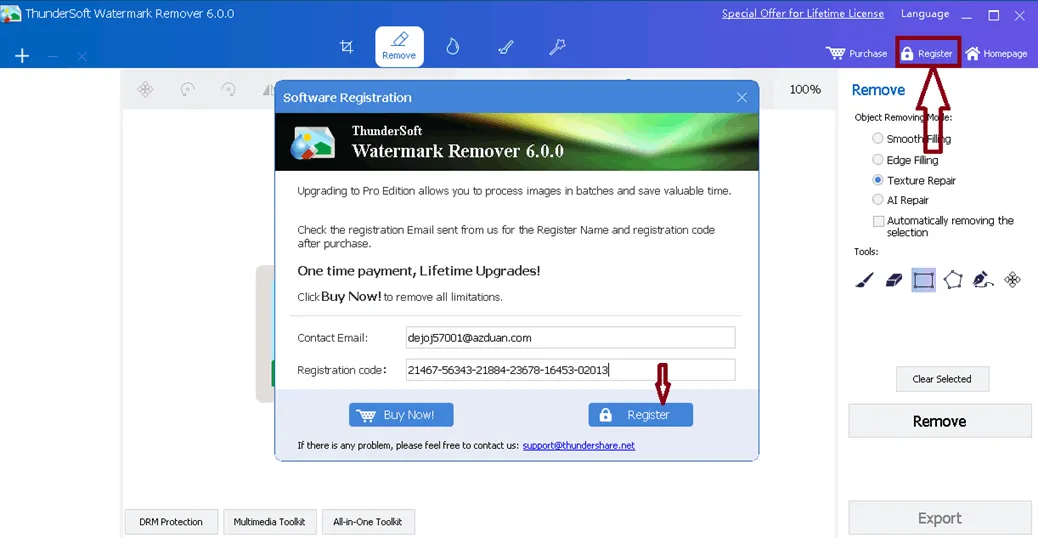
Click “Register” on the main window of the app, then type your email address and the license code that appears below in the popup window.
21467-56343-21884-23678-16453-02013
Finally, click on the “Register” button.
About ThunderSoft Watermark Remover:
Modern media is full of digital watermarks. These are used to identify the authors of photos and videos, much like a stamp or signature.
Some applications, such as picture apps for smartphones, automatically add watermarks to user-generated content. Luckily, there are solutions like ThunderSoft Watermark Remover to get rid of them.
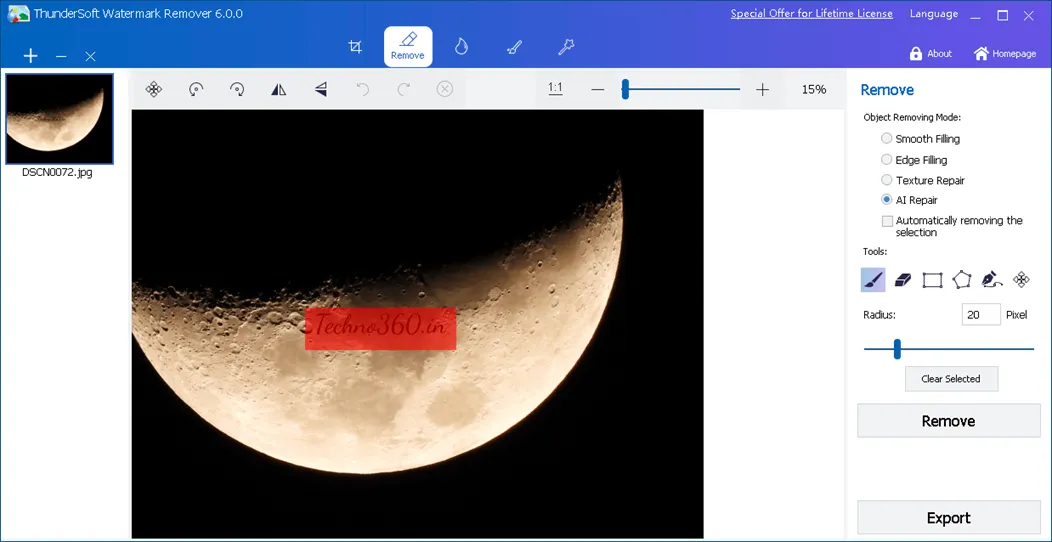
This program is easy to use. Make your selection for the location and removal mode of the watermark, and then press the Remove button.
This software comes with six tools and three removal modes that help you remove watermarks as gently as possible, although some of them can be stubborn.
However, it is called “watermark remover“Actually it has more features. People can put their text or logo as a watermark.
Along with basic editing tools like cropping and adding shapes, it also has filters and batch processing for multiple photos.
key features
- Using this program, it is very easy to remove watermarks from photos.
- Provides four easy ways to remove signs and watermarks from your photos: Smooth Filling, Edge Filling, Texture Repair, and AI Repair.
- Redo and undo operations are very easy with its user-friendly UI.
- Easily remove watermarks – image overlays including text, brands, stamps, dates and signatures – and more.
- You can save time and money on creative projects by taking advantage of built-in editing tools. These capabilities allow you to rotate, resize, flip, crop, and more.
- use add watermark The function of adding logo images or text watermarks to your photos.
- Shapes such as arrows, rectangles, ellipses, curves and straight lines can also be drawn.
- Use batch processing to speed up the process by handling multiple images at once.


![Wise Registry Cleaner Pro v11 Free for 1 Year [Worth $29.95] | Free Download](https://diystorehouse.com/wp-content/uploads/2024/06/Wise-Registry-Cleaner-Pro-Box.png?v=1719554291)
