
Tipard DVD Creator is a DVD and Blu-ray creating application that enables you to create DVDs and Blu-rays by combining background music, video content, subtitles and other visual templates from the product’s asset catalog.
It is a multifunctional and do-it-yourself DVD creator which enables you to combine multiple video clips (including AVI, DV, VOB, FLV, M2TS, MTS, MKV, MPEG, MP4, TS, MOV) into a common DVD folder or ISO file as well as burn DVD disc directly.
The program is light on your system’s resources and uses little virtual memory and CPU. Plus, the app’s single-layout interface provides clarity about the types of functions available, and the menu of tools is easy to browse.
Thus, even if you are a less tech-savvy user, you will have no difficulty converting your content using Tipard DVD Creator.
The tool enables users to drag and drop one or more files (for batch processing), submit the contents of an entire directory for video conversion, and preview the file size and quality/visual aspect of your output.
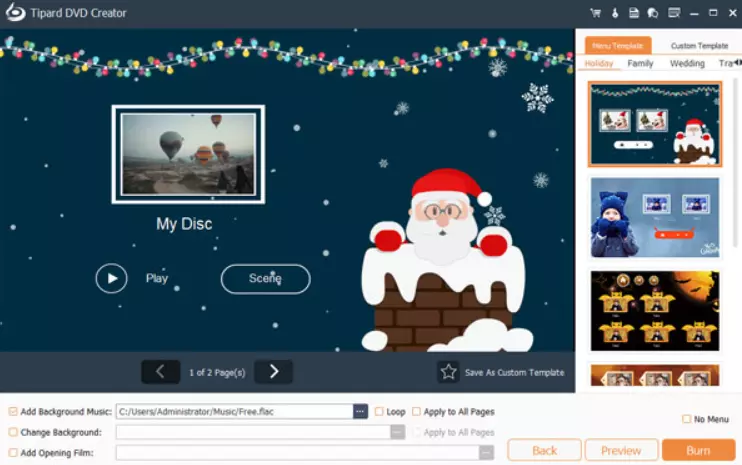
key features:
- Create a DVD/Blu-ray With videos in MP4, MOV, MPEG, FLV, WMV, MKV, or AVI formats.
- Add audio tracks and subtitles to DVD/Blu-ray disc, as well as merge/split chapters.
- You have full control over the DVD menu, frames, buttons, text, background music and image.
- Freely edit video files by editing, cropping, adding watermark, changing effects, and adding video filtering effects.
- Preview DVD effects before conversion – Preview DVD effects using the built-in player to make adjustments in real time.
- DIY DVD Menu-At any time, you can add a picture as the background image to the free DIY DVD Menu.
- Take Snapshots – Take screenshots and save them to your computer as a JPG, PNG, or BMP file.
Get Tipard DVD Creator for free:
go here Gifts Page,
Enter your first name, last name and email address, complete the captcha and click the Submit button.
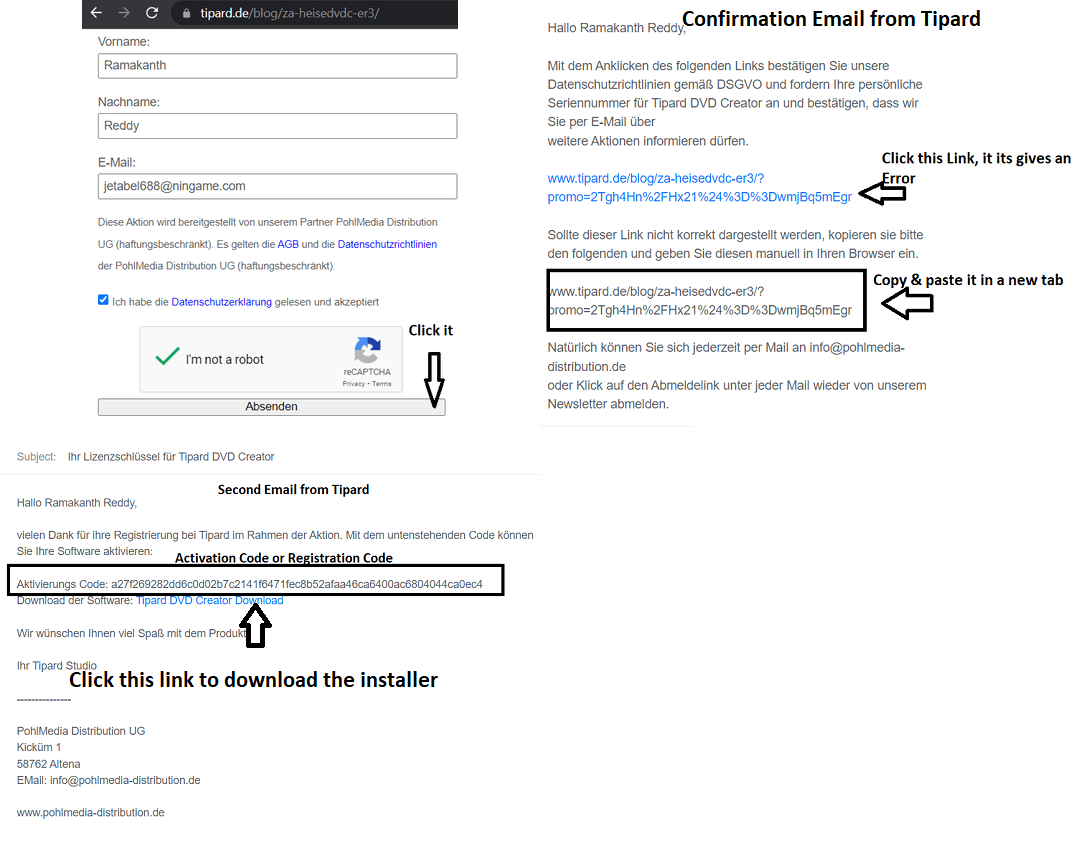
You will receive an email Tipard (support@tipard.de), click on the link in that email.
Next, you will receive an email license or activation code and a link to download the installer
download Installer[1.8 MB],
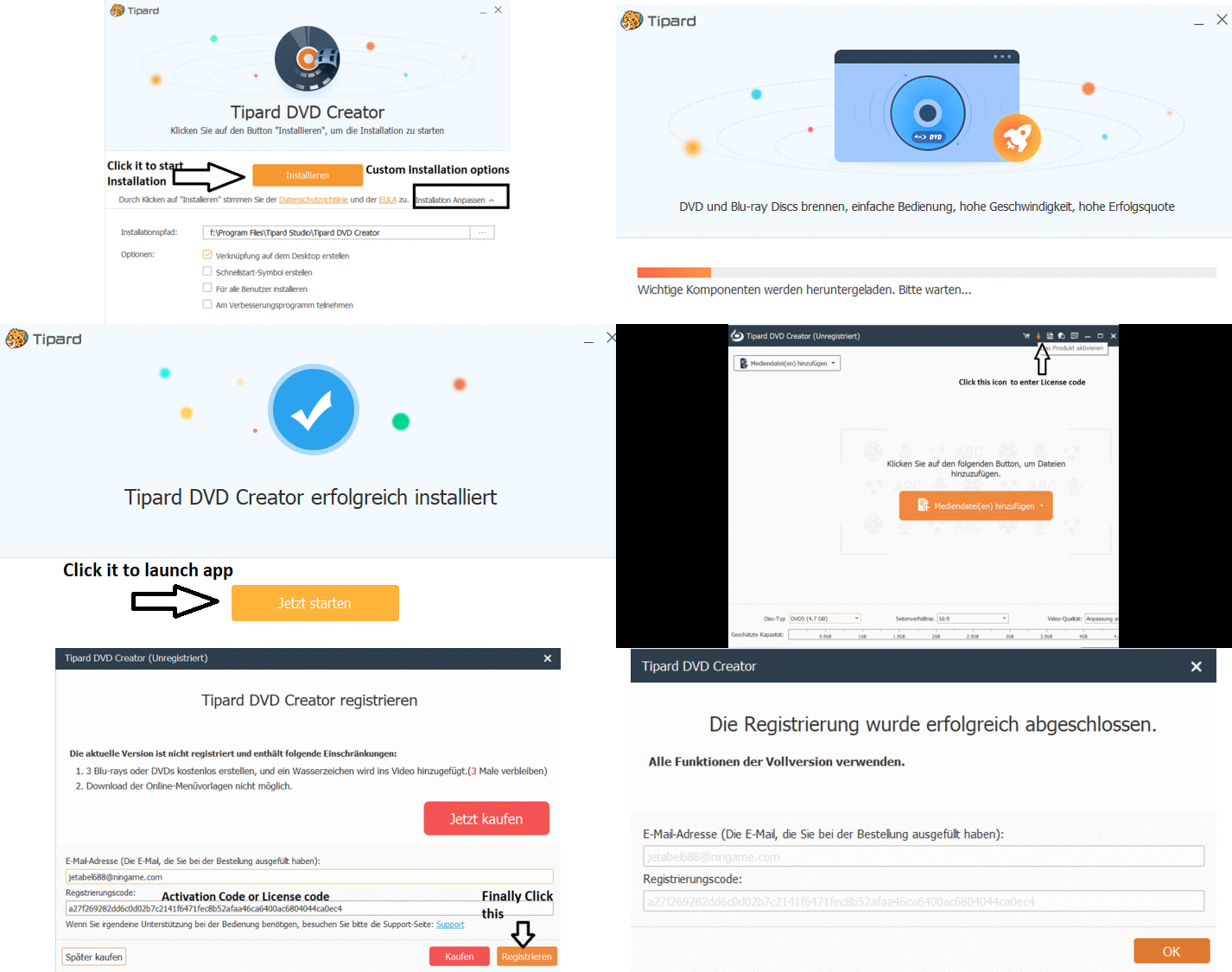
The installer is in German language, just follow the screenshots below and install the software.
Launch the app and click on the “Key” icon on the main window.
Enter your email address, registration or the activation code you received.
Click on “Register” button and press “OK” button.
Change the app interface language to English:
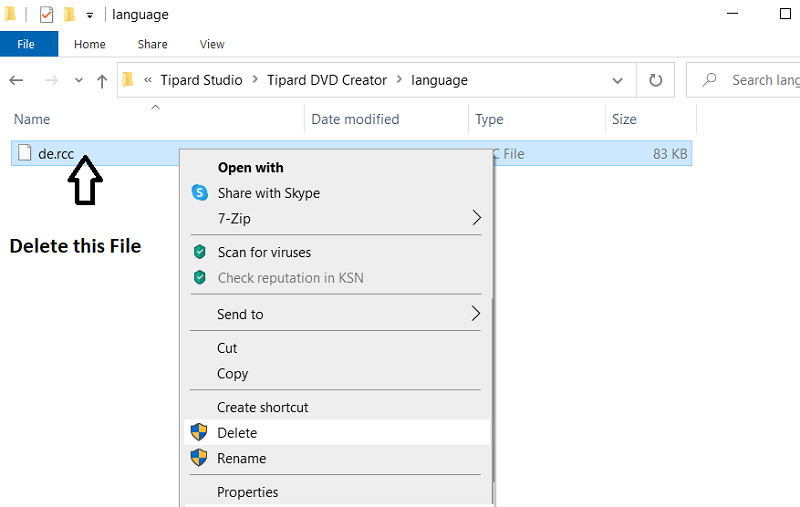
Go to the “Languages” folder where the software is installed.
For example:
C:/Program Files/Tipard Studio/Tipard DVD Creator/language/
Delete the “de.rcc” file.
Simply launch the app.


![Wise Registry Cleaner Pro v11 Free for 1 Year [Worth $29.95] | Free Download](https://diystorehouse.com/wp-content/uploads/2024/06/Wise-Registry-Cleaner-Pro-Box.png?v=1719554291)
