
Tipard Total Media Converter With this intuitive application you can convert DVDs and videos to new video file formats, extract audio tracks from movies, and customize the output with ease.
It can convert between multiple video formats and also allows ripping DVD to formats such as AVI, MPEG, VOB, etc. The software also has the ability to rip audio from DVD and video and convert it to any desired audio format.
In just a few clicks, you can use this program to rip DVDs and store the files on your computer or transfer them to your mobile device, as well as convert any other media you have into a format that can be played on your device.
The app’s interface is simple and easy to understand, so even people with no experience can use it. The features that come with the tool are very easy to use and understand, so you can get the most out of it even if you’ve never used it before.
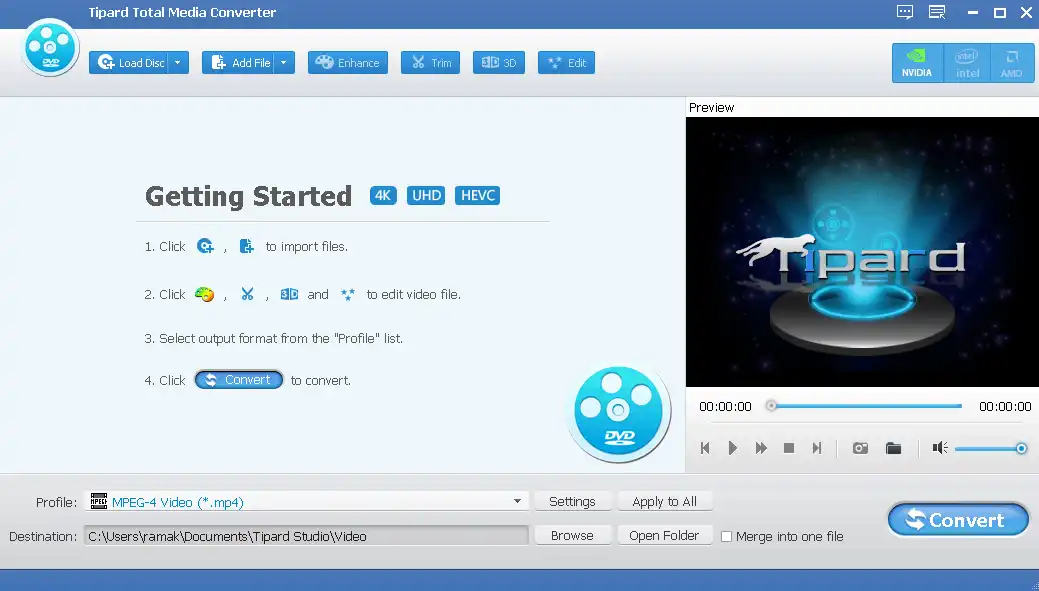
The editing tools in Total Media Converter are top notch. Brightness, contrast, saturation, and hue are just some of the tools that give you the best editing experience. Video Such effects can be corrected with this tool. DVDs and videos can be cut into smaller pieces if desired. Cropping allows you to change the visible screen area of a DVD or video.
You can personalize your videos by adding text or image watermarks with this converter. We can combine multiple videos or DVDs into a single video. Additionally, you can change the video and sound according to your preference. If you want to convert your DVDs and videos to 3D videos, Total Media Converter is the best choice. You can convert your 2D videos to 3D in three different ways: side by side, top and bottom, and anaglyph 3D,
Tipard Total Media Converter Features:
- Convert DVD to popular video formats like MP4, MKV and AVI.
- Convert any video to MP4, MOV, AVI, WMV, MKV, and other formats.
- Get high quality audio from DVD and video files.
- Convert video to 3D and adjust 3D settings.
- You can trim, crop, add effects, and add watermark to the video.
- Supports multi-core CPU to increase the conversion speed.
- The built-in player lets you preview the source DVD and videos while converting.
Get Tipard Total Media Converter for free:
go here New Gifts Page or this Gifts Page or this Gifts Page,
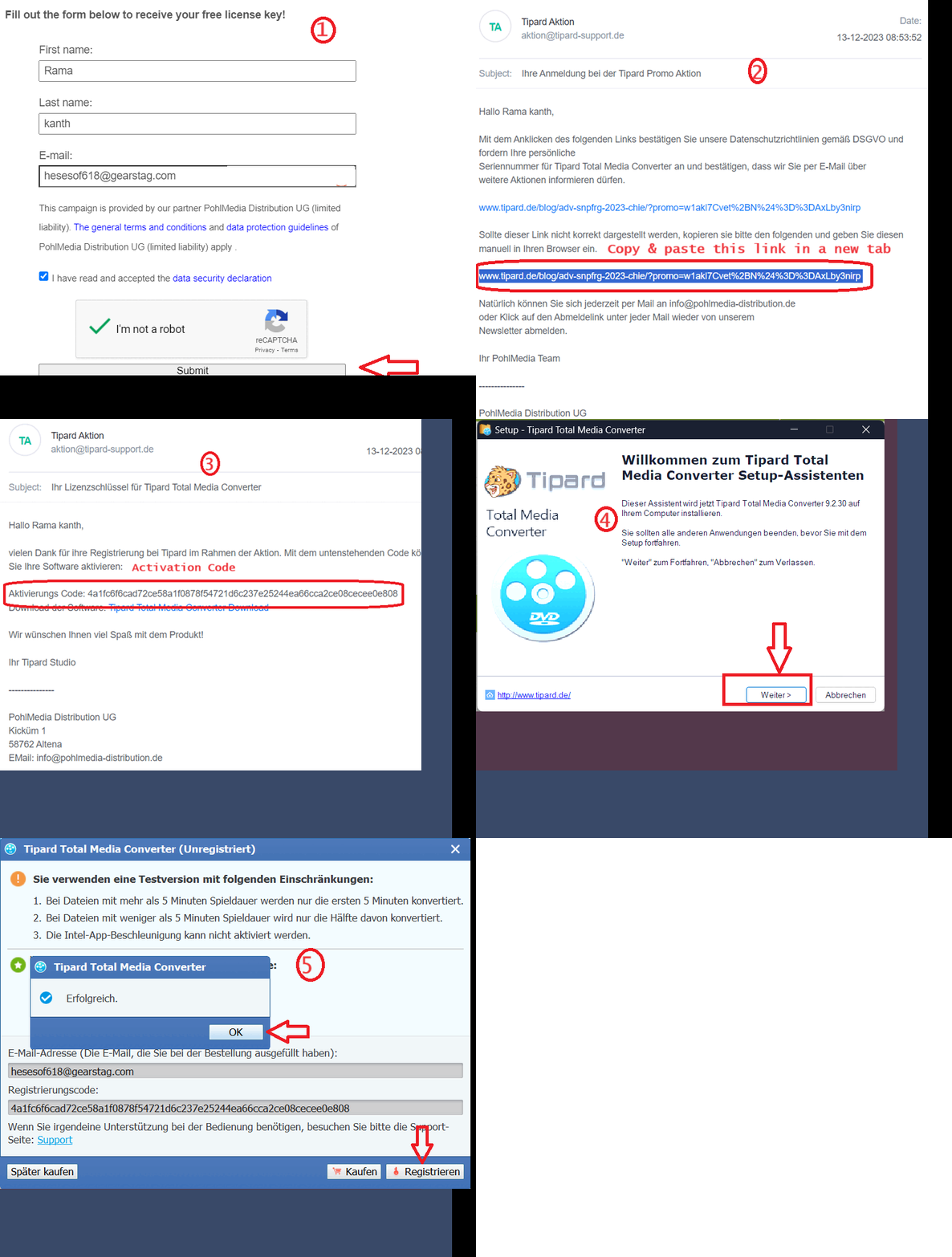
Fill in your first name, last name, email address, agree to the terms, complete the captcha and press the “Submit” button.
Shortly after, you will receive a confirmation email from Tipard Aktion (aktion@tipard-support.de).
Click the confirmation link in the email. If a “page not found” error appears, copy and paste the confirmation link in a new tab.
You will then receive a second email from Tipard Aktion (aktion@tipard-support.de) containing a registration or activation code and a link to download the installer.
Click the link, download the installer, run it (the installer will be in German), click “Weiter” to proceed and complete the installation.
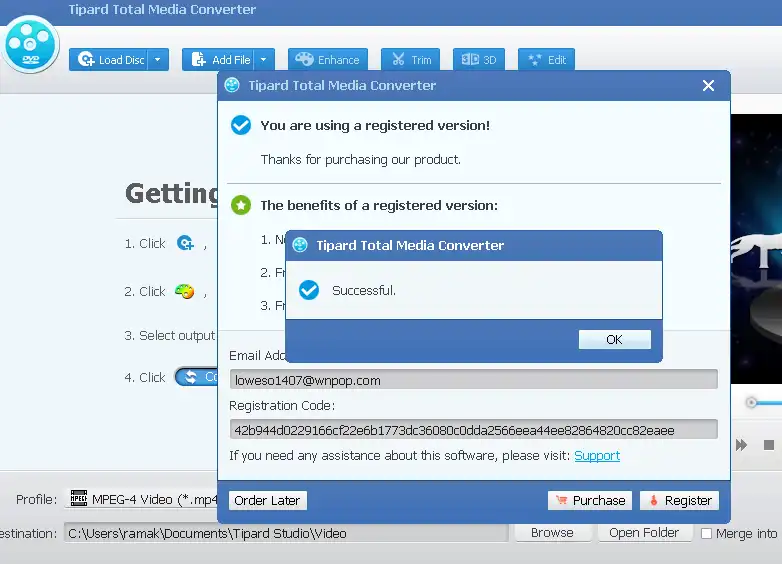
On launching the app, you will see the activation window. Enter your email and license code and click “Register”.
To change the language from German to English:
- Close the application completely.
-
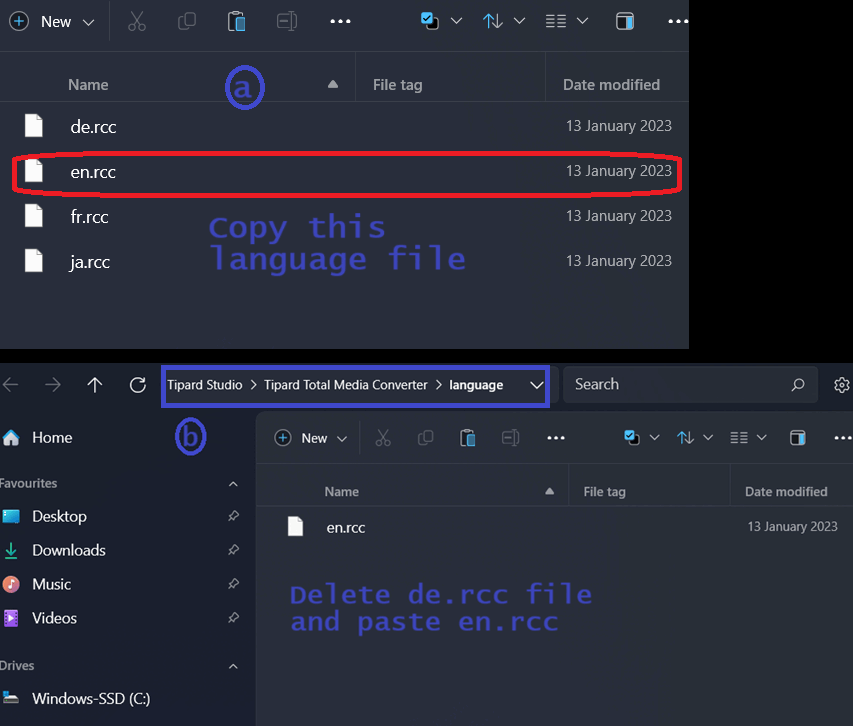
Go to the installation folder of Tipard Total Media Converter on your PC and open the “language” folder. Delete the “de.rcc” file.
Example installation folder location:
C:Program Files (x86)Tipard StudioTipard Total Media Converterlanguage
- Download the language folder (zip file) from any of these links: [Link 1/ Link 2],
-
Unzip the file, copy the “en.rcc” file, and go to the installation folder of Tipard Total Media Converter. Open the “language” folder and paste the “en.rcc” file.
-
The UI of the software will now be in English.
Note: The downloaded language folder also includes French and Japanese files for users who prefer the UI in those languages.


![Wise Registry Cleaner Pro v11 Free for 1 Year [Worth $29.95] | Free Download](https://diystorehouse.com/wp-content/uploads/2024/06/Wise-Registry-Cleaner-Pro-Box.png?v=1719554291)
