
Vidmore Screen Recorder This is an easy-to-use screen recording software. It can capture any screen on your desktop, any window from the browser, and audio from the microphone and system.
With it, you can easily create a video tutorial to post online or save online streaming videos and music to a computer for offline playback. Moreover, its webcam recording feature lets you easily create picture-in-picture visions.
features:
1.Record Desktop
Easily capture your desktop screen activities with or without sound and voice, edit the recordings, and save them in various file formats for better sharing.
2.Record game play
Record 2D/3D games, flash games and online games PC,
3.Capture streaming video
Enables you to capture and edit live-streaming videos from popular online websites such as YouTube, Dailymotion, Hulu, Twitch, Vevo, Metacafe, Facebook, etc.
4. Record webcam
Capture webcam only or record webcam along with your screen simultaneously in high quality with various audio sources
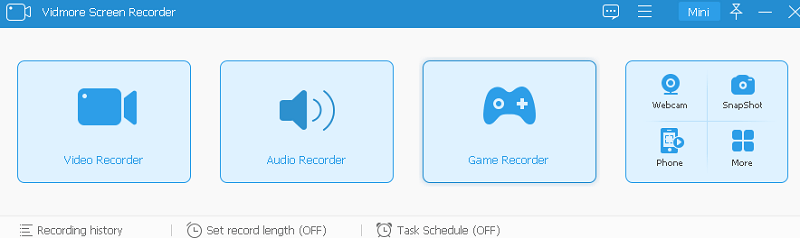
5.Record audio
It enables you to easily capture any audio from the microphone, system sound, or both. It also works as a streaming audio recorder to record audio from YouTube online.
6. Take a screen shot
Take a screenshot of the entire screen or a single window.
7. Real-time drawing
Add text, arrows, and shapes to your recording or screenshot.
8.Trim recording
Equipped with a built-in editor, this program can freely trim the recording to keep the important part based on your needs.
9.Hardware Acceleration
This recorder improves recording performance by using hardware acceleration.
10.Scheduled Recording
Set the task name, start time, end time, and duration.
11. Record a GIF
Set the output video or screenshot format as GIF file
12. Capture 4K UHD video and export the output file without losing quality.
Get Vidmore Screen Recorder for Free:
go here Gifts Page,
Enter your name, email address and click 'Get a Free License' Press the button to receive the license code.
Download the installer From here.
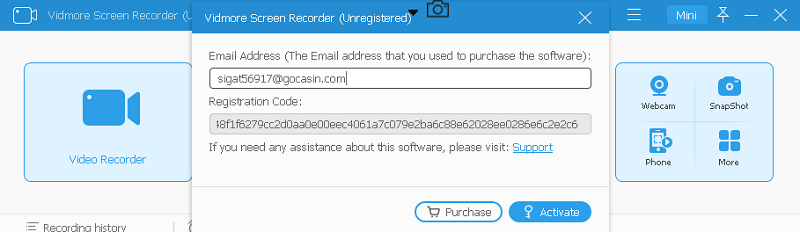
Install and activate the full version with the license code received from Vidmore (registration@vidmore.com).


![Wise Registry Cleaner Pro v11 Free for 1 Year [Worth $29.95] | Free Download](https://diystorehouse.com/wp-content/uploads/2024/06/Wise-Registry-Cleaner-Pro-Box.png?v=1719554291)
