
Vidmore Video Enhancer There is a comprehensive video correction tool that allows you to change the brightness, contrast, color, noise level and other parameters of your video.
There are many different apps that you can use to add effects to your videos. If you want a video enhancer that can also change the format of your clips, Vidmore Video Enhancer is a good option.
With Video Enhancer, an application for improving video quality, you can upgrade low-resolution videos to high-resolution videos, improve dark videos by adjusting brightness and contrast, remove video shake, And you can reduce motion blur, denoise videos, and more with just a few clicks. ,
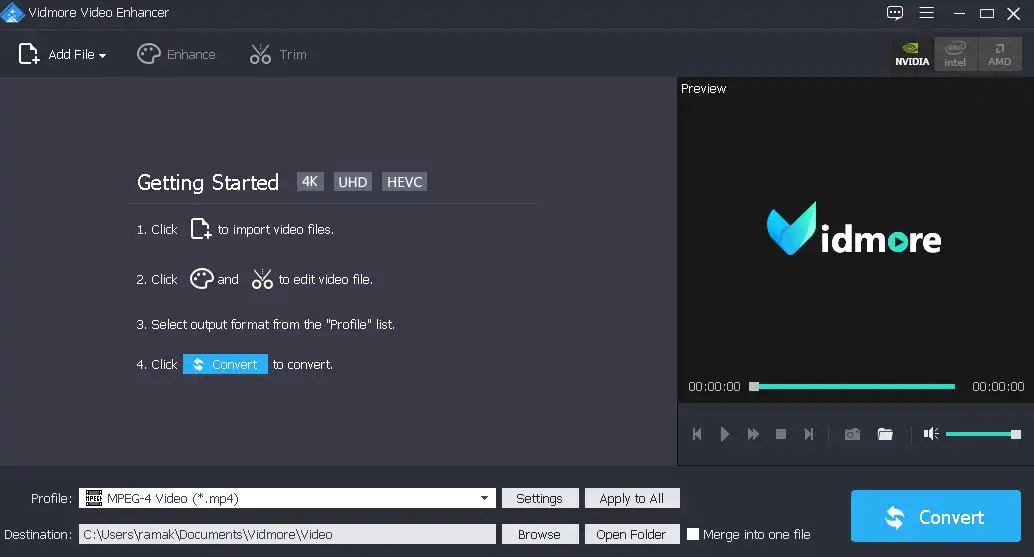
The primary window of this Vidmore software is not only user-friendly but also intuitive despite its extensive feature set.
You can add an entire folder so that we can work on multiple files at the same time. You can also add single videos by moving to their location (you can't just drag and drop them into the main window).
The following formats are supported: MTS, M2TS, MPEG, MP4, RMVB, WMV, MKV, AVI, 3GP, FLV, MPV, MOD, TOD, webmMXF, OGM, WTV, OGV, NSV, and others.
You can rotate, flip, and crop the clip. The brightness, contrast, saturation, hue and volume of each video can be adjusted. You can convert the loaded clip to 3d And choose anaglyph or split-screen.
This video enhancer allows you to add text or image watermarks to your videos, which is a useful feature. You can specify manually watermark Adjust the placement and its opacity until you are satisfied with the result.
Vidmore Video Enhancer Features:
1.Upscale resolution
You can enhance CCTV video, convert SD video to Full HD and convert 480p video to 720p/1080p/4K.
2. Customize Brightness and Contrast
This feature lets you fine-tune exposure and adjust brightness, contrast, color, etc.
3.Remove Video Noise
It can detect and eliminate sounds like car horns, wind rustling, people's voices, etc.
4.fix shaky camera video
5. Multiple editing options
Use advanced editing tools and effects, like rotate, crop, crop, etc. to enhance your video.
Get Vidmore Video Enhancer for free:
go to Gift Page: https://www.vidmore.com/cooperation/
Enter your name and email address, agree to the privacy policy, and click the “Get a free license” button.
Check your email inbox for an email from Vidmore(registration@vidmore.com). This email provides the license code.
Download installer or software from here[38 MB],
Install and activate the full version using the license key obtained from the giveaway page.


![Wise Registry Cleaner Pro v11 Free for 1 Year [Worth $29.95] | Free Download](https://diystorehouse.com/wp-content/uploads/2024/06/Wise-Registry-Cleaner-Pro-Box.png?v=1719554291)
