


VOVSOFT Serial Port Monitor This is a tool that helps you monitor your computer's COM ports and connected serial devices. Easily track the data flowing through COM ports using this tool.
Receive and send data from your computer's COM ports with this simple app. You can use it to see how your computer communicates with its ports.
There are two variants of this app: you can get both the standard installer version and the portable version.
Quick look at VOVSOFT Serial Port Monitor:
Vovsoft Serial Port Monitor is a tool that helps you monitor your computer's COM ports and connected serial devices. Easily track the data flowing through COM ports using this tool.
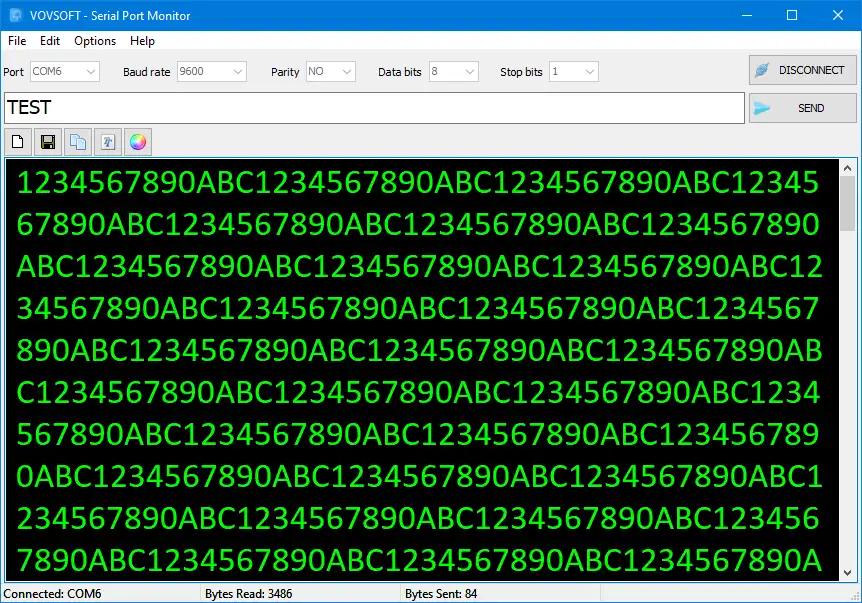
When you connect, you can change things like the baud rate (number of bits per second), parity, data bits, and stop bits. Windows The software can send and receive data in ASCII text. This means it can do both. It is possible to send text at a set interval. You can change the interval in milliseconds. You can use the “Clear”, “Save to File” and “Copy to Clipboard” buttons to get rid of things. The menu also lets you change the font and background color.
RS232 Monitor
If your computer has an RS-232 port, RS-485 port, RS-422 port or any other serial port device that can be monitored and controlled by this simple port sniffer program, you can use it to view and control that device.
When you use this serial port analyzer software, you can read incoming data from RX and send outgoing data to TX very quickly.
Get Vovsoft Serial Port Monitor for free:
Vowsoft's Serial Port Monitor, normally priced at $19, is currently available for free.
visit Vovsoft Promo Page,- Download either desktop installer Or portable version,
- Install the program on your Windows machine and start it up.
- When the activation window is displayed (see screenshot), click “Enter license key”.
- The license key is E1WH8-9XBLA-HCML2
E1WH8-9XBLA-HCML2



![Wise Registry Cleaner Pro v11 Free for 1 Year [Worth $29.95] | Free Download](https://diystorehouse.com/wp-content/uploads/2024/06/Wise-Registry-Cleaner-Pro-Box.png?v=1719554291)
