
Do you need a speech recognition and translation tool that can help you save your time and work more efficiently?
If so, Vovsoft Speech to Text Converter is the perfect solution for you! This powerful tool uses the IBM Cloud Speech-to-Text API to convert audio files to text and then translate the text into the target language.
What is Vovsoft Speech to text converter?
Speech to Text Converter is a great software that uses IBM's powerful Speech Recognition API to convert audio files to text. It can take an audio file or record your voice directly and instantly translate what you say into text. But that's not all – it can also translate text into over 100 languages!
Use this audio-to-text tool to speed up the transcription of long audio recordings like interviews, meetings, and podcasts.
Supported audio formats?
Speech to Text Converter accepts various popular audio formats, including MP3, FLAC, WAV, OGG, and WebM,
If you don't have any audio files, don't worry—the app also has a built-in recorder. Just click the “Record” button, and you'll be able to capture and convert audio directly inside the app.
? How does this work?
This app uses IBM's speech-to-text technology to convert spoken words into written text.
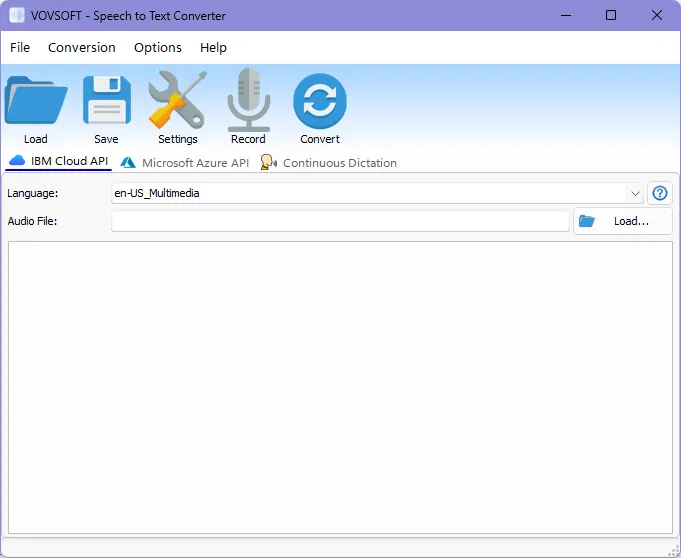
When you open the app, you’ll see a simple and easy-to-use interface where you can browse your audio file or record your voice.
You can either import a pre-recorded file or use the built-in recorder. Once you click “convert,” it analyzes the audio and produces a text transcript. It then translates the text into the language of your choice.
This software works with a speech engine that can be used both offline and online:
- Microsoft Speech Platform, Windows' native offline voice recognition The engine is what powers continuous dictation.
- IBM's cloud-based speech-to-text service can process up to 500 minutes of audio each month at no cost.
- You can do up to 300 minutes of free conversions every month using Microsoft Azure (Cognitive Services).
Comment: Some countries, including China and Taiwan, may not have access to IBM Cloud or Microsoft Azure, and both services may demand a credit card to enroll.
features:
- Converts audio files to text in multiple languages
- Translates text into multiple languages
- Supports common audio formats, such as MP3, FLAC, WAV, OGG, WEBM
- It includes a built-in recorder
- Requires an IBM Cloud account
Speech to Text Converter Gift:
Vowsoft's Speech to Text Converter, which usually costs $19, is currently free.
go here Gifts Page
- Download desktop installer or one portable version to your computer.
- Install and launch it on your Windows computer.
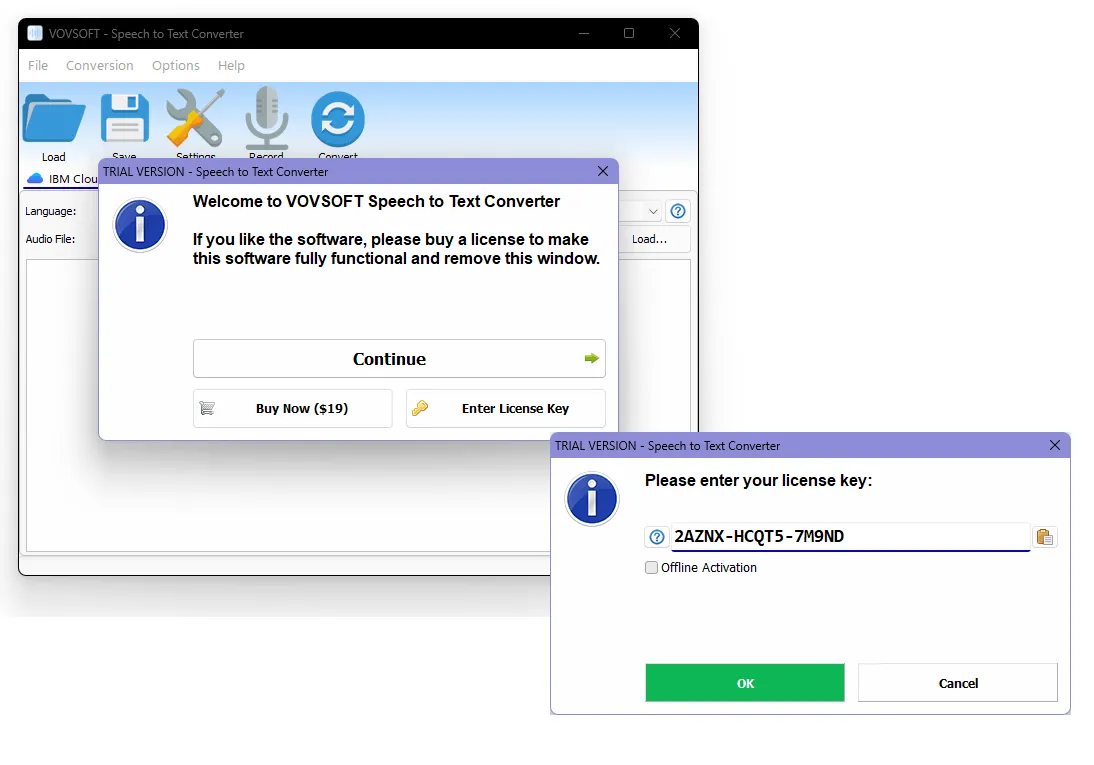
- After the activation window appears (screenshot), select “Enter license key”.
- enter NB36G-SNVE8-QBVFG as the license key.
License Key: NB36G-SNVE8-QBVFG
conclusion:
Vovesoft Speech to Text Converter is a powerful tool that can help you save time and work more efficiently. If you are an IBM Cloud user, I highly recommend giving it a try!


![Wise Registry Cleaner Pro v11 Free for 1 Year [Worth $29.95] | Free Download](https://diystorehouse.com/wp-content/uploads/2024/06/Wise-Registry-Cleaner-Pro-Box.png?v=1719554291)
