
VSDC Video Editor for iOS is an app that lets you edit videos on the go with your iOS iPhone. It is compatible with Apple’s iOS devices.
it Ios The app is great for basic tasks like trimming, cropping, and rotating videos, and also includes more complex features like adding transitions, adjusting the speed, and adding voiceovers.
Create a video from your footage to memorialize your time spent with loved ones. You can share your movies online and watch them on your phone or tablet with high quality.
Smartphone video recording is very much in vogue now, and iPhones in particular are preferred for this purpose due to their state-of-the-art camera systems. If you want to edit videos on iPhone or iPad and need a professional app, VSDC for iOS is the best choice for you.
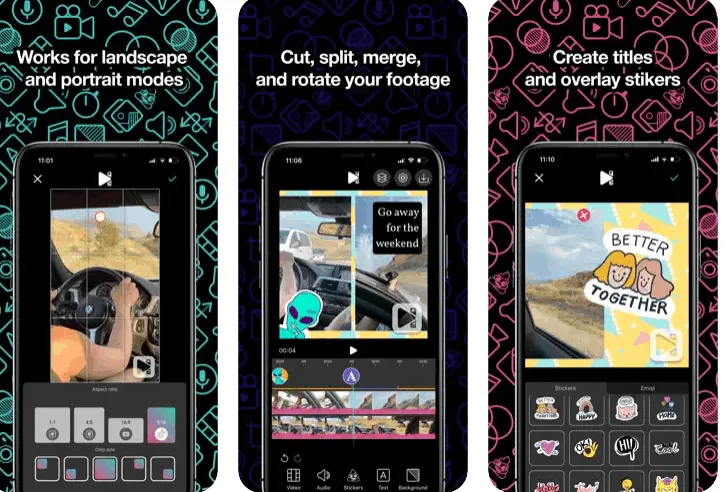
You can rotate, cut, and merge videos with the help of VSDC Video Editor for iOS. This app is useful when you need sophisticated tools like picture-in-picture, speed customization, and voiceover.
If you want to add your voice to the video you create, you can easily do so with the Record Voiceover function. Furthermore, it is great for video editing due to features like background music and instant filters.
The app has an intuitive interface and works in both landscape and portrait orientation.
VSDC Video Editor for iOS allows you to do the following:
- You can edit your video in a number of ways, including cutting, splitting, merging, and rotating.
- replace the Video Speed, slowness, or direction.
- Insert audio and adjust volume.
- Add voiceover.
- Create titles and other text-based objects.
- You can use quick filters and backgrounds.
- Overlay watermarks and stickers.
Get VSDC Video Editor for iOS for free:
Visit this free page that offers license codes for both the desktop and iOS versions:
https://www.videosoftdev.com/pc-heise
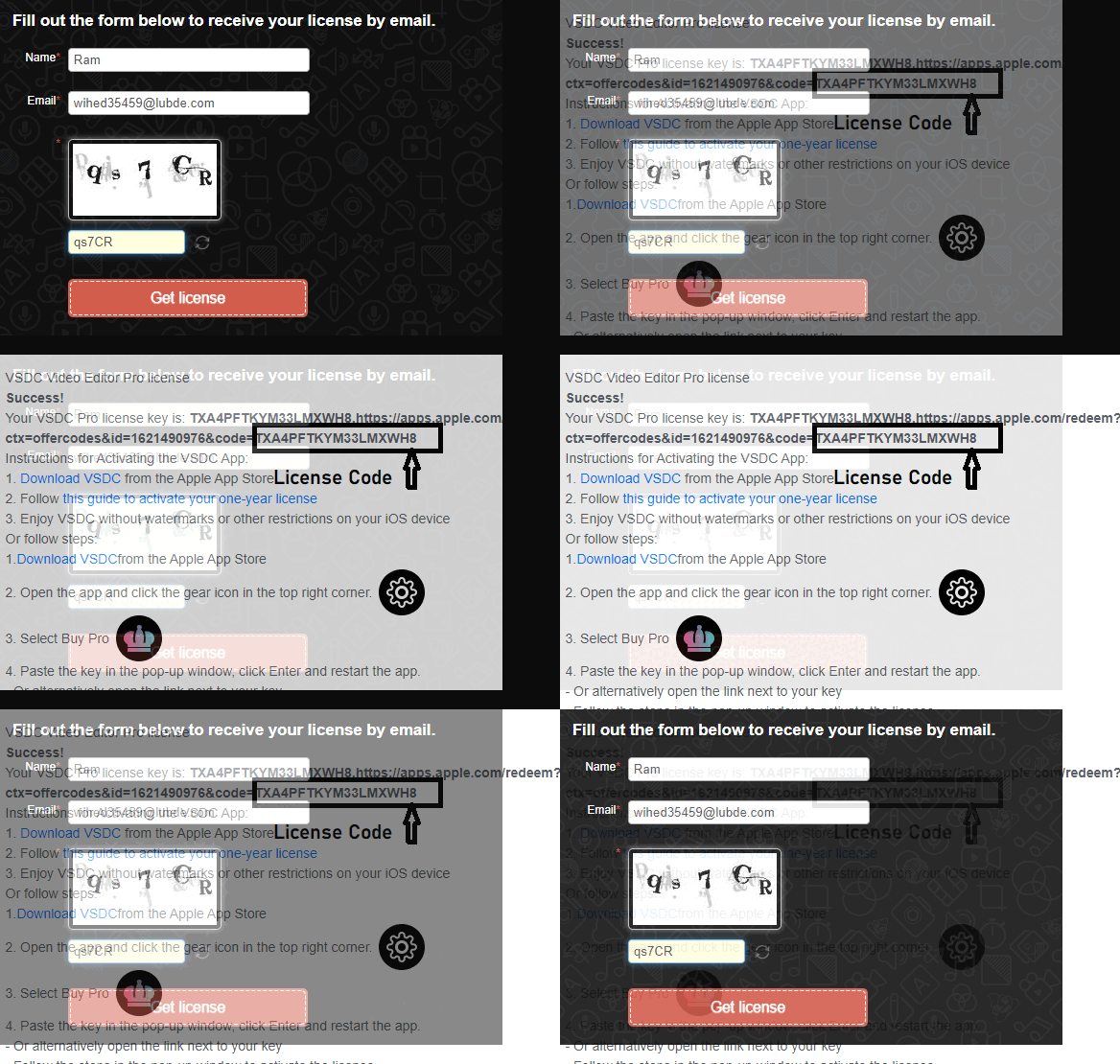
Scroll to the bottom of the page. Complete the form and press the “Get License” button to receive your free license key.
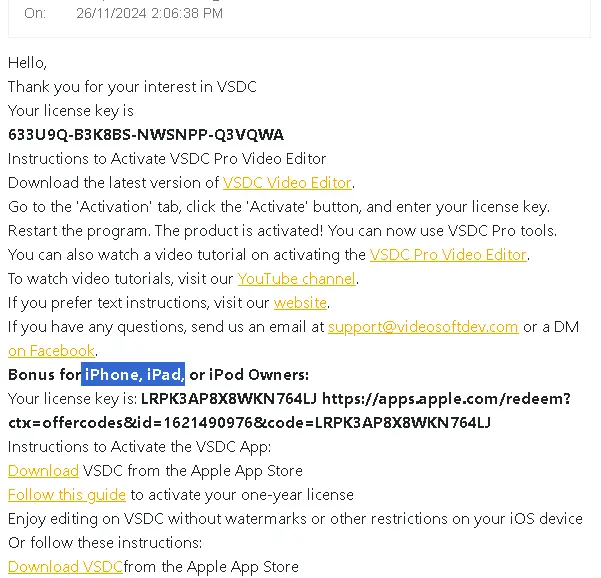
Comment: Please Happen patient As VSDC email feedback Time can do Category From minutes To hours.
Download the VSDC app from the Apple App Store: https://apple.co/3BBglDO
Launch the app and tap the cog or gear icon in the top right corner.
Next, tap on either “Buy Pro Version” or “Redeem Code”. Simply copy the key, paste it in the pop-up window, press “Enter” and restart the app.
[Previous Giveaway],
go to give itE,


![Wise Registry Cleaner Pro v11 Free for 1 Year [Worth $29.95] | Free Download](https://diystorehouse.com/wp-content/uploads/2024/06/Wise-Registry-Cleaner-Pro-Box.png?v=1719554291)
