

WonderFox Convert Video to Picturer is a Windows application that allows you to convert video frames into several image formats such as PNGBMP, TGA, or GIF and customize the output file.
For a limited time, you can get a full version license of this software for free; follow the steps below.
WonderFox Video to Picture Converter Free License:
Download the software from here https://www.videoconverterfactory.com
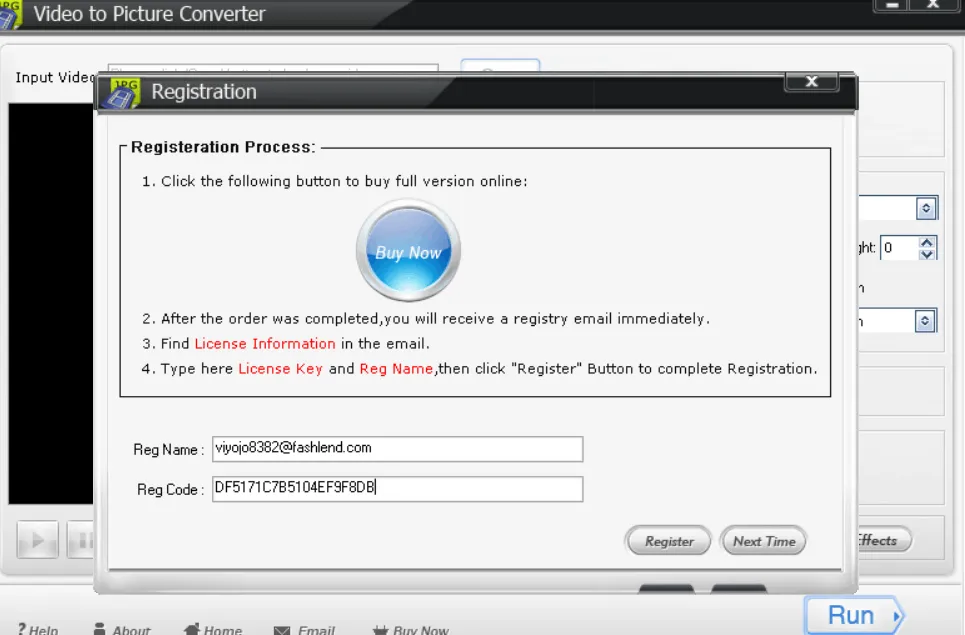
Run the installer, complete the installation process, and when you start the software for the first time, you will see an activation screen.
Enter your email address or name and the license code below, then press the “Register” button.
license code: DF5171C7B5104EF9F8DB
That’s it!
About Wonderfox Video to Picture Converter:
You can find many file converters online, and some programs allow you to edit your files. WonderFox Video to Picture Converter is one such program.
You can customize the output files and convert video frames into various picture formats with this smart software solution.
Quick installation and a streamlined graphical user interface with all the necessary capabilities are the features of this program.
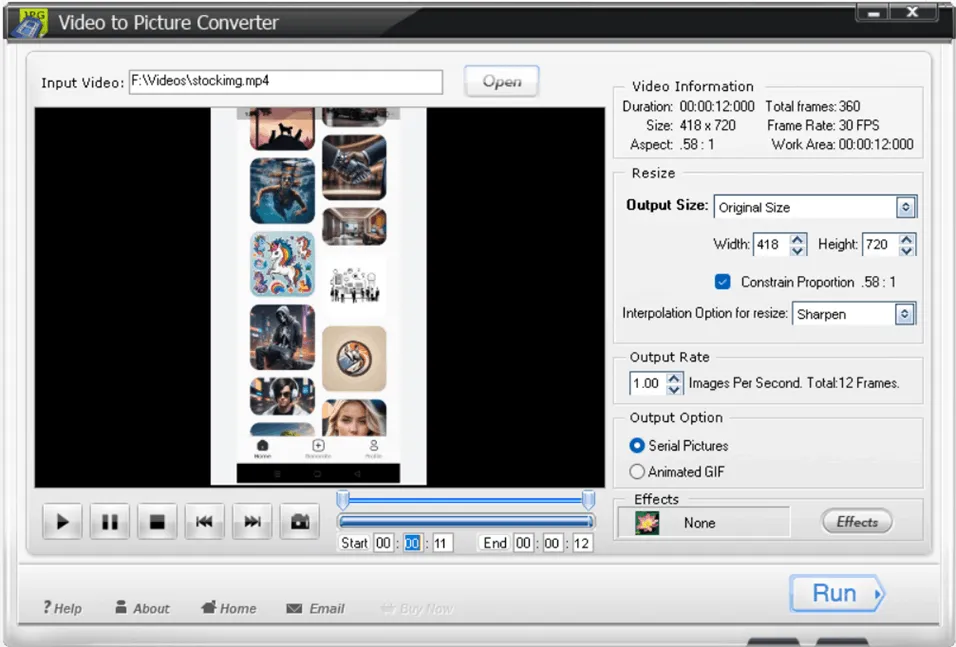
After running the program, the first step is to find out video file Download it to your computer and install it into the program. It has a built-in preview feature that lets you view your files before opening them.
You can play, pause, fast-forward, reverse, and stop using its controls. Easy video trimming, start and end time selection, and information viewing are all at your fingertips. The video’s aspect ratio, runtime, size, total frames, and frame rate are all shown.
Both the width and height of the output files can be customized. You can change the frame rate, add effects, and sharpen or smooth the output files. It enables creating animated GIFs or serial photos.
Invert, highlight, blur, sharpen, noise, brighten, and a variety of green, red, and blue effects are all at your disposal.
key features:
- This makes it possible to take still images from a video and save them as separate images.
- Besides AVI, MP4, MPG, WMV, MKV, and MOV, this video converter program also supports other popular video formats.
- This tool can convert video files to many image formats, including JPG, GIF, BMP, TGA, TIF, PCX, Ico, etc.
- When you convert the video YesIFS With this program, you can add some fun special effects such as black and white, gray scale, emboss, invert, blue, sharpen, noise, brightness, etc.


![Wise Registry Cleaner Pro v11 Free for 1 Year [Worth $29.95] | Free Download](https://diystorehouse.com/wp-content/uploads/2024/06/Wise-Registry-Cleaner-Pro-Box.png?v=1719554291)
