

XenArmor Wi-Fi Password Recovery Pro is an easy-to-use Windows software that helps you instantly recover as well as remove all wireless passwords from your Windows computer.
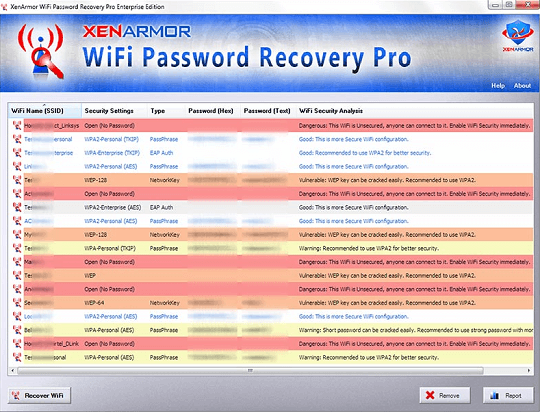
This software automatically detects all the configured Wi-Fi profiles and recovers the password instantly. Then, for each recovered Wi-Fi profile, it displays complete details including the Wi-Fi SSID name, Security Settings (WEP, WPA, WPA2, WPA3), type, and Wi-Fi password.
It performs a detailed security analysis of each wireless profile and classifies them as dangerous, unsafe and warning based on their password security configuration.
The command-line version helps save you precious time by completely automating your wireless password recovery operations.
key features :
1.Wi-Fi Password Recovery
Instantly discovers and decrypts all wireless passwords from your system.
2. Protect WiFi Password:
Easily delete one or more selected Wi-Fi password profiles by clicking a button.
3. Multi-color display:
Shows results in a multi-colored report for quick identification of security issues.
4.Wi-Fi Password Security Analysis
Performs detailed password security analysis and classification of each retrieved wireless profile.
5. Automation of Wi-Fi password recovery
Save your valuable time by completely automating your wireless password recovery operations.
6.Recover WEP, WPA,WPA2, WPA3 password
Supports password recovery for all wireless protocols including WEP, WPA, WPA2, WPA3 etc.
7.Command line version
This feature helps in automation and gets seamlessly integrated with your scripts/programs.
8.Wi-Fi Password Report
Generate wireless password report in HTML, CSV, XML, JSON, SQLite database file format.
- Right-click context menus to help you perform common tasks easily.
10. Advanced installer for quick installation and uninstallation.
XenArmor Wi-Fi Password Recovery Pro works on both 32-bit and 64-bit platforms from Windows Vista onwards windows 11,
Wi-Fi Password Recovery Pro comes with a standard Windows installer that allows seamless installation and uninstallation.
Launch the setup file and follow the on-screen instructions to complete the installation.
You can uninstall it from Control Panel or click on the uninstaller from the install location of Wi-Fi Password Recovery Pro.
Wi-Fi Password Recovery Pro It is very easy to use. After installation, just launch it. It will instantly retrieve and show all the stored wireless passwords from your computer.
Get XenArmor Wi-Fi Password Recovery Pro for free:
go here Gifts PageEnter your email address, and click the blue button (Request full version key).
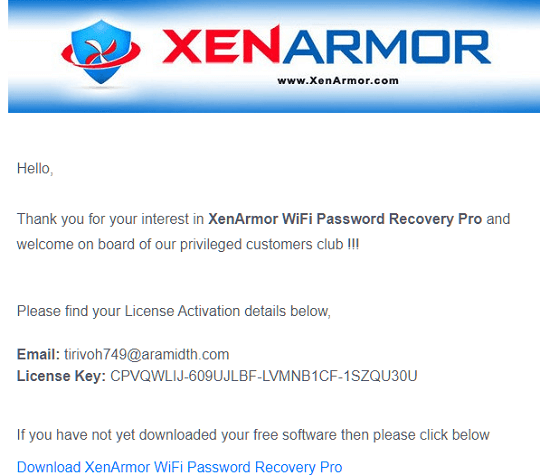
You will receive an email from XenArmor (info@xenarmor.com), this email provides activation details and a link to download the installer.
Download Wi-Fi Password Recovery Pro Cheap VersionInstall it, and activate the full version.


![Wise Registry Cleaner Pro v11 Free for 1 Year [Worth $29.95] | Free Download](https://diystorehouse.com/wp-content/uploads/2024/06/Wise-Registry-Cleaner-Pro-Box.png?v=1719554291)
