Zorin OS 18 has been released. The update brings several new features and some design changes to the distro.
There used to be a time when Ubuntu was considered noob-friendly, suitable for beginners. But many Linux fans today are angry at this suggestion. Linux Mint, Fedora, Caché OS, Bazite, and Zorin OS are among those commonly recommended for newcomers to Linux. It seems that Zorin OS 18 is focusing on that, especially to help users who are migrating from Windows. The developers of the distro are also inviting users who cannot upgrade from Windows 10 to Windows 11 due to hardware requirements to try Zorin OS.
The update adds support for OneDrive files integration into the built-in online account feature, so you can sign in with Microsoft 365 + OneDrive, and manage your cloud storage content from the Files app. Zorin’s database now supports over 170 apps, and recommends alternatives to Windows apps. The OS supports Wine version 10 to run Windows-native apps and games.
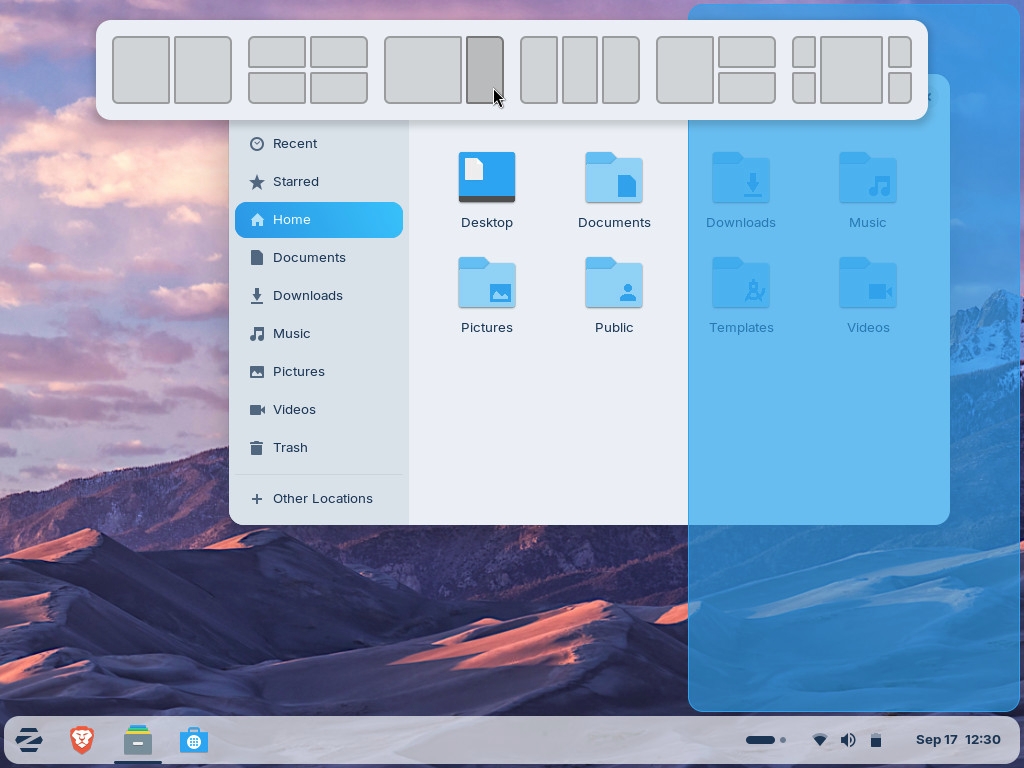
Zorin OS 18 comes with a new window tiling manager, which looks very similar to Windows’ Snap feature, which is a nice thing. To tile a window, drag it to the top of the screen, and a pop-up will appear displaying different layouts. Choose the one you like, and it will be tiled. Users can create custom tiling layouts, customize tiling behavior, and even enable auto tiling and smart window suggestions. It supports keyboard shortcuts.
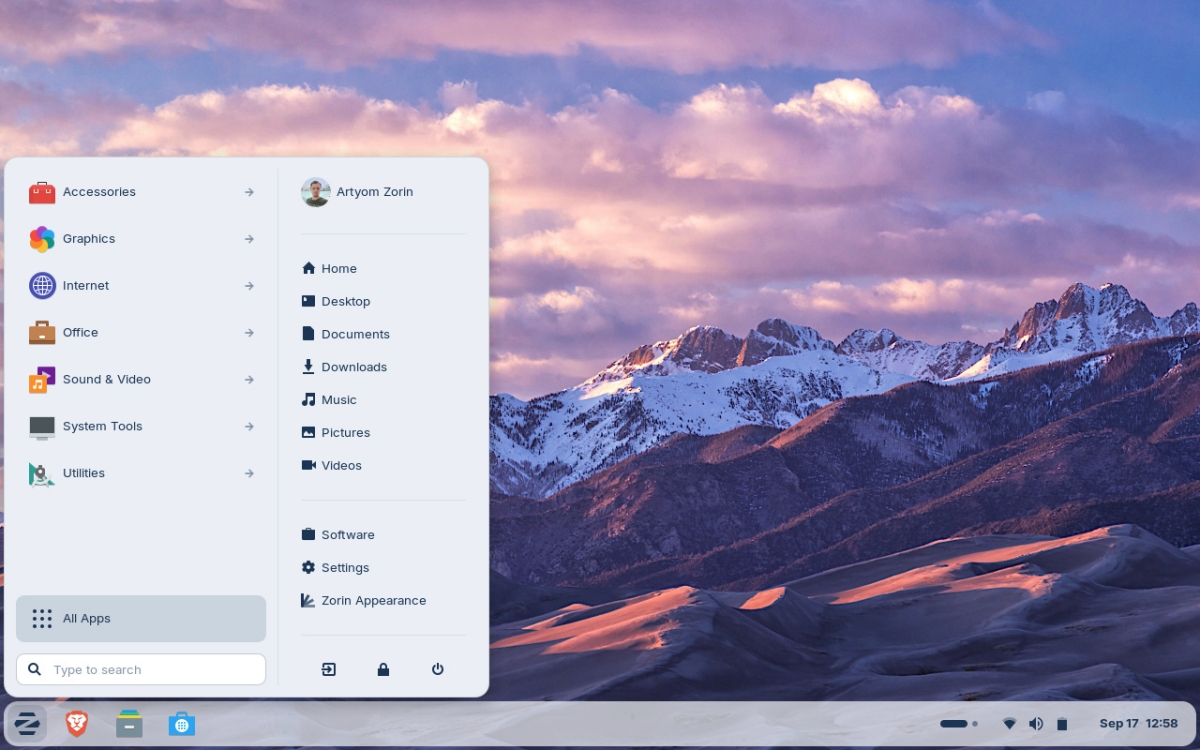
The default theme in Zorin OS has been updated with improvements to rounded corners, color palette, tints, etc. Even the panels have this circular style. All the apps including Settings, Files, Calendar have been slightly redesigned. Zorin has given the evolution mail app a facelift, and replaced the cheese app with a new camera app. The distro’s One Apps tool allows you to create a desktop app for any website, and these get added to the Start menu. You can use these shortcuts with any browser of your choice.
The update includes various performance optimizations for faster systems. The Files app has a “Search Everywhere” button that you can use to find your files by name or text content.
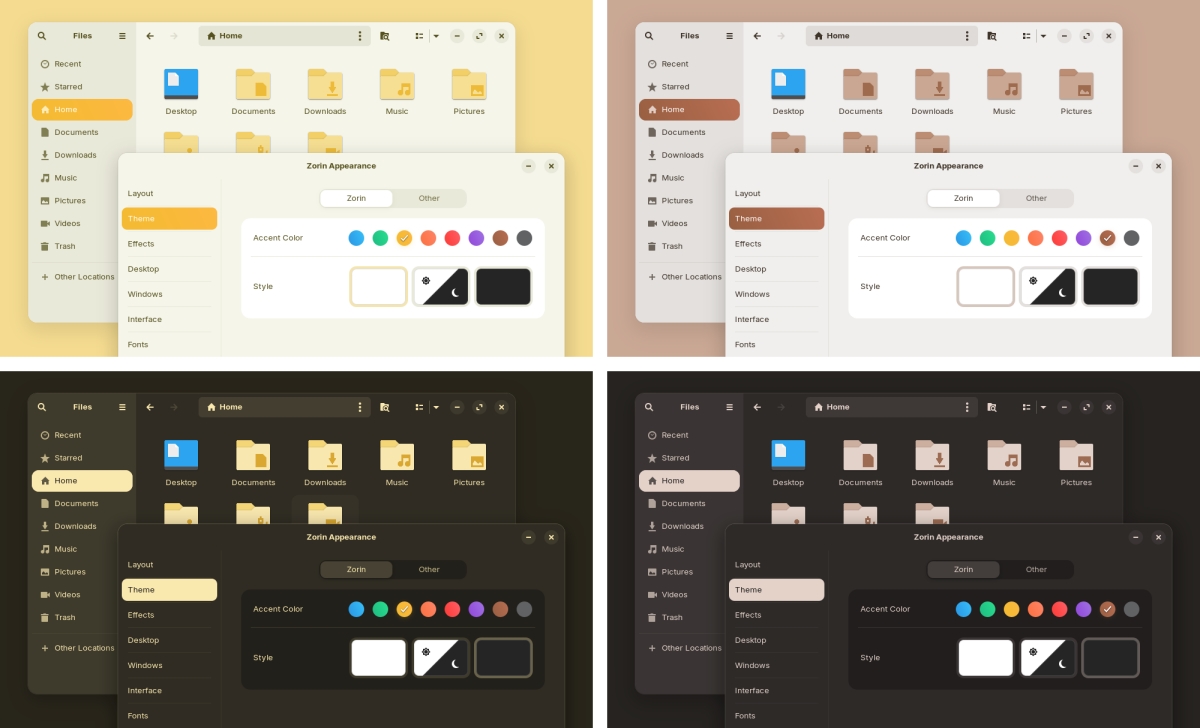
Zorin OS 18 is based on Ubuntu 24.04.3 LTS, and comes with GNOME Shell. It comes with Linux kernel 6.14. The distro will be supported until June 2029. Zorin OS has two new theme colors: yellow and brown.
Zorin OS Pro, which is the optional premium version, has some new distinctive layouts and 11 new apps. And Zorin OS Education gets some new apps too. A lite version with XFCE is coming soon. Refer to the announcement For complete release notes.
(Images Courtesy: Zorin)
Here are the system requirements for Zorin OS
- CPU: 1 GHz Dual Core – Intel/AMD 64-bit Processor
- RAM: 2GB
- Storage: 15GB (Core), 32GB (Education), or 40GB (Pro)
- Display: 800×600 resolution
Download Zorin OS 18 from the official website.
On a side note, Linux Mint Debian version 7 was released yesterday.
Have you tried Zorin OS?
Thanks for reading..